Install a Java JDK, an IDE such as Eclipse or IntelliJ IDEA, Maven, and a supported browser. Selenium Manager can automatically manage compatible browser drivers.

Duration of the online course: 12 hours and 16 minutes
New
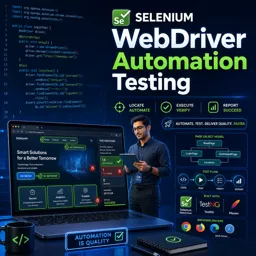
Build job-ready Selenium automation skills with this free online course: Java basics, WebDriver, locators, POM, TestNG, and data-driven testing.
Manual testing can catch important bugs, but modern delivery cycles demand fast, repeatable checks that run every time you ship. In this free online course, you will learn how to create reliable UI automation with Selenium WebDriver using Java, progressing from core programming foundations to a practical testing framework you can grow in real projects. It is designed for learners who want more than isolated scripts: you will build the habits and structure that make automated tests readable, maintainable, and useful to a team.
You start by setting up the tools and understanding how software automation fits into quality assurance, then strengthen the Java skills that matter most in test code. You will work with variables, data types, strings, arrays, methods, and control flow so you can write clear logic, manage test data, and avoid flaky behavior. You will also apply object-oriented concepts such as classes, constructors, access modifiers, and inheritance, which are essential when organizing automation code and modeling applications in a scalable way.
From there, you move into Selenium fundamentals and learn how browsers, drivers, and Selenium Manager fit together, then practice interacting with the application through web elements and locators. You will automate real user flows such as login, and learn how to improve readability by refactoring repeated element interactions into cleaner helper methods. Along the way, you will explore techniques that make UI automation more robust, including building custom control methods that encapsulate clicks, typing, and validations consistently.
As your tests grow, structure becomes the difference between a quick demo and an automation suite that can survive change. You will learn to implement the Page Object Model, use PageFactory and @FindBy effectively, and design page actions that return the next page object so your tests read like user journeys. Finally, you will integrate TestNG to run tests professionally with annotations, centralized setup, suite configuration with testng.xml, and data-driven testing with @DataProvider. By the end, you will be able to create automation that is easier to debug, simpler to extend, and ready to support continuous testing in real-world software teams.

Explore free online Java courses with certificates and learn essential programming skills at your own pace. Master Java fundamentals, object-oriented programming, data structures, APIs, and application development through beginner-friendly and advanced lessons. Enroll today to build job-ready skills, strengthen your resume, and earn a certificate for free.

Explore free online Selenium courses with certificates and learn essential skills in browser automation, web application testing, Selenium WebDriver, test frameworks, and QA automation. Study at your own pace with practical lessons designed for beginners and professionals, and build job-ready software testing expertise without paying tuition.

Explore free online Test Automation courses and earn a certificate while building practical skills in automated testing, Selenium, API testing, CI/CD, test frameworks, and quality assurance. Learn at your own pace with expert-led lessons designed for beginners and professionals seeking stronger software testing skills and career opportunities.

12 hours and 16 minutes of online video course

Digital certificate of course completion (Free)

Exercises to train your knowledge

100% free, from content to certificate
What software do I need to install for Selenium WebDriver automation testing with Java?
Install a Java JDK, an IDE such as Eclipse or IntelliJ IDEA, Maven, and a supported browser. Selenium Manager can automatically manage compatible browser drivers.
What is the Page Object Model in Selenium WebDriver with Java?
Page Object Model is a design pattern that keeps page locators and page actions in dedicated Java classes, making Selenium tests easier to maintain and reuse.
How does TestNG DataProvider support data-driven Selenium testing?
TestNG's @DataProvider supplies multiple sets of test data to one test method, allowing the same Selenium test to run with different inputs.
Ready to get started?Download the app and get started today.
Install the app now
to access the course
Over 5,000 free courses
Programming, English, Digital Marketing and much more! Learn whatever you want, for free.

Study plan with AI
Our app's Artificial Intelligence can create a study schedule for the course you choose.

From zero to professional success
Improve your resume with our free Certificate and then use our Artificial Intelligence to find your dream job.
You can also use the QR Code or the links below.




Free CourseSoftware Testing course
5

(1)

10h18m

Free CourseIT Automation
5
(4)
6h20m

9 exercises
Free CourseSoftware Testing full course
5
(2)
4h55m
6 exercises
Free CourseJavaScript Testing
5
(1)
1h00m
6 exercises
Free CourseSoftware testing for begginers
4.7

(214)
1h01m
21 exercises
Free CourseManual Testing in softwares
4.6
(5)
19h40m
4 exercises
Free CourseSoftware testing tutorials
4.4
(44)
8h02m
27 exercises
Free CourseSoftware testing complete
4.2
(9)
10h41m
33 exercises
Free CoursePostman tutorial to test requisitions
4
(1)
1h31m
9 exercises
Free CourseSoftware Testing using Cypress
New
4h18m
21 exercises
Carry knowledge in your pocket.
Download the Cursa app.
There are hundreds of free courses available, with a free certificate of completion that is saved in your mobile image gallery.
Download the app to access the Course Completion Certificate for Free.


+ 10 million
students

Free and Valid
Certificate

60 thousand free
exercises

4.8/5 rating in
app stores

Free courses in
video and ebooks