Place the request inside useEffect with an empty dependency array, or include only the values that should trigger a new request.

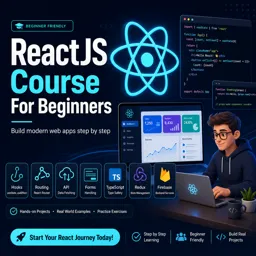
Duration of the online course: 8 hours and 29 minutes
New
Build modern web apps with React in this free online course—learn components, hooks, routing, API data, and deploy projects fast with confidence.
Step into modern web development by learning how to build fast, interactive interfaces with React. This free online course is designed for beginners who want to go from React basics to creating real, deployable applications. You will start by understanding what React is, how a single-page application renders in the browser, and how to set up a project the right way so you can focus on building, not fighting configuration.
As you progress, you will learn the building blocks of React development: JSX, reusable components, and the practical use of props to pass data through your UI. You will gain confidence turning designs into dynamic screens, including conditional rendering and showing lists of data cleanly. Styling approaches are introduced naturally, helping you understand how React fits into real front-end workflows.
From there, you will unlock interactivity with state and the useState hook, understanding why React needs state updates rather than changing ordinary variables. You will apply these ideas in a hands-on CRUD-style to-do app where you learn patterns that transfer to almost any product, including how to uniquely handle updates and deletions when your data contains duplicates.
You will also learn how React components behave over time with lifecycle concepts and useEffect, including how to control when effects run so you do not trigger unnecessary work on every render. This becomes especially valuable when fetching data from an API, where you will learn how to avoid repeated requests and keep your UI responsive and predictable.
Navigation is a core part of web apps, so the course guides you through client-side routing with React Router, clarifying how route matching and route rendering work in practice. You will also explore state sharing at scale using Context to reduce prop drilling and improve maintainability, then take data fetching further with React Query for cleaner async logic, caching, and better control over server state.
To build production-ready forms, you will work with React Hook Form together with Yup validation, learning how to keep form code small, readable, and reliable. You will also see how to create custom hooks to reuse logic across components, and how TypeScript improves safety and developer speed by giving stronger typing for props and state than runtime-only solutions.
Finally, you will connect everything in a practical project experience using Firebase: implementing authentication, performing CRUD operations with Firestore, building features like a like system, and preparing an app for release. You will finish by deploying to Firebase Hosting so your portfolio has a real, shareable result. By the end, you will have the skills and confidence to build React applications that look professional, scale better, and reflect what employers expect in modern front-end development.

Explore the best free online React JS courses and learn to build fast, interactive web applications with hands-on lessons for beginners and aspiring developers. Study React components, hooks, state, props, routing, and modern front-end development at your own pace. Enroll today for free training and earn a certificate to showcase your React JS skills.

Explore the best free online JavaScript courses with certificates and build in-demand web development skills at your own pace. Learn JavaScript fundamentals, DOM manipulation, ES6, APIs, frameworks, and more through beginner-friendly and advanced classes. Enroll today, earn a certificate, and strengthen your resume for developer career opportunities.

8 hours and 29 minutes of online video course

Digital certificate of course completion (Free)

Exercises to train your knowledge

100% free, from content to certificate
How do you prevent a React useEffect API request from running on every render?
Place the request inside useEffect with an empty dependency array, or include only the values that should trigger a new request.
What is the difference between React props and state?
Props pass data from a parent component, while state stores data managed and updated within a component.
How do you deploy a React app to Firebase Hosting?
Create a production build, configure Firebase Hosting to use the build folder as the public directory, then deploy with Firebase CLI.
Ready to get started?Download the app and get started today.
Install the app now
to access the course
Over 5,000 free courses
Programming, English, Digital Marketing and much more! Learn whatever you want, for free.

Study plan with AI
Our app's Artificial Intelligence can create a study schedule for the course you choose.

From zero to professional success
Improve your resume with our free Certificate and then use our Artificial Intelligence to find your dream job.
You can also use the QR Code or the links below.




Free CourseLaravel
5

(2)

4h04m

20 exercises

Free CourseProgressive Web Application PWA for Beginners
5
(5)
3h24m
15 exercises

Free CourseLearn Laravel in 30 Days: Beginner to Pro
5
(1)
17h00m
30 exercises

Free CoursePHP for Beginners: Learn PHP, MySQL, MVC, Routing, Authentication and Testing
5
(1)
10h45m
49 exercises

Free CourseLaravel Full Course: Build, CRUD, Auth, Email and Deploy to Live Server
5
(1)
3h52m
15 exercises

Free CourseWeb Development Foundations: HTML, CSS, Git and Command Line
5
(3)
14h11m
37 exercises

Free CourseCSS Complete Tutorial
5
(1)
8h30m
49 exercises

Free CoursePHP for Beginners: Learn PHP, MySQL and Login Systems
5
(3)
10h49m
29 exercises

Free CourseJavaScript for beginners
4.9
(27)
1h40m
2 exercises

Free CourseUmbraco CMS
4.9
(22)
6h21m
19 exercises
Carry knowledge in your pocket.
Download the Cursa app.
There are hundreds of free courses available, with a free certificate of completion that is saved in your mobile image gallery.
Download the app to access the Course Completion Certificate for Free.


+ 10 million
students

Free and Valid
Certificate

60 thousand free
exercises

4.8/5 rating in
app stores

Free courses in
video and ebooks





