
A domain network uses a central server, such as a domain controller, to manage user accounts, devices, and security policies; a workgroup manages each computer separately.

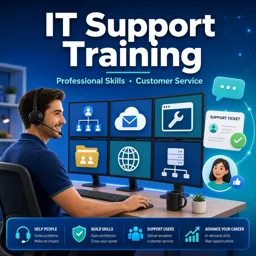
Duration of the online course: 15 hours and 41 minutes
4

(4)
Start a help desk career with a free IT support course: master domains, Active Directory, Office 365 and troubleshooting skills—certificate-ready confidence.
IT support is one of the fastest ways to enter the tech industry because every organization depends on reliable systems and responsive service. This free course builds the practical foundation you need to work in customer-facing IT roles, where clear communication and calm troubleshooting matter as much as technical knowledge. You will learn how support teams think, how business networks are organized, and how to approach common issues with a repeatable process that saves time and reduces frustration for users.
The training starts with the core concepts behind modern workplace networks, helping you understand why domain environments are used, what a domain controller does, and how centralized management changes day-to-day support. From there, you move into essential administration skills with Active Directory and Group Policy, plus the Windows tools technicians rely on to diagnose problems, gather system information, and apply fixes efficiently. The goal is not memorization, but building a mental model so you can recognize patterns, ask better questions, and reach accurate solutions faster.
Because productivity software drives many help desk tickets, the course also reinforces Microsoft 365 and Outlook fundamentals. You will gain confidence supporting common user workflows, managing account-related concerns, and understanding features that affect storage, access, and daily communication. Later lessons expand into areas frequently touched by support teams, including Exchange basics, browser-related issues, safe file sharing, imaging workflows, and practical tool-assisted management that can speed up routine tasks.
Along the way, exercises help you check understanding and practice making the kinds of decisions expected in a real support environment. You also get career-focused guidance aimed at landing your first IT job without overcomplicating the path forward. By the end, you should feel prepared to speak the language of IT support, handle typical requests professionally, and show employers you can support users, systems, and business priorities with confidence.

15 hours and 41 minutes of online video course

Digital certificate of course completion (Free)

Exercises to train your knowledge

100% free, from content to certificate
What is the difference between a domain-based network and a workgroup network?
A domain network uses a central server, such as a domain controller, to manage user accounts, devices, and security policies; a workgroup manages each computer separately.
How can I manage Active Directory from a Windows 10 computer?
Install Remote Server Administration Tools (RSAT), including the Active Directory Users and Computers tools, on a supported Windows 10 edition.
What practical IT help desk skills are covered in this training?
The course covers Active Directory, Group Policy, Office 365, Outlook, Exchange, browser support, file sharing, PDQ deployment, and computer imaging.
Ready to get started?Download the app and get started today.
Install the app now
to access the course
Over 5,000 free courses
Programming, English, Digital Marketing and much more! Learn whatever you want, for free.

Study plan with AI
Our app's Artificial Intelligence can create a study schedule for the course you choose.

From zero to professional success
Improve your resume with our free Certificate and then use our Artificial Intelligence to find your dream job.
You can also use the QR Code or the links below.




Free CourseCall Center Agent Soft Skills Training: Communication, Empathy, Tone and Call Handling
5
(4)

4h02m

45 exercises
Free CourseCall Center Customer Service Training
4.9
(49)
5h53m
24 exercises
Free CourseCustomer Service
4.7

(50)
2h18m
9 exercises

Free CourseCustomer Service full course
4.7
(46)
1h37m
18 exercises

Free CourseFront office training
4.6
(16)
24m
2 exercises

Free CourseDental recepcionist training
4.5
(11)
26m
3 exercises

Free CourseHospitality Management
4.3
(35)
1h52m
11 exercises

Free CourseStore manager classes
4.2
(5)
2h06m
5 exercises

Free CourseWaiter Training course
4.2
(11)
7h42m
19 exercises
Free CourseCustomer service lessons
4
(5)
1h11m
11 exercises
Carry knowledge in your pocket.
Download the Cursa app.
There are hundreds of free courses available, with a free certificate of completion that is saved in your mobile image gallery.
Download the app to access the Course Completion Certificate for Free.


+ 10 million
students

Free and Valid
Certificate

60 thousand free
exercises

4.8/5 rating in
app stores

Free courses in
video and ebooks
Course comments: IT support training
ColintyMalvernNgwarati
it is so helpful to us who can not afford to pay for university fees
Alfa zaki
good
Amaka Judith
it is insightful and I can confidently apply for helpdesk jobs after this training