`display: flex` creates a block-level flex container, while `display: inline-flex` creates an inline-level flex container. Both make their direct children flex items.

Duration of the online course: 1 hours and 18 minutes
3.7


(3)
Build responsive layouts faster with this free CSS Flexbox course—master alignment, spacing, and navbars with hands-on practice and a certificate option.
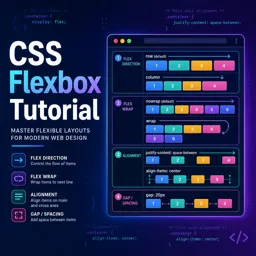
Flexbox is one of the most practical tools in modern CSS for building layouts that adapt smoothly to different screens. In this free online course, you will learn how to think in flexible rows and columns so you can create interfaces that stay aligned, evenly spaced, and easy to maintain. Instead of fighting floats and fragile positioning, you will gain a layout workflow that fits real product needs, from simple components to full page sections.
You will start by understanding the core idea behind Flexbox and the key terminology that helps you read and write layout code confidently. From there, the course guides you through the most important container properties, including how direction and wrapping change the way elements flow, and how combined configuration makes your layouts predictable. You will practice making elements distribute space naturally, align neatly along both axes, and behave consistently when content size varies.
Once the foundations are clear, the focus shifts to item-level control. You will learn how ordering works, when growth and shrinking should be allowed, and how sizing is determined when space is limited or abundant. This makes it much easier to build reusable UI pieces where buttons, cards, labels, and images behave well together without constant breakpoint fixes.
The course also emphasizes practical outcomes. You will apply Flexbox to common web development scenarios like responsive navigation bars and reliable centering, including vertical alignment patterns that are frequently used in landing pages and application interfaces. Throughout the lessons and exercises, you will reinforce what each property does and when to use it, helping you move from memorizing syntax to making solid layout decisions. By the end, you will be able to implement clean, responsive layouts with CSS Flexbox and feel confident adapting them to real projects.

1 hours and 18 minutes of online video course

Digital certificate of course completion (Free)

Exercises to train your knowledge

100% free, from content to certificate
What is the difference between `display: flex` and `display: inline-flex` in CSS?
`display: flex` creates a block-level flex container, while `display: inline-flex` creates an inline-level flex container. Both make their direct children flex items.
How do `justify-content`, `align-items`, and `align-content` differ in Flexbox?
`justify-content` aligns items along the main axis, `align-items` aligns items on the cross axis within a line, and `align-content` distributes multiple flex lines on the cross axis.
How can I center an element both vertically and horizontally with Flexbox?
Set the parent to `display: flex`, then use `justify-content: center` and `align-items: center`; give the parent a defined height when vertical centering is needed.
Ready to get started?Download the app and get started today.
Install the app now
to access the course
Over 5,000 free courses
Programming, English, Digital Marketing and much more! Learn whatever you want, for free.

Study plan with AI
Our app's Artificial Intelligence can create a study schedule for the course you choose.

From zero to professional success
Improve your resume with our free Certificate and then use our Artificial Intelligence to find your dream job.
You can also use the QR Code or the links below.




Free CourseLaravel
5
(2)

4h04m

20 exercises

Free CourseProgressive Web Application PWA for Beginners
5
(5)
3h24m
15 exercises

Free CourseLearn Laravel in 30 Days: Beginner to Pro
5
(1)
17h00m
30 exercises

Free CoursePHP for Beginners: Learn PHP, MySQL, MVC, Routing, Authentication and Testing
5
(1)
10h45m
49 exercises

Free CourseLaravel Full Course: Build, CRUD, Auth, Email and Deploy to Live Server
5
(1)
3h52m
15 exercises

Free CourseWeb Development Foundations: HTML, CSS, Git and Command Line
5
(3)
14h11m
37 exercises

Free CourseCSS Complete Tutorial
5
(1)
8h30m
49 exercises

Free CoursePHP for Beginners: Learn PHP, MySQL and Login Systems
5
(3)
10h49m
29 exercises

Free CourseJavaScript for beginners
4.9
(27)
1h40m
2 exercises

Free CourseUmbraco CMS
4.9
(22)
6h21m
19 exercises
Carry knowledge in your pocket.
Download the Cursa app.
There are hundreds of free courses available, with a free certificate of completion that is saved in your mobile image gallery.
Download the app to access the Course Completion Certificate for Free.


+ 10 million
students

Free and Valid
Certificate

60 thousand free
exercises

4.8/5 rating in
app stores

Free courses in
video and ebooks





Course comments: CSS flexbox tutorial
Nothing
very good course of flec