
Exercises
Assess your ability to edit productions recorded with multiple cameras. This quiz covers timecode and waveform synchronization, genlock, angle switching, master audio, camera matching, proxies, drift correction, missing footage, screen direction, metadata, and project archiving. The questions combine practical scenarios with technical concepts useful for editing interviews, concerts, live events, podcasts, and other multicamera productions.
Answer the questions below and check the explanation for each answer.
0/20 answered
Auto audio on: the next questions will be read aloud when you click Continue.
Synchronization aligns recordings to a common moment in time. This allows the editor to switch angles while preserving the action and audio timing.
Jam-synced devices share aligned timecode values, enabling precise and efficient synchronization. Creation dates and clip durations do not identify corresponding frames reliably.
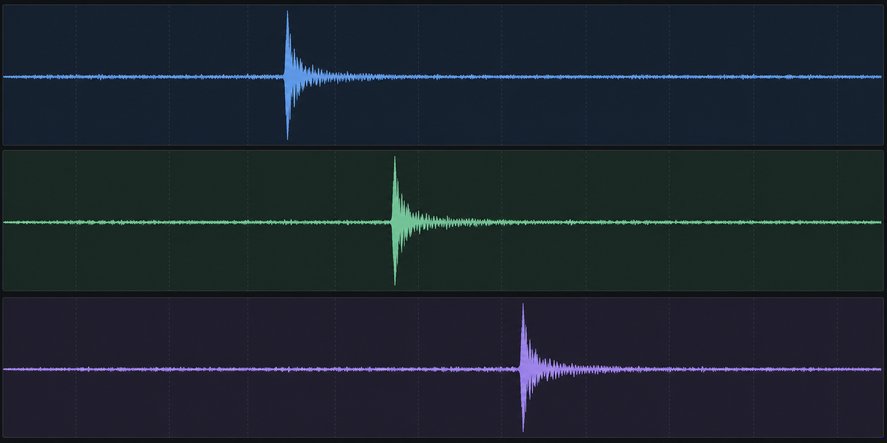
A clapperboard produces a short, distinct waveform spike called a transient. Aligning that spike across recordings provides a precise synchronization point.
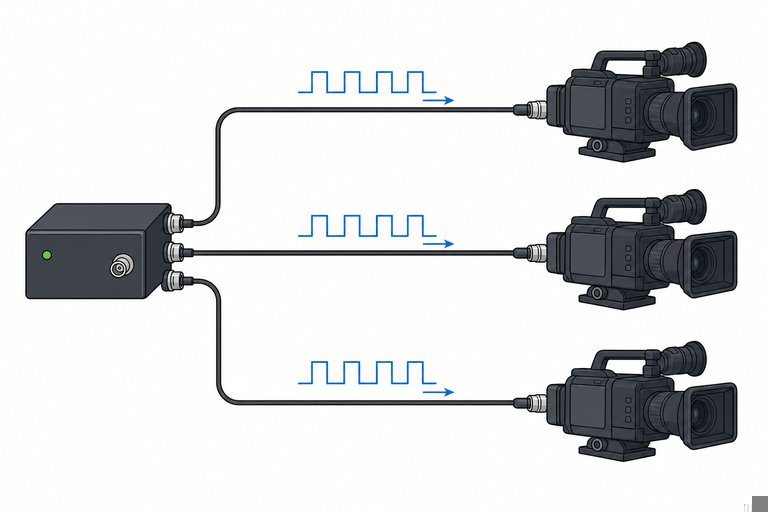
Genlock supplies a shared timing reference so devices begin frames in phase. Timecode identifies frames, while genlock controls their precise timing.
Free-run timecode advances continuously rather than restarting with each clip. Properly synchronized devices can therefore retain a common time reference despite separate recording starts and stops.
Live multicamera switching records the editor's angle choices as cuts. These edit points can normally be reviewed and refined afterward.
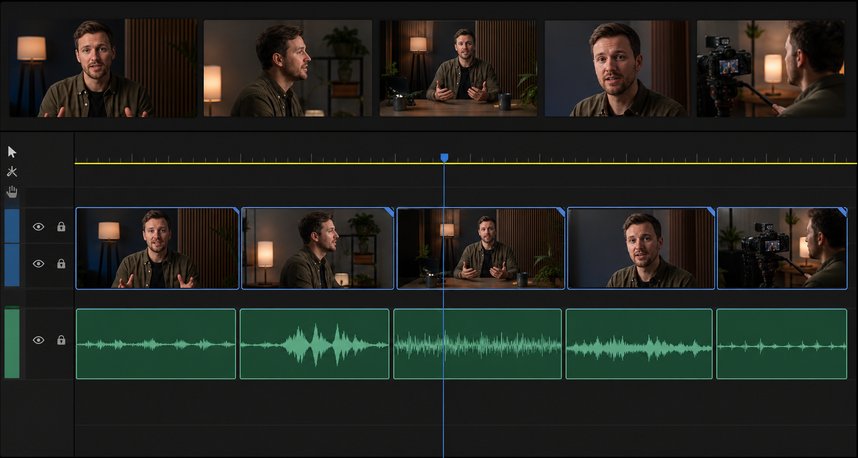
A continuous master recording usually provides consistent dialogue quality and room tone. Picture angles can then change without unnecessarily switching microphones.
Flattening converts selected multicamera angles into ordinary source-clip edits. This may simplify later processing, but it reduces the convenience of changing angles.
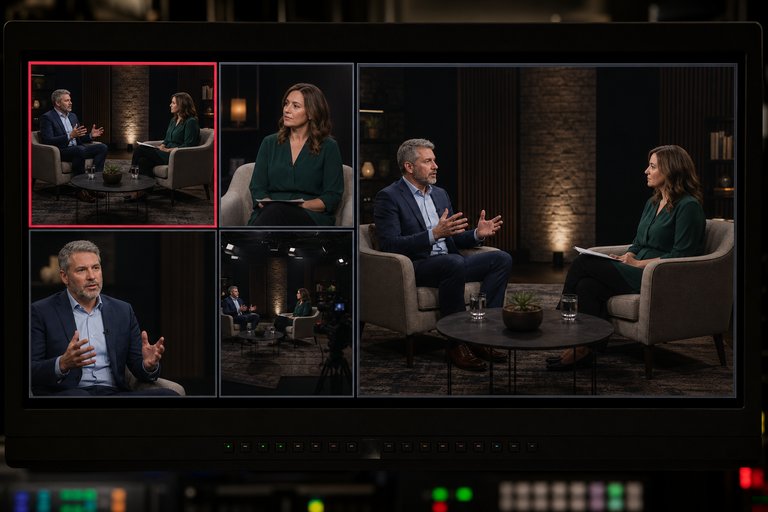
The active-angle outline identifies which source is currently feeding the edited program view at the playhead.
A source-level correction efficiently fixes the consistent camera error everywhere that angle appears. Individual creative adjustments can still be added later.
Reliable relinking depends on metadata and source relationships that associate each proxy with its original media. Proxies may use lower resolutions and bitrates.
Different frame rates or drop-frame interpretations can make apparently similar timecode values correspond to different timing. These settings should be checked before manual resynchronization.
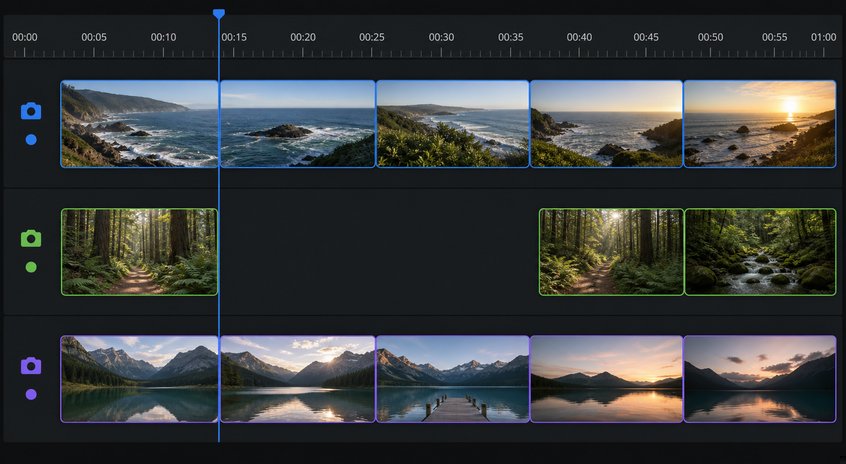
The gap represents the period that camera did not capture. Closing it would shift later footage out of synchronization with the continuously recorded angles.
An ISO, or isolated recording, captures one source independently. ISO files let editors revise camera choices after a live event instead of relying only on the switched program.
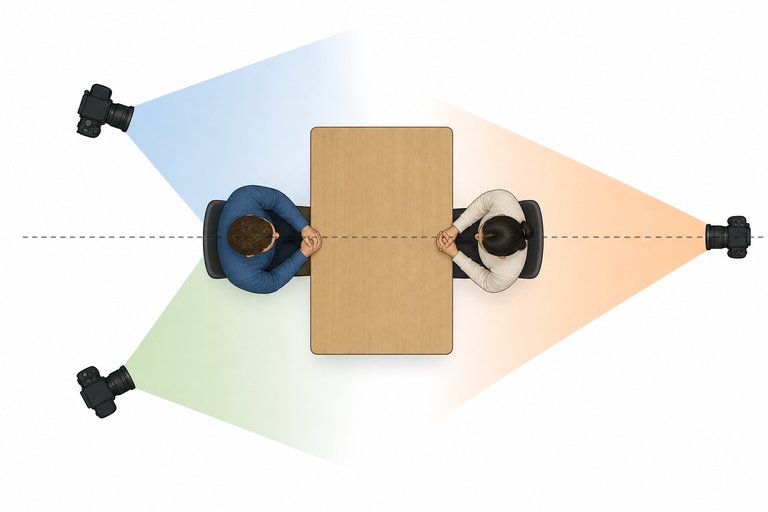
Crossing the established action axis can reverse apparent screen direction. In a conversation, subjects may seem to face away from each other unless the transition is handled carefully.
A rolling trim moves the shared edit point between adjacent shots while preserving the sequence's total duration. It is useful for refining the timing of a camera switch.
Independent device clocks can run at slightly different rates. Over a long recording, this small difference accumulates into noticeable audio drift even when the starting sync is correct.
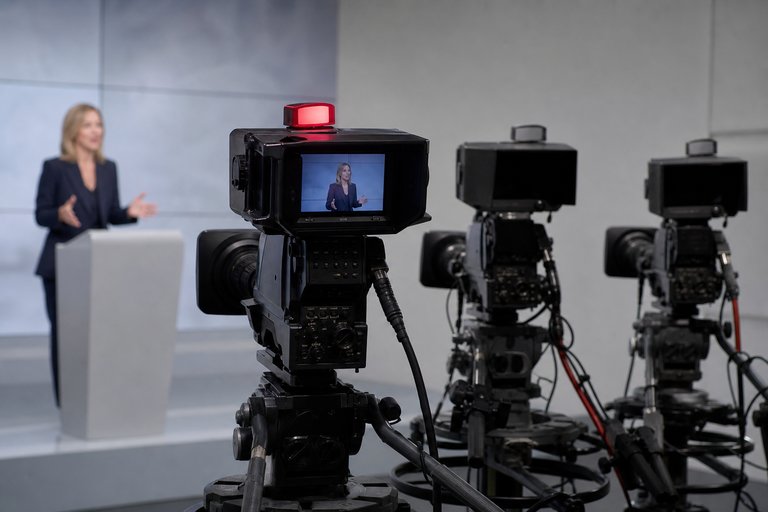
A tally light commonly identifies the camera currently live or selected on the program feed. Exact tally behavior can vary with production configuration.
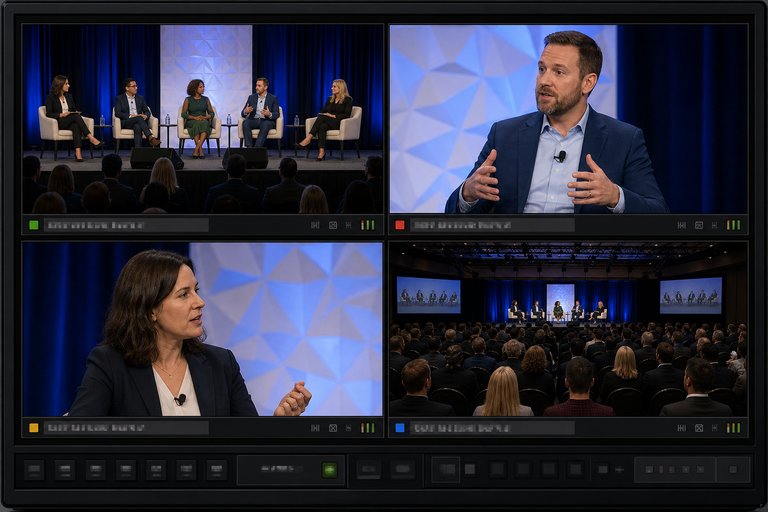
Names such as Wide, Host Close-Up, Guest Close-Up, or Camera 1 make angle selection faster and reduce switching errors. Consistent source metadata also supports organization and relinking.
The editable project and source media preserve synchronization and alternative angles. A final export alone does not provide the original multicamera editing flexibility.
Free CourseAfter Effects
5

(2)

22h49m

30 exercises
Free CourseAdobe Express in video edition
5
(1)
25m
6 exercises
Free CourseAdobe After Effects
5
(1)
2h18m
17 exercises
Free CourseAdobe Premiere Pro crash course
5
(2)
1h58m
6 exercises
Free CourseLearn Adobe Premiere Pro from Start to Finish
5
(3)
2h26m
6 exercises

Free CourseFilmora Master Class Filmora Wondershare
5
(1)
1h52m
8 exercises
Free CourseCapCut Video Editing for YouTube: Beginner to Pro
4.9
(8)
4h24m
31 exercises
Free CourseAdobe After effects
4.8

(16)
15h13m
31 exercises
Thousands of online courses in video, ebooks and audiobooks.
To test your knowledge during online courses
Generated directly from your cell phone's photo gallery and sent to your email

Download our app via QR Code or the links below:.



Carry knowledge in your pocket.
Download the Cursa app.
There are hundreds of free courses available, with a free certificate of completion that is saved in your mobile image gallery.
Download the app to access the Course Completion Certificate for Free.


+ 10 million
students

Free and Valid
Certificate

60 thousand free
exercises

4.8/5 rating in
app stores

Free courses in
video and ebooks