A retentive timer retains its accumulated value and must be reset explicitly to clear the time.

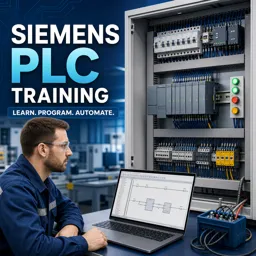
Duration of the online course: 9 hours and 42 minutes
4.7


(12)
Build job-ready Siemens PLC skills in this free online course—learn ladder logic, timers, counters and addressing with practical automation examples. Certificate-ready.
Industrial automation runs on reliable control logic, and Siemens PLCs are at the center of many modern factories, utilities, and machine lines. This free online course helps you move from curiosity to practical competence by teaching how PLCs work, how Siemens architectures are organized, and how to think like an automation technician when translating a real process into ladder logic.
You will start by understanding what a PLC does, where it fits in an electrical control system, and how to identify the core components that make up a Siemens PLC setup. From there, you will connect key concepts like I/O modules, addressing, and contact behavior to what actually happens in the field when sensors change state and outputs drive loads. The course emphasizes the logic behind Normally Open and Normally Closed contacts, truth tables, and the way rungs evaluate, so you can read and troubleshoot programs with confidence instead of guessing.
As you progress, you will work with common building blocks used every day in maintenance and commissioning: logic gate patterns, start/stop control, maintained and momentary commands, self-holding and latching circuits, and set/reset behavior. You will also build a solid foundation in PLC memory concepts so you can follow how internal bits and addresses support stable machine operation. Along the way, the lessons show how to set up the Siemens environment with Simatic Manager and how to think through typical small-machine applications such as lifts, conveyors, and other single-station control tasks.
Finally, you will sharpen your automation problem-solving skills with timing and counting functions used for sequencing and safety-related delays. You will learn how different timers behave, when a delay turns an output on or off, what makes retentive timing special, and how pulse functions can be used to generate controlled output events. Counters and comparator concepts are introduced in a practical way so you can measure, limit, and interlock processes using correct data types and clear conditions. By the end, you will be prepared to follow Siemens PLC ladder programs, implement common control circuits, and take a confident next step toward electrician and automation roles.

Explore free online PLC programming courses and learn to design, troubleshoot, and optimize industrial automation systems. Build practical skills in ladder logic, PLC hardware, control circuits, sensors, and real-world applications at your own pace. Each free course includes a certificate to showcase your PLC programming expertise and advance your career.

Explore free online Advanced Electronics courses and build in-demand skills in circuit design, semiconductor devices, digital systems, embedded technology, and signal processing. Learn at your own pace with expert-led lessons, practical projects, and flexible study options. Enroll today and earn a certificate to showcase your knowledge.

Explore free online Electrical Engineering courses with certificates and build practical skills in circuits, electronics, power systems, control engineering, signal processing, and more. Learn at your own pace from trusted platforms, strengthen your technical knowledge, and earn a certificate to showcase your progress and advance your engineering career.

Explore free online Robotics and Mechatronics courses, each with a certificate, and build practical skills in robot design, automation, sensors, control systems, electronics, and programming. Learn at your own pace through beginner-friendly and advanced classes designed to support careers, academic goals, and hands-on engineering projects.

9 hours and 42 minutes of online video course

Digital certificate of course completion (Free)

Exercises to train your knowledge

100% free, from content to certificate
Which Siemens PLC timer retains its accumulated time after the enable signal turns off?
A retentive timer retains its accumulated value and must be reset explicitly to clear the time.
How do you create a Start/Stop latch circuit in Siemens PLC ladder logic?
Use a momentary Start contact in parallel with the output’s holding contact, with a normally closed Stop contact in series.
When does a Siemens PLC CTU counter turn on a parking lot FULL indicator?
The FULL output turns on when the counter’s current value reaches or exceeds the configured parking-capacity preset.
Ready to get started?Download the app and get started today.
Install the app now
to access the course
Over 5,000 free courses
Programming, English, Digital Marketing and much more! Learn whatever you want, for free.

Study plan with AI
Our app's Artificial Intelligence can create a study schedule for the course you choose.

From zero to professional success
Improve your resume with our free Certificate and then use our Artificial Intelligence to find your dream job.
You can also use the QR Code or the links below.




Free CourseInstall Your Own Solar Power System
5
(2)

59m

6 exercises
Free CourseElectronic Circuits Course
5
(7)
43h25m
49 exercises

Free CourseWind Turbines
5
(4)
3h49m
19 exercises
Free CourseEngineering Circuits Analysis
5
(6)
3h11m
20 exercises

Free CourseElectronics - Nanoelectronics: Devices and Materials
4.8
(44)
40h15m
31 exercises
Free CourseBasic electronics
4.8
(23)
6h04m
30 exercises
Free CourseElectrical engineering
4.8
(27)
11h53m
20 exercises
Free CourseElectrical - Fabrication of Silicon
4.8
(26)
35h10m
28 exercises
Free CourseBeginner Electronics
4.8
(85)
5h27m
24 exercises
Free CourseElectricity course
4.8
(58)
31h41m
6 exercises
Carry knowledge in your pocket.
Download the Cursa app.
There are hundreds of free courses available, with a free certificate of completion that is saved in your mobile image gallery.
Download the app to access the Course Completion Certificate for Free.


+ 10 million
students

Free and Valid
Certificate

60 thousand free
exercises

4.8/5 rating in
app stores

Free courses in
video and ebooks

Course comments: Siemens PLC Training
Sharad Dongre
Election
Swastik Chakraborty
Good
Nagaraju Doma
nice app