
Exercises
Assess your Microsoft 365 time management knowledge with this practical quiz. Explore how Outlook, Microsoft To Do, Planner, OneNote, OneDrive, Teams, and collaborative document tools can help you organize tasks, prioritize email, schedule meetings, set productivity goals, manage team projects, and access files from anywhere. You will be tested on features such as My Day, Outlook scheduling tools, real-time editing, task tracking, and project planning. Whether you are building personal productivity habits or improving team workflows, this assessment is a useful way to identify your strengths and discover the Microsoft 365 tools that can help you work more efficiently.
Answer the questions below and check the explanation for each answer.
0/10 answered
Auto audio on: the next questions will be read aloud when you click Continue.
Microsoft Planner is a task management tool in Microsoft 365 that helps users organize tasks, set deadlines, and manage project workflows efficiently.
The Focused Inbox automatically sorts incoming emails into 'Focused' and 'Other' categories to help users prioritize important messages.
The 'My Day' feature lets users focus on tasks they've set to work on today, helping them manage their daily priorities effectively.
Microsoft Teams allows users to collaborate and edit documents in real-time, facilitating effective teamwork and communication.
OneNote helps in organizing notes, ideas, and to-do lists in a simple and structured format, aiding in personal time management and planning.
The Scheduling Assistant feature helps find the best meeting times for all participants by displaying their availability, thus simplifying meeting coordination.
Productivity indicators in Microsoft To Do help users track their progress on tasks and achieve their productivity goals efficiently.
Microsoft Planner enhances team collaboration by allowing members to track task progress, share files, and discuss projects in a unified platform.
Cloud storage in OneDrive allows users to store and access their files from anywhere, ensuring seamless organization and accessibility.
Microsoft Teams integrates with Planner, providing a collaborative space for team communication and effective project management.
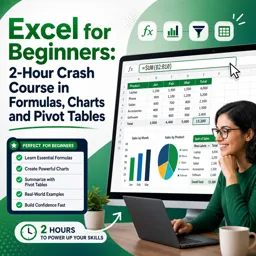
Free CourseExcel for Beginners: 2-Hour Crash Course in Formulas, Charts and Pivot Tables
5

(10)

2h09m

30 exercises
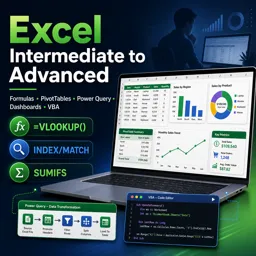
Free CourseExcel Intermediate to Advanced: Formulas, PivotTables, Power Query, Dashboards and VBA
5
(4)
18h53m
28 exercises
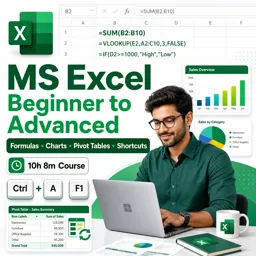
Free CourseMS Excel Beginner to Advanced: Formulas, Charts, Pivot Tables and Shortcuts
5
(4)
10h08m
26 exercises

Free CourseMicrosoft 365 Fundamentals MS-900 Certification Prep Course
5
(3)
3h16m
14 exercises

Free CourseGoogle data studio
5
(1)
3h42m
11 exercises
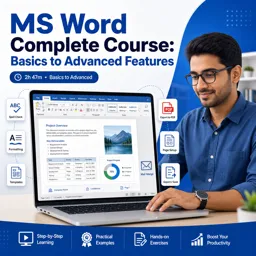
Free CourseMS Word Complete Course: Basics to Advanced Features
5
(1)
2h47m
20 exercises
Free CourseExcel Basics: Formulas, Functions, PivotTables and Power Query for Work
5
(3)
12h14m
22 exercises
Free CourseBusiness Applications in Microsoft Excel
5
(1)
46m
7 exercises
Thousands of online courses in video, ebooks and audiobooks.
To test your knowledge during online courses
Generated directly from your cell phone's photo gallery and sent to your email

Download our app via QR Code or the links below:.



Carry knowledge in your pocket.
Download the Cursa app.
There are hundreds of free courses available, with a free certificate of completion that is saved in your mobile image gallery.
Download the app to access the Course Completion Certificate for Free.


+ 10 million
students

Free and Valid
Certificate

60 thousand free
exercises

4.8/5 rating in
app stores

Free courses in
video and ebooks