
Exercises
Master Time Management with Excel tests your knowledge of practical tools and features for organizing work, meeting deadlines, and improving productivity. Explore questions on calculating time between events, using conditional formatting to flag approaching deadlines, automating repetitive tasks, summarizing information with PivotTables, and managing project timelines. You will also review data validation, progress tracking, collaborative scheduling, and AutoFill techniques for quickly creating weekday sequences. Take this quiz to assess your ability to use Excel for smarter planning, clearer task management, and more efficient day-to-day workflows.
Answer the questions below and check the explanation for each answer.
0/10 answered
Auto audio on: the next questions will be read aloud when you click Continue.
Conditional Formatting can be used in Excel to highlight cells that meet certain criteria. It is perfect for visually representing deadlines.
The DATEDIF function is used to calculate the difference between two dates in Excel, which can include differences in days, months, or years.
Macros can be recorded in Excel to automate repetitive tasks, thereby improving efficiency and saving time.
PivotTables are used in Excel to quickly summarize, analyze, explore and present summary data.
Gantt Charts can be made in Excel to track and visually represent project timelines and deadlines effectively.
Data Validation is used in Excel to control what data can or should be entered into a cell, ensuring it meets certain criteria.
Conditional Formatting can be applied to cells in Excel to automatically format or highlight them based on values or dates.
Progress Charts allow you to visually track the completion level of tasks over time, providing clarity about project timelines.
Shared Workbooks in Excel are designed for collaboration, allowing multiple users to edit the workbook simultaneously.
AutoFill in Excel automatically fills cells with data that follows a pattern, such as days of the week, saving time for users.
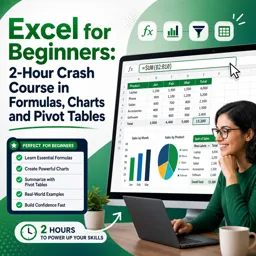
Free CourseExcel for Beginners: 2-Hour Crash Course in Formulas, Charts and Pivot Tables
5

(10)

2h09m

30 exercises
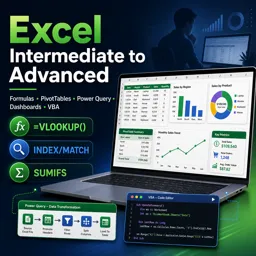
Free CourseExcel Intermediate to Advanced: Formulas, PivotTables, Power Query, Dashboards and VBA
5
(4)
18h53m
28 exercises
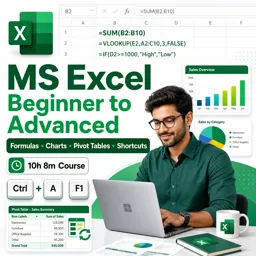
Free CourseMS Excel Beginner to Advanced: Formulas, Charts, Pivot Tables and Shortcuts
5
(4)
10h08m
26 exercises

Free CourseMicrosoft 365 Fundamentals MS-900 Certification Prep Course
5
(3)
3h16m
14 exercises
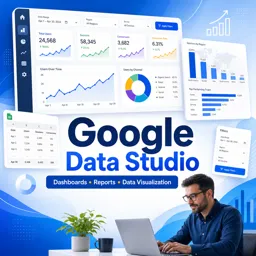
Free CourseGoogle data studio
5
(1)
3h42m
11 exercises
Free CourseMS Word Complete Course: Basics to Advanced Features
5
(1)
2h47m
20 exercises
Free CourseExcel Basics: Formulas, Functions, PivotTables and Power Query for Work
5
(3)
12h14m
22 exercises
Free CourseBusiness Applications in Microsoft Excel
5
(1)
46m
7 exercises
Thousands of online courses in video, ebooks and audiobooks.
To test your knowledge during online courses
Generated directly from your cell phone's photo gallery and sent to your email

Download our app via QR Code or the links below:.



Carry knowledge in your pocket.
Download the Cursa app.
There are hundreds of free courses available, with a free certificate of completion that is saved in your mobile image gallery.
Download the app to access the Course Completion Certificate for Free.


+ 10 million
students

Free and Valid
Certificate

60 thousand free
exercises

4.8/5 rating in
app stores

Free courses in
video and ebooks