
Exercises
Challenge your React Native expertise with this advanced features quiz. Explore core concepts behind the React Native bridge, launching the Metro bundler, enabling Hot Reloading, and debugging applications with Chrome tools. Test your understanding of HTTP request libraries, the useState and useEffect hooks, adding native modules to existing projects, and common state management solutions. You will also review the component used to build scrollable views. Ideal for developers sharpening their mobile development skills or preparing for a React Native assessment.
Answer the questions below and check the explanation for each answer.
0/10 answered
Auto audio on: the next questions will be read aloud when you click Continue.
The React Native bridge enables seamless communication between the JavaScript code and the native modules, allowing for a more efficient integration of native functionalities into the app.
The command npx react-native start starts the React Native development server (or bundler), which compiles and sends application code to the simulator or device.
Hot Reloading is a feature accessible through the developer menu in a React Native app, allowing developers to see changes immediately without recompiling the entire app.
Remote JS Debugging, accessible via the developer menu, allows developers to debug React Native applications using Chrome DevTools.
Axios is an open-source library that is widely used to make HTTP requests from React Native applications, due to its promise-based design and ease of use.
The useState hook is used to introduce state management in functional components, enabling local state to be managed within these components effectively.
The command npm install
Redux is a popular state management library used in React and React Native applications to maintain and manage the global state across different components.
The useEffect hook is designed to execute and manage side-effects in functional components, such as data fetching and DOM manipulation.
The ScrollView component in React Native is used to create a view that supports scrolling, enabling content to be displayed that exceeds the bounds of its container.
Free CourseDart and Flutter Developer course
5

(3)

20h47m

6 exercises

Free CourseFlutter for complete beginners
5
(2)
1h45m
6 exercises

Free CourseLearn Flutter and Dart to create apps
5
(1)
2h48m
25 exercises
Free CourseBuild Your First Universal React Native App
5
(1)
1h23m
9 exercises
Free CourseAndroid for beginners
4.9
(361)
10h47m
52 exercises
Free CourseIonic for Beginners
4.8
(17)
5h04m
22 exercises
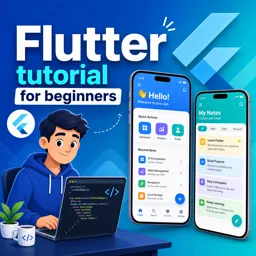
Free CourseFlutter tutorial for beginners
4.8
(5)
4h23m
8 exercises
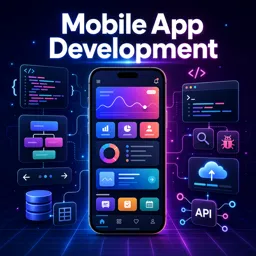
Free CourseMobile App Development
4.7

(7)
21h40m
14 exercises
Thousands of online courses in video, ebooks and audiobooks.
To test your knowledge during online courses
Generated directly from your cell phone's photo gallery and sent to your email

Download our app via QR Code or the links below:.



Carry knowledge in your pocket.
Download the Cursa app.
There are hundreds of free courses available, with a free certificate of completion that is saved in your mobile image gallery.
Download the app to access the Course Completion Certificate for Free.


+ 10 million
students

Free and Valid
Certificate

60 thousand free
exercises

4.8/5 rating in
app stores

Free courses in
video and ebooks