Exploring the World of 3D Video Animations

3D video animations revolutionize visual storytelling by adding depth, involving complex processes like modeling, texturing, rigging, and rendering.

Share on Linkedin Share on WhatsApp

Estimated reading time: 2 minutes

Article image Exploring the World of 3D Video Animations

Understanding 3D Video Animations
3D video animations have revolutionized the way we perceive visual storytelling. By adding depth to traditional animations, 3D techniques create lifelike visuals that captivate audiences and convey stories in a dynamic way.

The Process Behind 3D Animation
The creation of 3D animations involves several stages: modeling, texturing, rigging, animation, and rendering. Each stage requires a different set of skills and software tools, making the process both complex and collaborative.

1. Modeling

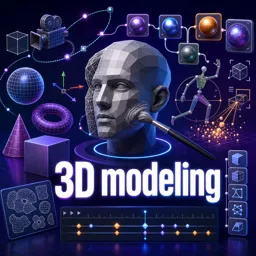
Modeling is the creation of the 3D characters and environments. It starts with basic shapes called meshes, which are then refined into detailed models using software like Blender or Maya.

2. Texturing

In texturing, colors, patterns, and textures are applied to the 3D models. This gives them a more realistic appearance, turning basic forms into believable objects.

3. Rigging

Rigging involves building a skeleton for the 3D model, allowing it to move. Once the skeleton is set up, animators can manipulate the character like a puppet.

4. Animation

Animation is where the magic happens. Here, animators bring the models to life by creating movements and sequences that align with the story. The process is meticulous and requires both artistic and technical skills.

5. Rendering

Rendering is the final step where the 3D scene is converted into a 2D image or video. This process involves taking all the information about lighting, shading, and textures and turning it into the final output.

The Impact of 3D Animation
From movies and video games to virtual reality and online education, 3D animations are widely used across various industries. They not only enhance the storytelling process but also improve engagement and retention in educational content.

As technology advances, 3D animation continues to evolve, offering new possibilities for creators and audiences alike.

How to Draw What You Actually See: Sighting, Proportion and Negative Space

Your drawings look off because your brain draws symbols, not shapes. Learn sighting, negative space and proportion checks to fix it.

Topology in 3D Modeling: Why Clean Quads Matter More Than You Think

Understand what topology means in 3D modeling, why artists prefer quads, and how edge flow decides whether a model deforms or breaks.

Wireframes, Mockups and Prototypes: What Each One Is Actually For

Three design artifacts, three different jobs. Learn what wireframes, mockups and prototypes answer, and when to use each.

Vector vs. Raster Graphics: What Every Beginner Designer Should Know

Understand the difference between vector and raster graphics, when to use each, and which file formats and tools belong to each category.

Typography Basics: A Beginner’s Guide to Choosing and Pairing Fonts

Learn the fundamentals of typography, from font categories to pairing rules, and make your designs clearer and more attractive.

Video Editing Workflow Essentials: From Ingest to Export (Plus a Simple Checklist)

Learn a practical video editing workflow from ingest to export, with organization tips, audio cleanup, color correction, and a simple QC checklist.

Storyboard to Screen: A Practical Workflow for Polished Video Animations

Learn a practical storyboard-to-screen workflow for video animations, from concept and animatics to lighting, rendering, and final polish.

Procedural Animation in Blender: Create Looping Motion with Modifiers, Drivers, and Noise

Learn how to create looping procedural animations in Blender using modifiers, drivers, and noise for faster, reusable motion graphics workflows.