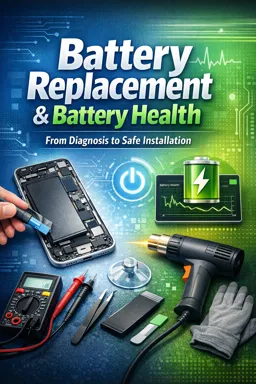

Free ebook on diagnosing lithium-ion battery faults and safely replacing mobile device batteries with professional repair practices.
Free ebook content
-

Lithium-Ion Battery Health and Failure Symptoms for Replacement Decisions
+ Exercise: A device repeatedly shuts down at 20–40% battery during high-demand actions (like launching the camera or starting a game) but is stable at idle. What is the most likely explanation?
-
Diagnosing Battery-Related Issues with Tools, Measurements, and Safe Triage
+ Exercise: During a charging test, a USB power meter shows repeated current pulsing (cycling up and down), and a thermal scan reveals a localized hot spot near the charging IC/PMIC area. What is the best next step in the diagnostic workflow?
-
Selecting a Replacement Battery: Compatibility, Quality, and Risk Management
+ Exercise: When selecting a replacement battery, which approach best reduces the risk of compatibility problems?


-
Preparing for Battery Replacement: Workspace Setup, ESD Control, and Safety Protocols
+ Exercise: While preparing for a battery replacement, which setup best reduces the risk of ESD damage when working on exposed connectors and flex cables?
-
Safe Device Opening and Battery Disconnection Techniques
+ Exercise: During device disassembly, what is the safest reason to disconnect the battery before unplugging other components?
-
Battery Removal with Adhesive Pull Tabs: Technique, Failure Modes, and Recovery Steps
+ Exercise: During battery removal with stretch-release adhesive pull tabs, what is the correct response if the battery begins to shift or lift while you are pulling a tab?
-
Battery Removal Using Controlled Heat: Temperature Control and Adhesive Softening
+ Exercise: During battery removal with controlled heat, which situation should prompt you to stop heating and switch to a safer method?
-
Cleaning the Cavity and Installing the New Battery Securely
+ Exercise: Before sticking down a new battery, what preparation best prevents the battery from sitting unevenly or being stressed by the housing?
-
Post-Replacement Checks: Charging Behavior, Thermal Monitoring, and Functional Tests
+ Exercise: During post-replacement thermal monitoring, what is the correct immediate response if you detect a distinct, localized hot spot or rapidly increasing heat while charging?
-
Battery Calibration Concepts and User Guidance After Replacement
+ Exercise: After replacing a battery, which approach best verifies that the battery percentage reading is stabilizing without stressing the new battery?
-
Handling, Storage, and Disposal of Removed Lithium-Ion Batteries
+ Exercise: After removing a lithium-ion battery that appears normal (not swollen or damaged), which handling sequence best reduces risk and prepares it for proper disposal?
About the free ebook
Battery Replacement & Battery Health: From Diagnosis to Safe Installation
This free ebook develops practical mobile device repair skills for evaluating lithium-ion battery condition and completing replacement work with a safety-first approach. Learn how to distinguish battery-related symptoms from charging, software, connector, and board-level faults before opening a device.
Make evidence-based replacement decisions
Battery health is more than a percentage reading. The ebook explains how reduced runtime, unexpected shutdowns, swelling, heat, charging irregularities, and voltage behavior can indicate deterioration. It emphasizes measurement, visual inspection, and careful triage so repairs are based on evidence rather than assumptions.
Work safely around lithium-ion cells
Lithium-ion batteries can be hazardous when punctured, bent, overheated, or improperly handled. This guide presents disciplined workspace preparation, ESD awareness, safe disconnection practices, controlled adhesive removal, and appropriate responses when removal does not go as planned.
Install and verify with confidence
Learn how compatibility, part quality, adhesive placement, cavity cleaning, and connector inspection affect a successful repair. The ebook also covers post-replacement charging checks, thermal observation, functional testing, calibration expectations, and clear guidance for device users.
Professional repair habits
- Use the correct tools and controlled techniques.
- Inspect for risks before applying force or heat.
- Verify operation before fully closing the device.
- Store and dispose of removed batteries responsibly.
Designed for aspiring and practicing mobile device repair technicians, this resource helps build repeatable procedures that protect the device, the technician, and the customer.
What symptoms indicate a phone battery may need replacement?
Common signs include rapid drain, unexpected shutdowns, swelling, overheating, and unreliable charging after other faults are ruled out.
Can a swollen lithium-ion battery be removed with heat?
No. A swollen battery requires heightened caution; avoid pressure and unnecessary heat, and follow safe isolation and disposal procedures.
What should be checked after installing a replacement phone battery?
Check charging behavior, temperature, battery recognition, power stability, and essential device functions before final reassembly.
This ebook includes:

11 content chapters

Digital certificate of course completion (Free)

Exercises to train your knowledge

100% free, from content to certificate
Ready to get started?

 recommended
In the app you will also find...

Over 5,000 free courses
Programming, English, Digital Marketing and much more! Learn whatever you want, for free.

Study plan with AI
Our app's Artificial Intelligence can create a study schedule for the course you choose.

From zero to professional success
Improve your resume with our free Certificate and then use our Artificial Intelligence to find your dream job.
You can also use the QR Code or the links below.