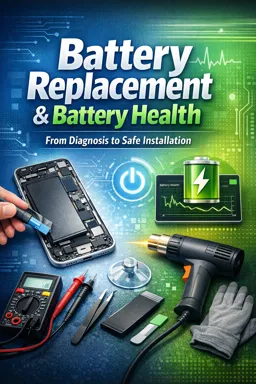
Why Controlled Heat Works (and Why It’s Risky)
Many devices secure the battery with pressure-sensitive adhesive (PSA) foam tapes or film adhesives. Controlled heat softens these adhesives so they lose grip and shear strength, allowing the battery to be lifted with less force. The goal is to reduce mechanical stress on the cell pouch, the enclosure, and nearby flex cables—not to “cook” the battery.
Heat is a tool of last resort when non-heat methods are unavailable or have failed, and it must be applied with strict temperature and time limits. Excess heat can deform plastics, damage displays, weaken camera module seals, and accelerate battery swelling or venting if the cell is compromised.
When Heat Is Appropriate (and When It Is Not)
Appropriate scenarios
- Intact, flat battery with strong adhesive and limited access for mechanical separation.
- Adhesive-only retention (no screws/clamps holding the battery) where gentle warming can reduce required prying force.
- Metal midframe or metal back housings that distribute heat more evenly (still requires monitoring).
Do not use heat if any of the following are true
- Battery is damaged (puncture, torn pouch, crushed corners, electrolyte odor, visible residue).
- Battery is swelling or the enclosure is bulging. Heat can accelerate gas generation and increase rupture risk.
- Device shows signs of thermal event (scorch marks, melted plastics near the battery bay).
- Adhesive is adjacent to highly heat-sensitive parts with no practical shielding (certain OLED displays, thin plastics, camera modules with delicate adhesives).
Rule: If you would be uncomfortable pressing lightly on the battery because it feels “pillowy,” stop—do not heat it.
Selecting Tools for Controlled Heat
Preferred: heat pad / heating plate (most controllable)
- Pros: Stable temperature, even heating, low airflow (less risk of blowing dust or overheating small areas).
- Cons: Slower to respond; can heat a larger area than intended if not masked.
- Best use: Warming the enclosure from the outside to soften adhesive uniformly.
Heat gun (use only with safe settings and discipline)
- Pros: Fast, targeted, useful for localized adhesive zones.
- Cons: High risk of hotspots, plastic deformation, and overheating components if held too close or too long.
- Best use: Short bursts while constantly moving, from a safe distance.
Helpful accessories
- Infrared thermometer (spot-check surface temperature). Note: shiny metal can read inaccurately; use matte tape as a reference patch if needed.
- Thermocouple probe (more accurate if you can place it on the enclosure near the battery area).
- Heat shields: Kapton tape, aluminum foil (as a radiant barrier), thin silicone mat, or purpose-made heat-resistant film.
- Non-metal separation tools: nylon spudger, plastic cards, guitar picks, PTFE “opening” wedges.
- Isopropyl alcohol (IPA) 90%+ (optional, for edge-wicking to assist adhesive release—use sparingly and keep away from displays/cameras).
Temperature Targets and Time Limits
Use the lowest temperature that produces adhesive softening. Your target is the adhesive layer, not the battery core.
| Tool | Typical surface target | Interval strategy | Notes |
|---|---|---|---|
| Heat pad / plate | 50–70°C on enclosure surface | Warm 2–5 min, then attempt release; repeat as needed | Start low (≈50–55°C) and increase only if needed. |
| Heat gun | ~60°C surface target (avoid exceeding ~70°C) | 10–20 s moving passes, then test; repeat | Keep moving; distance typically 10–20 cm depending on gun and airflow. |
Hard limits (practical safety boundaries): If you cannot keep a finger near the warmed area briefly without discomfort, you are likely too hot. If plastics start to gloss, soften, or warp, stop immediately and let everything cool.
- Listen to the audio with the screen off.
- Earn a certificate upon completion.
- Over 5000 courses for you to explore!

Download the app
Protecting Nearby Components (Display, Plastics, Cameras, Flex Cables)
Displays
- Minimize direct heat on the display side (especially OLED). Prefer heating from the back enclosure when possible.
- Shield edges where display adhesive and flex cables run using Kapton + foil barrier.
- Avoid prolonged uniform heating that can soften display adhesive and cause lifting or light leaks.
Plastics and cosmetic parts
- Lower temperature, longer time is safer than high temperature, short time for plastics.
- Watch for deformation around antenna lines, speaker meshes, button assemblies, and plastic midframes.
Cameras and sensors
- Do not heat camera modules directly. Their adhesives, OIS components, and lens stacks can be heat-sensitive.
- Shield camera islands with foil and keep heat gun airflow away from lens openings to prevent dust intrusion.
Battery-adjacent flex cables and connectors
- Keep tools shallow to avoid slicing flex cables under the battery.
- Use a “stop depth”: mark your plastic card with tape so you don’t insert deeper than necessary (often 3–5 mm at edges, device-dependent).
Controlled-Heat Removal Procedure (Step-by-Step)
1) Pre-check before applying heat
- Confirm the battery is flat and intact (no swelling, dents, or puncture marks).
- Plan your lift path: identify the safest edge to start separation (usually the edge with the fewest flex cables underneath).
- Prepare shields for cameras, display edges, and plastic features near the heating zone.
- Set a timer for intervals; avoid “just a little longer” heating.
2) Warm the enclosure (not the battery directly)
Heat pad method: Place the device back-side down on a preheated pad at 50–55°C for 2 minutes. Increase to 60–65°C only if adhesive remains stubborn after multiple cycles.
Heat gun method: Set to low airflow/low heat if available. Sweep the gun continuously over the battery region from a safe distance for 10–20 seconds. Do not aim at camera modules, display edges, or thin plastic corners.
3) Test adhesive release (gentle probing)
- Use a plastic pick to probe at the battery edge where there is a small gap or where the frame provides an entry point.
- Do not lever against the battery pouch. Your fulcrum should be the frame, not the cell.
- If the pick meets strong resistance, stop and reheat rather than forcing.
4) Begin separation with non-metal tools
- Insert a thin plastic card/pick shallowly under the battery edge.
- Use a slow slicing motion parallel to the enclosure to shear softened adhesive (think “cutting tape,” not “prying up”).
- Work in small sections (1–2 cm), then pause to reassess resistance.
5) Reapply heat in short intervals
- When resistance increases, withdraw slightly, re-warm the enclosure for another short interval, and continue.
- Alternate: heat → test → separate. This prevents overheating and reduces the temptation to apply excessive force.
6) Optional: assist with minimal solvent (only if compatible)
- If the design allows, wick a few drops of 90%+ IPA along the adhesive edge (not onto the battery top label if it can seep into seams).
- Wait 30–60 seconds, then resume gentle shearing with a plastic card.
- Keep IPA away from displays, speakers, and camera modules; avoid pooling.
7) Lift only after most adhesive is released
- Once the card slides freely across most of the footprint, lift the battery slowly and evenly.
- If any corner remains anchored, do not yank. Set it back down, reheat, and shear that section.
Explicit Cautions (Read Before You Heat)
- Avoid overheating: exceeding safe surface temperatures can damage the device and increase battery risk.
- Monitor for swelling during the process: if the battery begins to dome or feel soft, stop immediately and allow cooling.
- Never heat a damaged battery: punctured, creased, or previously pried cells can fail with added heat.
- Keep heat moving: stationary heat creates hotspots that can warp plastics and concentrate heat into the cell.
- Do not use metal pry tools under the battery: metal can puncture the pouch or short exposed circuitry.
- Do not clamp or squeeze the battery to “help it release.” Compression increases internal damage risk.
Stop Criteria: When to Switch to a Safer Method
Stop controlled-heat removal and switch to an alternative approach (cool-down, reassess shielding, use different access points, or escalate to a safer non-heat method) if any of the following occur:
- Temperature control is uncertain (no reliable measurement and parts are becoming too hot to touch near the work zone).
- Battery shows any swelling, soft spots, or odor during heating or separation.
- Adhesive does not meaningfully soften after multiple short cycles—forcing will likely cause pouch damage.
- Nearby components begin to deform (plastic whitening/warping, display edge lifting, camera area heating noticeably).
- Separation requires increasing force rather than decreasing force as adhesive warms.
- You cannot maintain shallow tool depth without risking flex cables or board-level components under the battery.