

Download this free ebook to learn safe smartphone maintenance, cleaning, part replacement, and software update practices.
Free ebook + audiobook content
-

screen cleaning
+ Exercise: What is the important care that must be followed to avoid damage to the smartphone when cleaning the screen? 2 minutes
-
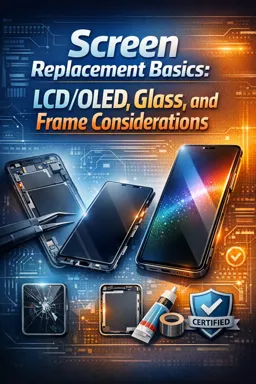
Broken screen replacement
+ Exercise: What is the difference between authorized and unauthorized technical assistance for replacing broken screens on smartphones? 2 minutes
-
Physical button cleaning
+ Exercise: What is the special care that should be taken when cleaning the smartphone's home button? 1 minutes
-
Replacement of physical buttons
+ Exercise: What tools are needed to replace physical buttons on smartphones? 2 minutes


-
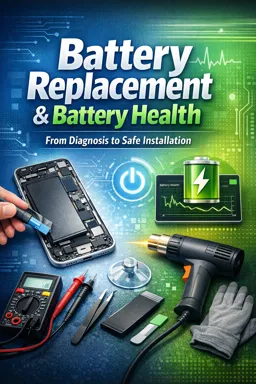
battery change
+ Exercise: What is the recommendation to avoid damage to the smartphone when changing the battery? 1 minutes
-
headphone jack cleaning
+ Exercise: Why is it important to clean your smartphone's headphone jack? 2 minutes
-
Headphone jack replacement
+ Exercise: What is the first step to replace the headphone jack on smartphones? 2 minutes
-
speaker cleaning
+ Exercise: What is the third step to clean the smartphone speaker? 1 minutes
-
speaker replacement
+ Exercise: What is the first step to correctly replace the speaker of a smartphone? 2 minutes
-
microphone cleaning
+ Exercise: What is the recommendation for cleaning the smartphone microphone? 1 minutes
-
microphone replacement
+ Exercise: What is the most delicate step that requires care when replacing the microphone on a smartphone? 1 minutes
-
camera cleaning
+ Exercise: What is the recommendation for cleaning the smartphone camera lens? 1 minutes
-
camera replacement
+ Exercise: What is the first step to replace a smartphone camera? 2 minutes
-
Software update
+ Exercise: Why is it important to update the smartphone software? 2 minutes
-
Installing security updates
+ Exercise: What is the importance of installing security updates on smartphones? 1 minutes
-
Proximity sensor cleaning
+ Exercise: What is the first step to clean the proximity sensor on a smartphone? 2 minutes
-
Proximity sensor replacement
+ Exercise: What are the necessary steps to replace the proximity sensor on a smartphone? 1 minutes
-
light sensor cleaning
+ Exercise: What is the recommendation for cleaning the light sensor on smartphones? 1 minutes
-
Light sensor replacement
+ Exercise: What is the purpose of the light sensor in a smartphone? 1 minutes
-
Fingerprint sensor cleaning
+ Exercise: What extra care is recommended to ensure that the smartphone's fingerprint sensor works properly? 1 minutes
-
Fingerprint sensor replacement
+ Exercise: What is the recommendation if you are not comfortable replacing the fingerprint sensor on a smartphone? 2 minutes
-
Antenna connector cleaning
+ Exercise: What is the first step to clean the antenna connector of a smartphone? 1 minutes
-
Antenna connector replacement
+ Exercise: What tool is needed to remove the antenna connector on a smartphone? 1 minutes
-
SIM card connector cleaning
+ Exercise: Why is it important to clean the SIM card slot regularly on a smartphone? 1 minutes
-
SIM card connector replacement
+ Exercise: What tool is needed to replace the SIM card connector on smartphones? 2 minutes
-
Memory card connector cleaning
+ Exercise: What material is needed to clean a smartphone's memory card connector? 1 minutes
-
Memory card connector replacement
+ Exercise: What is the first step to replace the memory card connector on a smartphone? 1 minutes
-
motherboard cleaning
+ Exercise: What is the additional care that helps to ensure the proper functioning of the smartphone? 2 minutes
-
motherboard replacement
+ Exercise: What is the first step a technician should follow to replace a smartphone's motherboard? 2 minutes
-
Charger inlet cleaning
+ Exercise: What is the recommendation for cleaning the charger port of a smartphone? 1 minutes
-
Charger input replacement
+ Exercise: What is your recommendation to avoid damage to your smartphone's charger port? 1 minutes
-
Micro-USB port cleaning
+ Exercise: What is the first step to clean your smartphone's micro-USB port? 2 minutes
-
Micro-USB input replacement
+ Exercise: What is the first step to replace the micro-USB port on a smartphone? 2 minutes
-
USB-C port cleaning
+ Exercise: What material is needed to clean a smartphone's USB-C port? 1 minutes
-
USB-C input replacement
+ Exercise: What is the first step to replace the USB-C port on a smartphone? 2 minutes
-
mini usb port cleaning
+ Exercise: What is the first step to clean the mini-USB port on a smartphone? 1 minutes
-
Mini-USB port replacement
+ Exercise: What is the first step to replace the mini-USB port on a smartphone? 2 minutes
-
Lightning input cleaning
+ Exercise: What is the correct procedure to clean the Lightning port on your smartphone? 1 minutes
-
Lightning input replacement
+ Exercise: What is the first step to replace the Lightning port on a smartphone? 1 minutes
-
HDMI input cleaning
+ Exercise: What is the correct procedure to clean the HDMI input of an electronic device? 1 minutes
-
HDMI input replacement
+ Exercise: What is the first step to replace the HDMI input on a smartphone? 1 minutes
-
VGA input cleaning
+ Exercise: What is the importance of cleaning the smartphone's VGA input? 1 minutes
-
VGA input replacement
+ Exercise: How is it possible to replace the VGA input on smartphones? 2 minutes
-
audio input cleaning
+ Exercise: What is the step-by-step procedure for cleaning the smartphone audio input? 1 minutes
-
Audio input replacement
+ Exercise: What is the necessary procedure before starting to replace the audio input on a smartphone? 1 minutes
-
External microphone input cleaning
+ Exercise: What is the correct procedure to clean the smartphone's external microphone input? 1 minutes
-
External microphone input replacement
+ Exercise: What is the first step to replace the external microphone input on a smartphone? 1 minutes
About the free ebook with audio
How to Perform Maintenance on Smartphones
This free ebook provides practical guidance for maintaining smartphones and identifying common hardware and software issues. It focuses on careful cleaning, safe inspection, component care, and informed replacement decisions for mobile devices.
Build reliable maintenance habits
Learn how to approach smartphone servicing methodically: assess the symptom, protect the device and its data, use suitable tools, and avoid actions that can cause further damage. The ebook highlights the importance of working with powered-off devices, using compatible replacement parts, and checking results after each procedure.
Care for essential phone components
Explore maintenance practices for displays, batteries, ports, audio parts, cameras, sensors, connectors, buttons, and internal hardware. Clear guidance helps you distinguish situations where cleaning may resolve a problem from those that may require a component replacement.
Support device performance and security
Smartphone maintenance is not limited to physical repairs. This ebook also addresses software and security updates, helping you keep a device stable, protected, and responsive.
Important safety approach
- Back up data before making repairs or updates.
- Power off the device before cleaning or opening it.
- Use appropriate tools and avoid excessive force or liquids.
- Seek professional help for complex board-level repairs or damaged batteries.
Use this free ebook as a practical reference for responsible smartphone maintenance and mobile device repair skills.
How can I clean a smartphone charging port safely?
Turn off the phone, use a dry soft brush or non-metal pick gently, and avoid liquids or force.
When should a smartphone battery be replaced instead of recalibrated?
Replacement is appropriate when the battery swells, drains unusually fast, overheats, or cannot hold a reliable charge.
Can software updates fix smartphone performance or security issues?
Yes. Updates can fix bugs, improve compatibility, and install important security protections.
This ebook/audiobook includes:

1 hours and 30 minutes of audio content

Digital certificate of course completion (Free)

Exercises to train your knowledge

100% free, from content to certificate
Ready to get started?

 recommended
In the app you will also find...

Over 5,000 free courses
Programming, English, Digital Marketing and much more! Learn whatever you want, for free.

Study plan with AI
Our app's Artificial Intelligence can create a study schedule for the course you choose.

From zero to professional success
Improve your resume with our free Certificate and then use our Artificial Intelligence to find your dream job.
You can also use the QR Code or the links below.