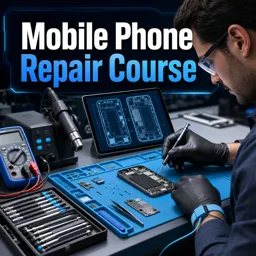
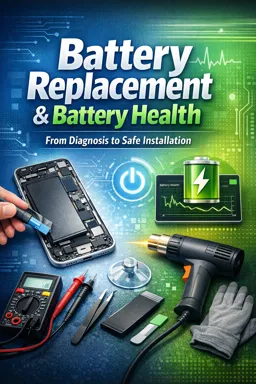
Common tools include precision screwdrivers, tweezers, opening tools and a multimeter. A multimeter checks voltage, continuity, resistance and certain circuit faults.

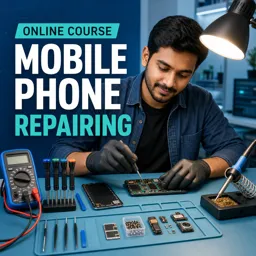
Duration of the online course: 7 hours and 4 minutes
4.6


(66)
Build in-demand mobile repair skills fast with a free online course—learn tools, soldering, diagnostics and common phone faults for real-world repairs.
Turn everyday phone problems into a practical skill you can use at home or to start earning. This free online Mobile Device Repair course helps you understand how mobile phones are built, how their circuits work, and how to troubleshoot faults with confidence. Instead of guessing, you will learn a structured approach to diagnosis: identify symptoms, check power and connectivity, inspect boards safely, and confirm issues with the right instruments.
You will begin by getting comfortable with the essential toolkit used in mobile phone repairing, including safe opening methods, tweezers and handling techniques, and the multimeter for measuring DC voltage and testing continuity. As you progress, you will explore how mobile handsets operate from basic feature phones to multimedia phones, so you can connect user-facing issues to what is happening inside the device.
The course also builds your understanding of mobile PCBs through diagram-based learning, helping you recognize key sections of the board and the role of common connection points. From there, you will practice practical fault tracing and repair thinking for frequent problems such as ringer, microphone, speaker or earpiece sound clarity, vibrator issues, and dead handset scenarios. You will see how jumper settings are used to restore damaged paths and how to troubleshoot network-related faults in a logical way.
To support more advanced repairs, you will be introduced to components used on phone boards, including SMD and chip components, and what each part contributes to circuit behavior. You will also work with soldering fundamentals and safe tool use, leading into higher-skill tasks such as IC reballing. Finally, the course expands beyond hardware by covering charging and boosting concepts, file transfers between phone and computer, and how to approach software problems that can mimic hardware failures.
By the end, you will have a solid foundation for diagnosing and repairing mobile devices, understanding components, and using tools correctly—skills that can improve your own device maintenance and open doors to professional opportunities in phone servicing.

7 hours and 4 minutes of online video course

Digital certificate of course completion (Free)

Exercises to train your knowledge

100% free, from content to certificate
What tools are used in mobile phone repairing and what does a multimeter test?
Common tools include precision screwdrivers, tweezers, opening tools and a multimeter. A multimeter checks voltage, continuity, resistance and certain circuit faults.
How can I diagnose a mobile phone ringer, microphone or vibrator fault?
Test the relevant component and its PCB connections with a multimeter, inspect for damage or loose contacts, then repair wiring or replace the faulty part if needed.
What is jumper setting in mobile phone PCB repair?
Jumper setting uses a small wire connection to restore a broken PCB track or bypass a damaged circuit path, often for dead handset, ringer or network faults.
Ready to get started?Download the app and get started today.
Install the app now
to access the course
Over 5,000 free courses
Programming, English, Digital Marketing and much more! Learn whatever you want, for free.

Study plan with AI
Our app's Artificial Intelligence can create a study schedule for the course you choose.

From zero to professional success
Improve your resume with our free Certificate and then use our Artificial Intelligence to find your dream job.
You can also use the QR Code or the links below.



Carry knowledge in your pocket.
Download the Cursa app.
There are hundreds of free courses available, with a free certificate of completion that is saved in your mobile image gallery.
Download the app to access the Course Completion Certificate for Free.


+ 10 million
students

Free and Valid
Certificate

60 thousand free
exercises

4.8/5 rating in
app stores

Free courses in
video and ebooks


Course comments: Mobile phone repairing
Students generally viewed the free online course positively, describing it as good, lovely, fantastic, and very nice. They appreciated the content and expressed gratitude, with one student showing serious interest in continuing the course.
Mohammad DanishAli
Very good content
Sadaq FarahMohamed
thanks teacher
Shamte Abdallah
very nice
STEPHEN AMOAH
great
Gaiz Changarath
good
zewdu techan
thanks
Samuel Munene Muriuki
Lovely
Daniel Ochieng
fantastic
faridul islam
apriciative
Domenique
hello I'm serious on taking the course