
Exercises
Put your Unity Physics skills to the test with this quiz covering the core systems behind believable game interactions. Explore Rigidbody behavior, gravity, dynamic versus kinematic bodies, Collider components, collision detection, contact points, and trigger zones. You’ll also review Physics Materials, force fields, realistic lighting, and the joints used to build effects such as swinging pendulums. Whether you are new to Unity development or reviewing essential gameplay mechanics, this quiz is a practical way to check your understanding of Unity’s physics tools and components.
Answer the questions below and check the explanation for each answer.
0/10 answered
Auto audio on: the next questions will be read aloud when you click Continue.
To make a GameObject react to gravity in Unity, you should add a Rigidbody component. The Rigidbody component is responsible for applying physics forces like gravity to a GameObject, enabling it to interact with other physics-driven objects in the scene and respond appropriately to forces.
The correct option is 1. The MeshRenderer is a feature in Unity that works with lighting to simulate realistic effects on GameObjects. It allows the rendering engine to display the object's mesh with the effects of lighting, materials, and shadows.
The purpose of the Collider component in Unity is to define the shape of the object for physical interactions. Colliders are used in physics calculations to determine when and how objects interact with each other, such as triggering collisions and defining physical boundaries.
The method used to detect collisions between two GameObjects in Unity is OnCollisionEnter. This method is called when a GameObject with a Collider component encounters another GameObject's Collider, making it suitable for detecting physical collisions. OnTriggerEnter is used for trigger events, and OnRenderObject is related to rendering, not collisions.
The correct alternative is Option 1. In Unity, a Rigidbody marked as 'dynamic' will respond to physics forces and can be moved programmatically, meaning it interacts with the physics engine naturally. On the other hand, a 'kinematic' Rigidbody does not respond to the physics forces automatically but can be controlled programmatically through transformations for specific purposes, like animation or controlled object interactions.
The correct option is 2. A ForceField component is necessary to create a physical force field in Unity that can influence Rigidbody objects within its volume. This component allows for simulating various forces like gravity, magnetic fields, or wind, providing interactions with objects based on physics calculations.
A Physics Material in Unity is used to define the friction and bounciness of a Collider. This affects how GameObjects interact with each other through surfaces, influencing sliding and bouncing behaviors.
The Collision.contacts property provides an array of ContactPoint objects, which contain the details of all the contact points involved in the collision. This allows you to determine the exact point of contact during a collision. Option 1 Transform.position gives the object's position, and option 2 Collider.bounds gives the bounding volume, neither of which provides precise contact points.
A BoxCollider marked as Trigger is the correct Unity component for creating a non-physical trigger zone. By setting the collider as a trigger, it won't interact with the physics engine but can still register when other objects enter, exit, or stay within its boundaries, triggering events.
The correct choice for creating a swinging pendulum effect in Unity is the HingeJoint. A HingeJoint allows rotation around one axis, which is ideal for pendulum movement. It restricts motion to swinging back and forth, akin to a real-life hinge.
Free CourseUnreal Engine 5 Complete Tutorials
5

(1)

105h07m

53 exercises
Free CourseUnity - survival game
5
(13)
11h23m
38 exercises

Free CourseGame Environment Art
5
(3)
2h37m
7 exercises
Free CourseGame Design course
5
(1)
10h16m
38 exercises

Free CourseAndroid - LibGDX - Super Mario Bros
4.8
(18)
5h08m
22 exercises
Free CourseUnity game development for beginners
4.8

(4)
7h24m
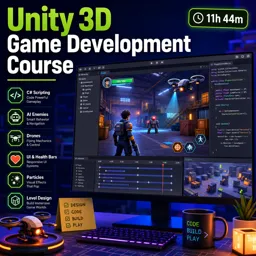
Free CourseUnity 3D Game Development Course
4.8
(4)
11h44m
45 exercises
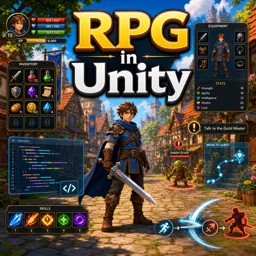
Free CourseRPG in Unity
4.7
(10)
2h27m
11 exercises
Thousands of online courses in video, ebooks and audiobooks.
To test your knowledge during online courses
Generated directly from your cell phone's photo gallery and sent to your email

Download our app via QR Code or the links below:.



Carry knowledge in your pocket.
Download the Cursa app.
There are hundreds of free courses available, with a free certificate of completion that is saved in your mobile image gallery.
Download the app to access the Course Completion Certificate for Free.


+ 10 million
students

Free and Valid
Certificate

60 thousand free
exercises

4.8/5 rating in
app stores

Free courses in
video and ebooks