
A strong news lead answers who, what, when, where, and why; it may also explain how when relevant.

Duration of the online course: 5 hours and 6 minutes
3.7


(10)
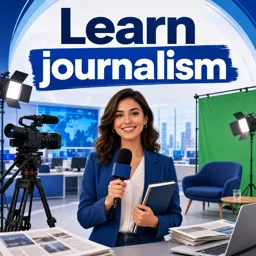
Build real reporting skills with a free journalism course: write clear leads, find reliable sources, film interviews, and publish fair, compelling stories.
Strong journalism starts with knowing what truly counts as news and being able to explain it clearly, quickly, and responsibly. This free online course helps you build that foundation while developing practical skills you can apply to modern digital reporting. You will learn how to separate news from opinion, shape information into a story people can trust, and create coverage that is both engaging and fair.
As you progress, you will practice the journalist’s habit of asking the right questions to get to the heart of any event. You will also learn how to work with sources in a smart, ethical way, including how to get fresh angles from information that many others can access. The course focuses on how stories are organized so audiences understand the most important facts first, helping you write and edit with clarity even under time pressure.
Because journalism increasingly includes video, you will develop core visual-reporting skills too. You will explore what the camera actually captures and how to set up shots that communicate meaning, not confusion. You will gain confidence with basic camera setup decisions and learn how to record material that editors can use easily, an essential professional mindset if you want your work to be taken seriously.
Interviewing is another key focus, with guidance that supports you in different real-world scenarios. You will learn how to prepare an indoor interview, handle quick street interviews, and improve the quality of every answer you capture. You will also understand how audio choices affect credibility, including selecting microphones, placing a lavalier neatly and reliably, and deciding when mixing audio makes sense for your setup.
To keep your production flexible and accessible, the course shows you resourceful solutions such as creating a simple green screen on a budget. It also addresses the legal and ethical side of publishing by explaining fair use, so you can incorporate materials appropriately and protect your work. By the end, you will have a clearer sense of how to research, shoot, and assemble stories with accuracy, fairness, and professionalism for today’s online platforms.

5 hours and 6 minutes of online video course

Digital certificate of course completion (Free)

Exercises to train your knowledge

100% free, from content to certificate
What are the five W's that should appear in a news lead?
A strong news lead answers who, what, when, where, and why; it may also explain how when relevant.
What is the inverted pyramid structure in journalism?
It presents the most important facts first, followed by supporting details and background information.
How can journalists get unique stories from common news sources?
They can ask original follow-up questions, build trusted relationships, and look for local or overlooked angles.
Ready to get started?Download the app and get started today.
Install the app now
to access the course
Over 5,000 free courses
Programming, English, Digital Marketing and much more! Learn whatever you want, for free.

Study plan with AI
Our app's Artificial Intelligence can create a study schedule for the course you choose.

From zero to professional success
Improve your resume with our free Certificate and then use our Artificial Intelligence to find your dream job.
You can also use the QR Code or the links below.



Carry knowledge in your pocket.
Download the Cursa app.
There are hundreds of free courses available, with a free certificate of completion that is saved in your mobile image gallery.
Download the app to access the Course Completion Certificate for Free.


+ 10 million
students

Free and Valid
Certificate

60 thousand free
exercises

4.8/5 rating in
app stores

Free courses in
video and ebooks




Course comments: Learn journalism
Edrain A.Abonyawan
very impormative presentation
Ahmed Salihu Koko
This is one of the best courses online i ever attend with nice teaching methodology and elaborative explanations and effective practical skills for slow and fast learners to comprehend. I remain grateful Xavier.
Muni
Online source is able to provide quick and reporting of breaking news in a matter of seconds.