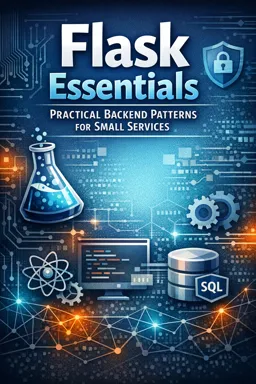
It demonstrates HTMX techniques for updating likes, submitting comments, switching tabs, and loading more posts without full page refreshes.

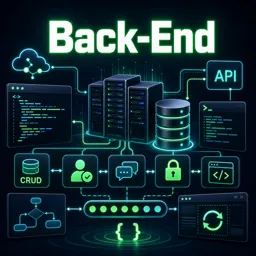
Duration of the online course: 9 hours and 50 minutes
New
Build real back-end skills fast: create a Django web app with CRUD, auth, HTMX, messaging and security. Free course with practice and quizzes.
Back-end development is where ideas become reliable, secure and scalable products. In this free online course, you will learn by building a complete Django web app from the ground up, gaining the kind of practical experience that helps you move from basic Python knowledge to shipping real features. Instead of isolated snippets, you’ll follow a project-driven path that mirrors how back-end work happens in real teams: setting up a clean environment, structuring a project, and steadily expanding functionality while keeping the code maintainable.
You’ll practice working with templates, data models and Django’s ORM to create dynamic pages and database-backed features. As the application grows, you will implement essential patterns like CRUD flows, form handling and protections that matter in production, including CSRF safeguards. You will also model real relationships between entities such as users, profiles, posts and tags, so you understand how to represent complex domains in a relational database without confusion.
The course goes beyond a basic blog by adding interactive experiences using HTMX, enabling smoother actions like likes, comments and tabbed interfaces without constant full-page refreshes. You will also extend the project with user authentication flows, profile pages, and media handling for images and static assets. To broaden your back-end toolkit, you’ll explore automation and data extraction concepts through a web crawler feature, and learn how to connect actions in your app using signals to keep logic organized.
To round out the experience, you will implement private messaging with an inbox, search, and notification-style behaviors, giving you a more complete view of how modern platforms are built. Finally, you will strengthen your security understanding by learning the practical difference between hashing and encryption, and why choosing the right approach matters. By the end, you’ll have a clearer path toward junior back-end roles, stronger Django fundamentals, and a portfolio-ready project that demonstrates real-world development skills.

Explore free online Django courses with certificates and learn to build secure, scalable web applications using Python. Master Django fundamentals, models, views, templates, databases, APIs, authentication, and deployment through flexible lessons designed for beginners and aspiring developers. Start learning Django online for free and earn a certificate.

Explore free online HTMX courses designed to help you build fast, interactive web applications with less JavaScript. Learn HTMX fundamentals, AJAX requests, server-driven UI patterns, forms, and practical integration techniques at your own pace. Enroll today, develop in-demand web development skills, and earn a certificate for every course you complete.

9 hours and 50 minutes of online video course

Digital certificate of course completion (Free)

Exercises to train your knowledge

100% free, from content to certificate
How does this Django course use HTMX for likes, comments, and infinite scrolling?
It demonstrates HTMX techniques for updating likes, submitting comments, switching tabs, and loading more posts without full page refreshes.
What Django features are used to build user profiles, authentication, and private messaging?
The course covers Django AllAuth, one-to-one user profiles, profile pages, Python signals, inbox messaging, search, and notifications.
How are Django models used for posts, tags, comments, and database operations?
It uses Django ORM to create CRUD features, connect posts to authors, manage tags with many-to-many relationships, and handle comments and replies.
Ready to get started?Download the app and get started today.
Install the app now
to access the course
Over 5,000 free courses
Programming, English, Digital Marketing and much more! Learn whatever you want, for free.

Study plan with AI
Our app's Artificial Intelligence can create a study schedule for the course you choose.

From zero to professional success
Improve your resume with our free Certificate and then use our Artificial Intelligence to find your dream job.
You can also use the QR Code or the links below.



Free CourseBackend REST API
5

(9)

5h24m

25 exercises
Free CourseNodeJS complete
5
(1)
1h30m
12 exercises
Free CourseAPIs
5
(5)
4h32m
20 exercises
Free CourseFlask
5
(1)
8h50m
14 exercises
Free CourseDjango for Everybody
5
(1)
18h32m
Free CoursePython Django Full Stack Developer
5
(2)
14h23m
27 exercises
Free CourseMaster Vue JS API
5
(-4)
6h14m
6 exercises
Free CoursePython Fast API
4.8
(5)
1h34m
14 exercises
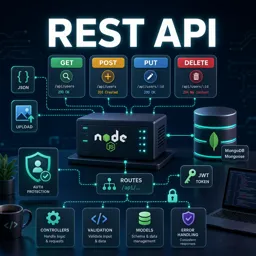
Free CourseREST API
4.7

(6)
4h14m
10 exercises
Free CourseAPIs for beginners
4.5
(2)
3h07m
Carry knowledge in your pocket.
Download the Cursa app.
There are hundreds of free courses available, with a free certificate of completion that is saved in your mobile image gallery.
Download the app to access the Course Completion Certificate for Free.


+ 10 million
students

Free and Valid
Certificate

60 thousand free
exercises

4.8/5 rating in
app stores

Free courses in
video and ebooks