Duration of the online course: 5 hours and 41 minutes
New
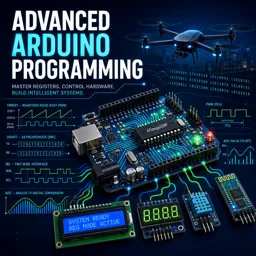
Level up your Arduino skills with an advanced free course on register-level programming, timers, PWM, interrupts, and serial comms—earn a certificate-ready edge.
Arduino IDE setup for register-level development, toolchain basics, and reliable serial debugging
GPIO control via registers: direction, output toggle, input read, and enabling internal pull-ups
Non-blocking design: responsive loops for LCD/RFID/servo, multiplexing, and timing without delays
Interfacing basics: LEDs, push buttons (pull-up/down), debouncing, and 7-seg + LCD (4-bit) control
Relay fundamentals and safe control logic for switching AC loads using Arduino
External interrupts: concepts and configuring INT0 edge triggers via registers
AVR timers: Normal/CTC modes, prescalers, overflow/compare time calculations, and ISRs
Timer output compare for wave generation and periodic interrupts (e.g., 1 kHz using OCR1A)
Timer1 input capture: measuring pulse timing and knowing where captured values are stored
PWM generation with Timer1, frequency math using TOP/prescaler, and applications like LED fading
ADC operation: resolution, ADMUX alignment, register setup, and mapping ADC readings to PWM
UART fundamentals and register config: framing, start bit, binary byte writes, and 9600 baud setup
I2C protocol and register-level setup, using Wire.begin(), and interfacing 24C04 EEPROM
About the free online course
If you already know your way around Arduino sketches and want real control over performance, timing, and hardware behavior, this course takes you beyond the usual high-level functions. You will learn to program Arduino at a deeper level, working directly with microcontroller registers so your projects respond faster, use fewer resources, and behave predictably in real robotics and drone-style systems where timing and reliability matter.
Rather than treating the board like a black box, you will build a clear mental model of how the ATmega328 architecture maps to Arduino pins, ports, memory, and peripherals. That understanding unlocks more than speed: it helps you diagnose tricky bugs, choose the right interface when pins are limited, and design circuits and firmware that remain stable when multiple tasks run at once. The approach emphasizes practical development habits too, including dependable serial debugging while handling wireless links, and writing logic that keeps your main loop responsive.
You will also strengthen your ability to interface common components in a professional way. From LCDs, 7-segment displays, buttons, relays, RFID and servos to Bluetooth modules and I2C devices, the focus is on making hardware interactions robust: clean input handling, debouncing that does not block other logic, and output control that scales from a single LED to time-critical switching. As you progress, you will rely on interrupts and timer modes to schedule work precisely, generate accurate waveforms, and coordinate events without delays that break responsiveness.
By the end, you will be comfortable configuring UART, I2C, ADC, PWM and multiple timer features using registers, and translating real-world needs like dimming, sampling, measurement timing, or stable communications into low-level setups. The result is the confidence to build advanced embedded behaviors on Arduino-class hardware—ideal preparation for robotics projects, automation prototypes, and any system where you need precision instead of trial-and-error.
Course content
Video class: Curriculum for Register Level Programming Course in Arduino04m
Exercise: Select the best interface to drive a 2004 LCD with minimal Arduino pins
Video class: Introduction to Atemga328 (Arduino Uno) | Register Level Programming in Arduino | T - 102m
Exercise: Reliable Serial debugging alongside Wi-Fi communication on Arduino
Video class: Features of Atmega328 Microcontroller (Arduino Uno) | Register Level Programming in Arduino T - 202m
Exercise: Which memory on ATmega328 defines the maximum sketch size you can upload
Video class: Hardware and Software used in this Register Level Programming Course in Arduino T - 302m
Exercise: Which ATmega328P pin maps to Arduino Uno digital 13 for the onboard LED
Video class: Hardware Components Required for Register Level Programming Course in Arduino | T - 402m
Exercise: Ensuring reliable push button input for a Bluetooth-triggered action on Arduino
Video class: Downloading and Installing Arduino IDE to PC01m
Exercise: Setting up the Arduino IDE for register-level development
Video class: Introduction to Arduino IDE | Register Level Programming in Arduino | T - 501m
Exercise: Non-blocking control of LCD, RFID, and 90° servo on Arduino
Video class: Pin Layout and Port Structure of ATMEGA328 (Arduino Uno) | Register Programming in Ardiuno | T - 603m
Exercise: On ATmega328-based boards, which statement correctly describes Port B availability when the external crystal is used?
Video class: GPIO Configuration Part - 1 for Arduino | Register Level Programming in Arduino | T - 716m
Exercise: Direct register setup for input with pull-up on ATmega328P
Video class: GPIO Configuration Part - 2 for Arduino | Register Level Programming in Arduino | T - 808m
Exercise: Configuring PB08 via direct registers Which bitmask enables it as output when writing to DIRSET on a SAMD based Arduino
Video class: Interfacing of LED with Arduino | Register Level Programming in Arduino T - 905m
Exercise: Which approach best toggles a digital output on pin 5 without blocking other logic in an advanced Arduino sketch
Video class: 7 Segment Display Working Explained10m
Video class: Interfacing of 7 Segment Display with Arduino | Register Level Programming in Arduino T - 1109m
Exercise: Best method to multiplex four 7‑segment displays in an advanced Arduino project while keeping loop responsive
Video class: 16x2 LCD Working principle explained05m
Video class: Interfacing of 16x2 LCD with Arduino | Register Level Programming in Arduino T - 1313m
Exercise: Strobing the LCD Enable pin correctly in 4-bit mode
Video class: LCD Working Explained in 4 Bit Mode | 16x2 LCD Functions for any Microcontroller17m
Exercise: Which Arduino serial function should you use to send raw binary bytes to an RS232 UART device?
Video class: Input devices working logics explained | Pull-up and Pull-down04m
Video class: Interfacing of Push Buttons with Arduino | Register Level Programming in Arduino T - 1506m
Exercise: Reading a pull-down button on PD2 to drive the LED on PB5 at register level
Video class: Relay working principle explained13m
Exercise: Controlling a 110 V AC lamp with Arduino
Video class: Interfacing of Relay with Arduino | Register Level Programming in Arduino T - 4006m
Exercise: Using registers to read a button on PD7 and drive a relay on PB0
Video class: Interrupt Method Programming Working Explained in Arduino | Register Programming in Arduino | T - 1606m
Exercise: Best method to handle a mechanical button in an advanced Arduino sketch to prevent false triggers
Video class: External Interrupt Programming in Arduino | Register Level Programming in Arduino | T - 1713m
Exercise: Configure INT0 for rising-edge interrupt via registers on Arduino Uno
Video class: TIMER INTERRUPT MODE IN AVR MICROCONTROLLER WORKING EXPLAINED04m
Exercise: Compute overflow time for an 8 bit Arduino timer in Normal mode at 16 MHz with prescaler 64
Video class: Timer Interrupt Register Configuration in Arduino | Register Programming in Arduino | T - 1910m
Exercise: Configure Timer1 prescaler to 1024 on ATmega328
Video class: Timer Interrupt Programming in Arduino | Register Level Programming in Arduino | T - 2004m
Exercise: Best practice for button IF logic and timing-friendly debounce on Arduino
Video class: TIMER OUTPUT COMPARE IN AVR MICROCONTROLLER WORKING EXPLAINED03m
Exercise: Output Compare Mode Period Calculation
Video class: Timer Output Compare Mode Register Configuration in Arduino | Register Programming in Arduino | T 2210m
Exercise: Timer1 CTC: OCR1A for 1 kHz on OC1A with toggle, 16 MHz clock, prescaler 8
Video class: Timer Output Compare Programming in Arduino | Register Level Programming in Arduino | T - 2304m
How do I configure ATmega328P registers for GPIO, interrupts, timers, PWM, ADC, UART, and I2C on an Arduino Uno?
The course teaches direct register-level configuration using registers such as DDRx, PORTx, EIMSK, TCCRn, ADMUX, UCSRn, and TWBR.
How is a 1 kHz Timer1 CTC interrupt or output-compare signal calculated on a 16 MHz Arduino Uno?
With a prescaler of 8, use OCR1A = 1999 for a 1 kHz timer event; toggle-output mode produces a 500 Hz square wave because a full cycle requires two toggles.
What hardware projects are covered in this advanced Arduino register programming course?
Projects include LCDs, 7-segment displays, buttons, relays, servos, RFID, ADC LED dimming, PWM, UART Bluetooth, I2C EEPROM, and timer input capture.
Ready to get started?Download the app and get started today.