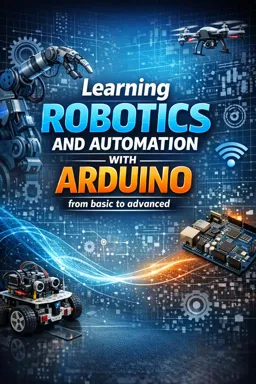
Servo.attach() links a Servo object to a specified Arduino pin so the board can send control pulses to the servo motor.

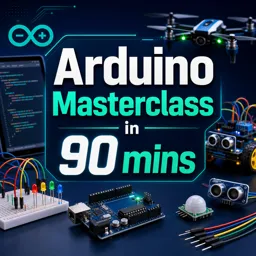
Duration of the online course: 1 hours and 25 minutes
5

(3)
Build real Arduino skills in 90 minutes: learn pinMode, analogRead and servo control in a free online course with practical exercises and robotics-ready confidence.
Start turning ideas into working gadgets with Arduino in a fast, practical workshop built for beginners and for makers who want a clean, confidence-building refresher. In just 90 minutes, you will move from basic setup to writing sketches that interact with the physical world, a core step toward building robots, drones, and smart devices. Instead of focusing on theory alone, the learning experience centers on the key functions and patterns that appear in almost every Arduino project, so what you learn stays useful long after the lesson ends.
You will gain clarity on how Arduino communicates with sensors and components, how a microcontroller reads signals, and how your code translates into real actions. By understanding how pins are configured and why that step matters, you can avoid the common frustrations that stop many newcomers early. You will also explore how analog inputs are read, what the returned values mean, and how that data becomes decisions in your program. This makes it easier to connect potentiometers, light sensors, distance sensors, and other inputs that are essential in robotics.
As you progress, you will also connect the dots between controlling outputs and driving motion, including the practical role of servo control for steering mechanisms, grippers, pan-tilt mounts, or small robotic joints. With guided questions and exercises, you reinforce concepts like setting pins as input or output, reading analog values reliably, and using library functions correctly so your projects behave consistently. The goal is not just to copy code, but to understand what each line accomplishes and how to adapt it to new builds.
Whether you are exploring a new technical hobby, preparing for STEM studies, or strengthening your skills for robotics and prototyping work, this free online course helps you build a solid Arduino foundation quickly. By the end, you will be able to read sensors, configure hardware pins, and control components with a clearer mental model, making your next robotics project feel achievable and exciting.

1 hours and 25 minutes of online video course

Digital certificate of course completion (Free)

Exercises to train your knowledge

100% free, from content to certificate
What does the Servo.attach() function do in Arduino?
Servo.attach() links a Servo object to a specified Arduino pin so the board can send control pulses to the servo motor.
How does analogRead() work on an Arduino board?
analogRead() measures the voltage on an analog input pin and returns a value representing that reading, typically from 0 to 1023 on many Arduino boards.
Why is pinMode() required in an Arduino sketch?
pinMode() configures a digital pin’s behavior, such as INPUT, INPUT_PULLUP, or OUTPUT, before it is used.
Ready to get started?Download the app and get started today.
Install the app now
to access the course
Over 5,000 free courses
Programming, English, Digital Marketing and much more! Learn whatever you want, for free.

Study plan with AI
Our app's Artificial Intelligence can create a study schedule for the course you choose.

From zero to professional success
Improve your resume with our free Certificate and then use our Artificial Intelligence to find your dream job.
You can also use the QR Code or the links below.



Free CourseArduino tutorial for beginners
5
(2)

12h28m

24 exercises
Free CourseAutonomous Drone Systems, Swarm Intelligence and Control Engineering
5
(1)
27h57m
49 exercises
Free CourseArduino Tutorial for Complete Beginners: Step-by-Step Projects and Circuits
5
(1)
2h11m
15 exercises
Free CourseArduino for beginners
4.8

(8)
4h04m
9 exercises
Free CourseArduino complete tutorials
3.9
(9)
32h21m
35 exercises
Free CourseAdvanced Arduino Programming
1
(1)
5h41m
36 exercises
Free CourseArduino for Beginners
New
9h53m
39 exercises
Free CourseFPV Drone Flying for Total Beginners: Racing and Freestyle Basics
New
4h04m
18 exercises
Free CourseBetaflight 4.3 Complete Setup and Tuning Guide
New
7h24m
15 exercises
Carry knowledge in your pocket.
Download the Cursa app.
There are hundreds of free courses available, with a free certificate of completion that is saved in your mobile image gallery.
Download the app to access the Course Completion Certificate for Free.


+ 10 million
students

Free and Valid
Certificate

60 thousand free
exercises

4.8/5 rating in
app stores

Free courses in
video and ebooks