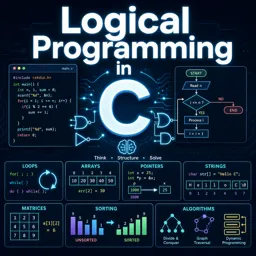
Imagine you had to print the numbers from 1 to 1,000. Writing a thousand separate instructions would be tedious and error-prone. Programmers solve this kind of problem with loops: structures that repeat a block of code as many times as needed. Loops are one of the core ideas of programming logic, and once you understand them, you can automate almost any repetitive task.
What is a loop?
A loop is a control structure that runs the same instructions repeatedly while a certain condition holds, or for a defined number of rounds. Each repetition is called an iteration. Almost every programming language has loops, and although the syntax changes from one language to another, the logic is nearly identical.
Every loop answers three questions: where does it start, when does it stop, and what changes between one round and the next. If you can answer these clearly, you can write a correct loop in any language.
The for loop: when you know how many times
The for loop is usually chosen when you know in advance how many repetitions you need, or when you want to go through each item of a collection. In many languages, it combines the three key pieces in one line: a starting value, a condition for continuing, and an update step.
for i from 1 to 5:
    print i
This pseudocode prints 1, 2, 3, 4 and 5. The variable i is the counter: it starts at 1, increases after each round, and the loop ends when it passes 5. In languages such as Python, JavaScript or Java, the exact syntax differs, but the idea is the same.
For loops are also great for visiting every element of a list. For example, if you have a list of prices, a loop can add them all up, apply a discount to each, or find the largest one.
The while loop: when you depend on a condition
The while loop repeats as long as a condition is true. It is a natural choice when you do not know how many rounds will be needed. For instance, asking a user to type a password until it is correct, or reading data until a file ends.
count = 1
while count <= 5:
    print count
    count = count + 1
Here, the condition is checked before every round. When count becomes 6, the condition is false and the loop stops. Notice the line that increases count: without it, the condition would never change, and that leads us to the most famous loop problem.
For vs. while at a glance
| Feature | For loop | While loop |
|---|---|---|
| Best used when | The number of rounds is known or you traverse a collection | The number of rounds depends on a condition |
| Counter management | Often built into the loop line | You update it manually inside the loop |
| Typical example | Print numbers 1 to 10, sum a list | Repeat until valid input is entered |
| Main risk | Off-by-one mistakes | Forgetting to update the condition |
Infinite loops: what they are and how to avoid them
An infinite loop is a loop that never ends because its stopping condition is never reached. The program may freeze, consume processor time, or keep printing the same message. It usually happens for one of these reasons:
- The counter is never updated inside a while loop.
- The condition is written incorrectly, so it is always true.
- The update moves in the wrong direction, such as decreasing a counter when you need to increase it.
- A variable that controls the loop is changed in the wrong place or overwritten.
To prevent these problems, always check that something inside the loop moves it closer to the end. Test with small values first, and if your program seems stuck, stop it and review the condition and the update step. Some situations deliberately use infinite loops, such as servers waiting for requests, but even those include a way to exit when needed.
Controlling the flow: break and continue
Most languages offer two helpful commands. Break exits the loop immediately, which is useful when you have found what you were looking for. Continue skips the rest of the current round and jumps to the next one, which helps when a particular item should be ignored. Use them with care: too many breaks and continues can make code harder to read.
Nested loops
A loop can sit inside another loop. This is called a nested loop, and it is common when working with tables, grids and combinations. For example, a multiplication table uses one loop for rows and another for columns. Keep in mind that the inner loop runs completely for each round of the outer loop, so nested loops can multiply the amount of work quickly.
Common beginner mistakes
- Off-by-one errors: looping one time too many or too few, often because of a wrong comparison such as using "less than" instead of "less than or equal to".
- Changing a list while looping over it, which can cause skipped items or unexpected behavior.
- Forgetting to initialize variables before the loop begins.
- Putting code in the wrong place, such as printing a final result inside the loop instead of after it.
A practical way to practice
Try small exercises: add the numbers from 1 to 100, print only the even numbers up to 50, find the largest number in a list, or ask for a password until the user gets it right. Writing the steps on paper before coding helps you see what changes in each iteration. When something goes wrong, print the value of your variables inside the loop to follow what is really happening.
Conclusion
Loops turn repetitive work into a few clear lines of code. By choosing between for and while wisely and always making sure your loop has a way to end, you build the foundation for more advanced topics such as algorithms and data processing. If you want to keep practicing with guided exercises, explore the programming fundamentals and logic courses on Cursa.