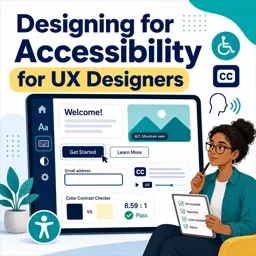


Accessibility design creates digital products that people with disabilities can perceive, understand, navigate, and use.

1


Explore our selection of free online Accessibility Design courses and develop practical skills for creating inclusive digital experiences. These educational courses introduce accessibility principles for websites, applications, interfaces, documents, and digital products. Study at your own pace, complete exercises, and receive free certification to demonstrate your learning and support your professional development.
Accessibility Design helps ensure that digital content can be perceived, understood, navigated, and used by people with diverse abilities. Through structured lessons, students can learn about accessible user experience, inclusive design methods, usability, assistive technologies, semantic content, keyboard navigation, color contrast, typography, forms, alternative text, and accessible interaction patterns.
The courses are suitable for beginners, students, educators, designers, developers, content creators, product professionals, and anyone interested in digital inclusion. Each course includes educational exercises that reinforce important concepts and provide opportunities to review what you have learned.
All listed Accessibility Design courses are free. They include exercises for knowledge assessment and offer free certification after completion. A certificate can enrich your résumé, document continuing education, and highlight your commitment to accessibility, inclusive learning, and responsible digital design.
| Educational Benefit | Included |
|---|---|
| Online Accessibility Design lessons | Free |
| Learning exercises | Included |
| Course certification | Free |
| Flexible study | Learn at your own pace |
To access the courses, it is necessary to install the Cursa application. Android students can install it through Google Play using Download for Android. iPhone students can install it through the App Store using Download for iOS / iPhone.
Choose a free online course, follow the educational lessons, complete the exercises, and earn your free certificate. Build valuable Accessibility Design knowledge and learn how to create more inclusive, usable, and welcoming digital experiences for everyone.
What is accessibility design?
Accessibility design creates digital products that people with disabilities can perceive, understand, navigate, and use.
Why is accessibility important in UX design?
It improves usability for everyone, expands reach, supports inclusion, and helps meet accessibility requirements.
What will I learn in a Designing for Accessibility for UX Designers course?
You will learn accessible UX principles, inclusive research, accessible interfaces, and how to design for assistive technologies.
How do UX designers design for visual accessibility?
Use sufficient color contrast, clear typography, scalable text, descriptive labels, and avoid relying on color alone.
What are the main accessibility standards for web design?
The Web Content Accessibility Guidelines, or WCAG, are the most widely used standards for accessible digital experiences.
How can I make forms more accessible?
Provide visible labels, clear instructions, keyboard-friendly controls, helpful error messages, and logical focus order.
Do accessibility design courses cover keyboard and screen reader users?
Yes, accessibility training commonly covers keyboard navigation, focus states, semantic structure, and screen reader-friendly design.

Complete any course and issue your certificate via the app — at no cost.

Download the app! to have access to more than 4,000 Online Courses + Certificate, all free!
Download the app! 100% free courses.


Carry knowledge in your pocket.
Download the Cursa app.
There are hundreds of free courses available, with a free certificate of completion that is saved in your mobile image gallery.
Download the app to access the Course Completion Certificate for Free.


+ 10 million
students

Free and Valid
Certificate

60 thousand free
exercises

4.8/5 rating in
app stores

Free courses in
video and ebooks