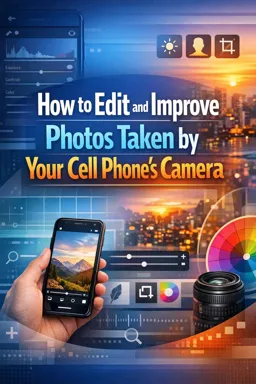
With the evolution of technology, smartphones have become a powerful tool for photography. Not only do they offer the convenience of being lightweight and portable, but they also come with advanced camera features that allow you to take high quality pictures. Here are some tips on how you can use your cell phone to take pictures of art.
1. Know your camera
Before you start taking pictures, it's essential that you understand your phone's camera features and settings. This includes knowing how to adjust exposure, focus, ISO, and more. Also, many smartphones now come with additional features like portrait and landscape modes that can help improve the quality of your photos.
2. Use natural light
Natural light is one of a photographer's best friends. Take advantage of daylight to take your photos, especially during the "golden hour", which is just after sunrise or before sunset. Natural light can help bring out the details and colors in your photo.
3. Composition is key
Composition refers to how the elements in a photo are arranged. Good composition can make a big difference in the quality of your photos. Use the rule of thirds, which involves dividing your photo into nine equal squares and placing the important elements along the lines or at their intersection points.
4. Try different angles
Don't limit yourself to taking photos from a single angle. Try different perspectives to add depth and interest to your photo. You can try taking photos from a low angle for a dramatic effect, or from a high angle for a unique point of view.
- Listen to the audio with the screen off.
- Earn a certificate upon completion.
- Over 5000 courses for you to explore!

Download the app
5. Edit your photos
After taking your photos, use a photo editing application to improve the quality of your images. You can adjust exposure, contrast, saturation and other aspects of your photos to bring out details and colors. In addition, you can also use filters and effects to add an artistic touch to your photos.
In conclusion, taking art photos with your cell phone is a skill that anyone can learn. With practice and experimentation, you can use your smartphone to capture stunning images that express your artistic vision.