Apps organize features, URL routes send requests to views, and templates render the HTML returned to users.

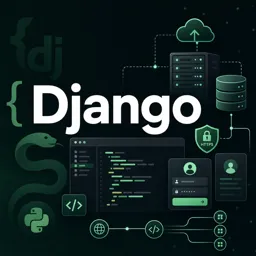
Duration of the online course: 9 hours and 54 minutes
New
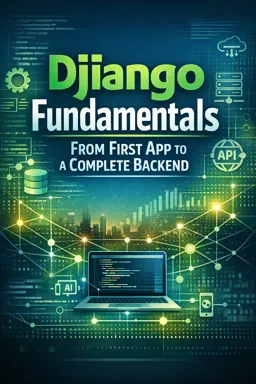
Build a real backend web app with Django: routing, templates, auth, database, deployment and a free course certificate-ready path to production.
Learn how to build secure, maintainable backend web applications with Django, one of the most popular Python frameworks in the industry. This free online course guides you from the first project setup to a complete, full-featured application, helping you understand how Django’s structure makes development faster and more reliable. Along the way, you’ll connect everyday web concepts to practical Django patterns so you can build with confidence instead of copying snippets you don’t fully understand.
You’ll work with the building blocks of a real project: multiple apps inside a single Django project, URL routing, and a clean separation of responsibilities that keeps code organized as features grow. You’ll also see how Django’s template system helps you create consistent interfaces efficiently using template inheritance, making it easier to manage layouts and reuse components without messy duplication.
On the data side, you’ll learn how to model information and evolve it safely over time using migrations, while benefiting from Django’s ORM to interact with the database using Python instead of raw SQL in most everyday cases. The course also walks through essential user features found in modern platforms, including registration, login and logout, access protection for authenticated users, and user profile management with uploaded images.
As your app becomes more dynamic, you’ll implement create, update, and delete flows for content, explore the advantages of class-based views for reusable logic, and add pagination so large datasets remain easy to browse. You’ll also cover account recovery with secure email-based password resets, improving both usability and security for real-world usage.
Finally, you’ll learn what it takes to move from local development to a production-ready deployment. The course explains practical deployment options on a Linux server and on a platform-as-a-service, including recommended security practices, environment configuration, and why running services with limited permissions matters. You’ll also connect a custom domain, enable HTTPS using Let’s Encrypt for trusted SSL/TLS, and optionally configure cloud storage for uploaded media using AWS S3. By the end, you’ll have a clearer path from idea to a deployed Django app you can share, improve, and build upon in professional projects.

9 hours and 54 minutes of online video course

Digital certificate of course completion (Free)

Exercises to train your knowledge

100% free, from content to certificate
How do Django apps, URLs, and templates work together in a project?
Apps organize features, URL routes send requests to views, and templates render the HTML returned to users.
What does Django ORM do when creating database models and migrations?
Django ORM lets you work with database records using Python models, while migrations apply model changes to the database schema.
How can a Django application be deployed securely with a custom domain?
Use a production server setup, environment-based secrets, a non-root deployment user, HTTPS via Let's Encrypt, and configure the custom domain.
Ready to get started?Download the app and get started today.
Install the app now
to access the course
Over 5,000 free courses
Programming, English, Digital Marketing and much more! Learn whatever you want, for free.

Study plan with AI
Our app's Artificial Intelligence can create a study schedule for the course you choose.

From zero to professional success
Improve your resume with our free Certificate and then use our Artificial Intelligence to find your dream job.
You can also use the QR Code or the links below.



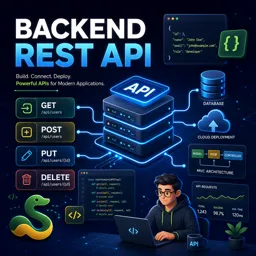
Free CourseBackend REST API
5

(9)

5h24m

25 exercises
Free CourseNodeJS complete
5
(1)
1h30m
12 exercises
Free CourseAPIs
5
(5)
4h32m
20 exercises
Free CourseFlask
5
(1)
8h50m
14 exercises
Free CourseDjango for Everybody
5
(1)
18h32m
Free CoursePython Django Full Stack Developer
5
(2)
14h23m
27 exercises
Free CourseMaster Vue JS API
5
(-4)
6h14m
6 exercises
Free CoursePython Fast API
4.8
(5)
1h34m
14 exercises
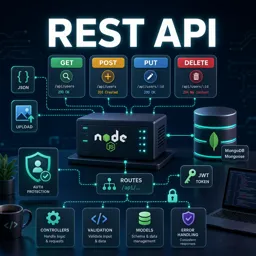
Free CourseREST API
4.7

(6)
4h14m
10 exercises
Free CourseNodeJS for beginners
4
(1)
6h51m
32 exercises
Carry knowledge in your pocket.
Download the Cursa app.
There are hundreds of free courses available, with a free certificate of completion that is saved in your mobile image gallery.
Download the app to access the Course Completion Certificate for Free.


+ 10 million
students

Free and Valid
Certificate

60 thousand free
exercises

4.8/5 rating in
app stores

Free courses in
video and ebooks