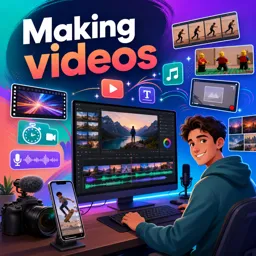


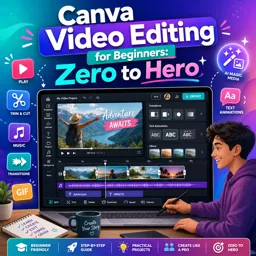
Canva for video is Canva’s browser-based video creation tool for making social videos, presentations, ads, tutorials, and more with templates, media, text, and animations.

2

Learn how to create engaging videos with Canva through a selection of free online courses designed for beginners, students, educators, content creators, and digital marketing professionals. These Canva for video courses provide practical education in video design, editing, animation, visual communication, and content production. Study at your own pace, complete interactive exercises, and earn free certification to demonstrate your newly developed skills.
Canva offers accessible tools for producing professional-looking educational videos, social media clips, presentations, advertisements, tutorials, and promotional content. The courses introduce essential concepts such as choosing templates, organizing scenes, editing footage, adding text, using transitions, applying animations, incorporating music, and exporting completed projects. Step-by-step lessons help learners understand both the technical tools and the creative principles behind effective video communication.
Every course in this learning collection is free and includes exercises that reinforce the topics presented in the lessons. Practical activities allow you to apply editing techniques, experiment with visual resources, and build confidence through direct experience. After completing an eligible course, you can also receive a free certificate, which can support your résumé, professional portfolio, academic development, or continuing education goals.
This educational content is suitable for anyone who wants to learn Canva for video without prior design or editing experience. It is especially useful for teachers, entrepreneurs, marketing students, small business owners, freelancers, and creators seeking an efficient way to produce polished visual content. Learners with existing Canva knowledge can also use the lessons to review concepts and expand their video production skills.
To access the courses, exercises, and free certification, you must install the Cursa application. Android users can get it from Google Play: Download for Android. iPhone users can install it from the App Store: Download for iOS / iPhone. Install the app, choose a free Canva for video course, and begin your online learning journey today.
What is Canva for video?
Canva for video is Canva’s browser-based video creation tool for making social videos, presentations, ads, tutorials, and more with templates, media, text, and animations.
Can beginners learn Canva video editing?
Yes. Canva is designed for beginners, with drag-and-drop editing, ready-made templates, simple trimming tools, and easy text and transition options.
What will I learn in a Canva video editing course for beginners?
You can learn how to choose templates, add clips and photos, trim scenes, use animations, add music and captions, and export finished videos.
Can I make videos in Canva without prior editing experience?
Yes. Courses such as Canva Video Editing for Beginners: Zero to Hero focus on creating polished videos without requiring previous editing knowledge.
What types of videos can I create with Canva?
You can create videos for YouTube, Instagram Reels, TikTok, presentations, product promotions, ads, tutorials, slideshows, and business communications.
How do I add music and captions to a Canva video?
Upload your own audio or select music from Canva’s library, then add text boxes or use caption tools to place readable subtitles on each scene.
Is Canva suitable for making professional-looking videos?
Yes. With strong templates, consistent branding, quality footage, animations, and clear audio, Canva can help produce professional-looking videos for many common needs.

Complete any course and issue your certificate via the app — at no cost.

Download the app! to have access to more than 4,000 Online Courses + Certificate, all free!
Download the app! 100% free courses.


Carry knowledge in your pocket.
Download the Cursa app.
There are hundreds of free courses available, with a free certificate of completion that is saved in your mobile image gallery.
Download the app to access the Course Completion Certificate for Free.


+ 10 million
students

Free and Valid
Certificate

60 thousand free
exercises

4.8/5 rating in
app stores

Free courses in
video and ebooks






What are people saying about free online courses of Canva for video
red love
An amazing course for video editing on Canva
CourseMaking videos