Wrap the content in a SingleChildScrollView, often with a Column as its child, so the screen can scroll vertically.

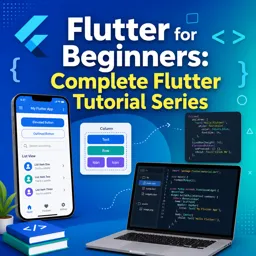
Duration of the online course: 2 hours and 33 minutes
New
Build your first Flutter app fast with this free course—learn widgets, layouts, navigation, forms, and debugging to launch Android & iOS projects confidently.
If you want to build beautiful mobile apps without juggling separate codebases, Flutter is one of the most practical places to start. This beginner-friendly, free online course helps you go from knowing nothing about Flutter to understanding how real apps are structured, how screens are built, and how your interface reacts when users interact with it. You will learn to think in widgets, so you can confidently assemble UIs the same way Flutter does: as a tree of reusable building blocks.
You will start by making sense of how Flutter works under the hood and how common starter pieces fit together in a solid project setup. From there, the course guides you through the foundation of most applications: a dependable page structure, top and bottom bars, and clear layouts. You will practice arranging elements with rows and columns, controlling spacing and alignment, and keeping designs readable on different screen sizes. By working through hands-on exercises, you will reinforce the mental model behind layout decisions instead of relying on trial and error.
As you progress, you will learn how interaction and state change drive modern app experiences. You will see how buttons trigger updates, why stateful widgets matter, and how to prevent the UI from getting stuck when data changes. You will also handle common real-world tasks like removing the debug banner, using containers for spacing and styling, and displaying both network and local images. When content grows beyond the screen, you will make it scroll smoothly and avoid overflow issues that frustrate beginners.
The course then moves into patterns you will reuse constantly: building lists efficiently, creating responsive layouts with expanded space, and navigating between pages using named routes. Finally, you will work with form input so your app can read what users type, display it back, and reset when needed. By the end, you will be ready to continue into larger Flutter projects with a clear grasp of layout, navigation, scrolling, and state-driven UI.

2 hours and 33 minutes of online video course

Digital certificate of course completion (Free)

Exercises to train your knowledge

100% free, from content to certificate
How do I fix a RenderFlex overflow error in Flutter when a Column is taller than the screen?
Wrap the content in a SingleChildScrollView, often with a Column as its child, so the screen can scroll vertically.
How do I navigate to a second page using named routes in Flutter?
Define the route in MaterialApp and call Navigator.pushNamed(context, '/second') from the first page.
How can I update a ListView.builder after pressing a button in Flutter?
Update the item-count variable inside setState() so Flutter rebuilds the ListView with the new number of items.
Ready to get started?Download the app and get started today.
Install the app now
to access the course
Over 5,000 free courses
Programming, English, Digital Marketing and much more! Learn whatever you want, for free.

Study plan with AI
Our app's Artificial Intelligence can create a study schedule for the course you choose.

From zero to professional success
Improve your resume with our free Certificate and then use our Artificial Intelligence to find your dream job.
You can also use the QR Code or the links below.




Free CourseDart and Flutter Developer course
5

(3)

20h47m

6 exercises

Free CourseFlutter for complete beginners
5
(2)
1h45m
6 exercises
Free CourseLearn Flutter and Dart to create apps
5
(1)
2h48m
25 exercises

Free CourseBuild Your First Universal React Native App
5
(1)
1h23m
9 exercises

Free CourseAndroid for beginners
4.9
(361)
10h47m
52 exercises

Free CourseIonic for Beginners
4.8
(17)
5h04m
22 exercises

Free CourseFlutter tutorial for beginners
4.8
(5)
4h23m
8 exercises
Free CourseMobile App Development
4.7

(7)
21h40m
14 exercises

Free CourseiOS
4.7
(40)
22h35m
13 exercises

Free CourseiOS Development
4.7
(6)
4h51m
29 exercises
Carry knowledge in your pocket.
Download the Cursa app.
There are hundreds of free courses available, with a free certificate of completion that is saved in your mobile image gallery.
Download the app to access the Course Completion Certificate for Free.


+ 10 million
students

Free and Valid
Certificate

60 thousand free
exercises

4.8/5 rating in
app stores

Free courses in
video and ebooks