You will create a video game streaming app interface in Figma, including mobile screens and responsive viewing states.

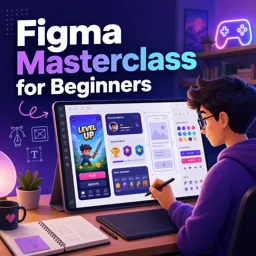
Duration of the online course: 3 hours and 55 minutes
New
Build job-ready UI skills with a free Figma course: design a mobile gaming app, learn responsive UX for portrait/landscape, and earn a certificate.
Step into UX and UI design by learning Figma from the ground up and creating a polished mobile experience you can be proud to share. This beginner-friendly course is built for anyone who wants to move from curiosity to real capability, guiding you through the essentials of designing an app interface in Figma while developing the design thinking that makes products feel intuitive.
Instead of getting stuck in theory, you will practice by designing a video game app screen-by-screen, learning how to shape layouts, choose components, and keep visual decisions consistent. Along the way, you will start working the way modern product teams work: making deliberate choices, iterating quickly, and keeping the user’s goal at the center of every screen.
A key focus is how great interfaces adapt across contexts, especially when a user rotates a phone from portrait to landscape. You will explore what changes in a streaming-style mobile experience when the viewing mode shifts, why landscape often supports distraction-free consumption, and how UI elements should respond without disrupting the flow. You will learn to think about hierarchy, spacing, readability, and controls so the experience remains clear and usable in both orientations.
By the end, you will not only feel comfortable inside Figma, but you will also understand core responsive UX habits that translate to real projects. Whether you are preparing a first portfolio piece, switching careers into digital design, or adding practical UI skills to your toolkit, this free course helps you build confidence through hands-on creation and user-focused problem solving.

3 hours and 55 minutes of online video course

Digital certificate of course completion (Free)

Exercises to train your knowledge

100% free, from content to certificate
What will I design in the free Figma video game app course?
You will create a video game streaming app interface in Figma, including mobile screens and responsive viewing states.
How should a streaming app UI change from portrait to landscape in Figma?
Landscape layouts should prioritize video playback, resize or reposition controls, and reduce distractions from secondary interface elements.
Why do streaming apps use landscape mode for video viewing?
Landscape mode provides a wider viewing area, making video content more immersive while keeping essential playback controls accessible.
Ready to get started?Download the app and get started today.
Install the app now
to access the course
Over 5,000 free courses
Programming, English, Digital Marketing and much more! Learn whatever you want, for free.

Study plan with AI
Our app's Artificial Intelligence can create a study schedule for the course you choose.

From zero to professional success
Improve your resume with our free Certificate and then use our Artificial Intelligence to find your dream job.
You can also use the QR Code or the links below.



Free CourseUser Interface Design
5

(4)

12h04m

21 exercises
Free CoursePrinciple UI/UX
4.9
(39)
6h39m
20 exercises
Free CourseWeb and Desktop app UI design in Figma
4.9
(8)
1h16m
Free CourseWeb design
4.9
(7)
4h17m
18 exercises
Free CourseAdobe XD Tutorials
4.8
(23)
7h23m
16 exercises
Free CourseUX design for mobile
4.8
(94)
1h37m
24 exercises
Free CourseUX/UI design course
4.7

(31)
2h34m
20 exercises

Free CourseUX user experience design
4.6
(11)
17h36m
16 exercises
Free CourseLearn Web Design for Beginners
4.5
(2)
3h07m
6 exercises
Free CourseUI Design for beginners
4.5
(2)
1h20m
5 exercises
Carry knowledge in your pocket.
Download the Cursa app.
There are hundreds of free courses available, with a free certificate of completion that is saved in your mobile image gallery.
Download the app to access the Course Completion Certificate for Free.


+ 10 million
students

Free and Valid
Certificate

60 thousand free
exercises

4.8/5 rating in
app stores

Free courses in
video and ebooks