


CorelDRAW is used to create vector graphics such as logos, illustrations, layouts, signage, brochures, and marketing materials.

3



Mastering Vector Art in CorelDRAW: Advanced Techniques for Creative Projects
Master advanced vector tools in CorelDRAW to create scalable, professional designs with precision and creativity for digital and print projects.

Getting Started with CorelDRAW: An Essential Guide for Beginners
Learn CorelDRAW basics and start creating vector designs with confidence—perfect for beginners exploring graphic design.

CorelDraw’s Hidden Features: Tools and Shortcuts You Need to Know
CorelDraw offers powerful hidden tools like Object Manager, Symmetry Tool, and PowerClip for efficient design. Mastering these enhances workflow and creativity.

Designing Eye-Catching Posters in CorelDraw: Best Practices and Techniques
CorelDraw lets you create impactful posters with strong layouts, high-quality images, and balanced typography. Use contrast, white space, and effects to enhance appeal.
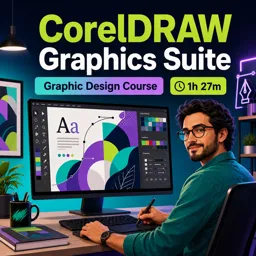
Learn graphic design with our selection of free online CorelDRAW courses. These educational courses help beginners, students, designers, and creative professionals develop practical skills for producing vector illustrations, logos, layouts, marketing materials, and digital artwork. Study at your own pace through accessible lessons designed to make CorelDRAW tools and techniques easier to understand.
The course content covers essential and advanced topics related to vector graphic design. Depending on the chosen course, you can learn how to navigate the CorelDRAW interface, create and edit shapes, apply colors and gradients, work with typography, organize objects, use layers, trace images, and prepare projects for digital publishing or printing.
All listed CorelDRAW courses are free and include educational resources that support independent learning. The lessons also include exercises, allowing you to review concepts and practice what you have studied. By completing the learning activities, you can strengthen your design abilities and gain more confidence when creating professional visual projects.
These courses also offer free certification. A course certificate can document your studies and complement your resume, portfolio, academic activities, or professional development record. It is a useful way to demonstrate your interest in CorelDRAW training and continuous education.
This course collection is suitable for complete beginners, design students, entrepreneurs, social media creators, print professionals, and anyone interested in visual communication. No advanced knowledge is required to begin. You can select the lessons that match your goals and build your knowledge progressively through theory, demonstrations, and practical exercises.
To access the courses, exercises, and free certification, you must install the Cursa application. Android users can install it through Google Play: Download for Android. iPhone users can install it through the App Store: Download for iOS / iPhone.
Start your free CorelDRAW education today and develop valuable graphic design skills through flexible online learning, practical content, exercises, and certification at no cost.
What is CorelDRAW used for?
CorelDRAW is used to create vector graphics such as logos, illustrations, layouts, signage, brochures, and marketing materials.
Is CorelDRAW suitable for beginners?
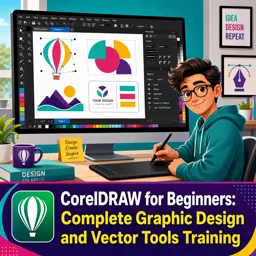
Yes. Beginner-focused CorelDRAW courses teach the interface, essential tools, shapes, text, colors, and basic vector design techniques.
What will I learn in a CorelDRAW Graphics Suite course?
You can learn vector illustration, page layout, photo editing workflows, typography, export settings, and print-ready design using the suite’s tools.
Do I need drawing experience to learn CorelDRAW?
No. You can start without traditional drawing experience by learning CorelDRAW’s shapes, pen tools, tracing, and object-editing features.
What are vector graphics in CorelDRAW?
Vector graphics are images built from editable paths and mathematical points, allowing them to be resized without losing quality.
Can CorelDRAW be used for logo and branding design?
Yes. CorelDRAW provides vector tools for creating scalable logos, icons, business cards, brand assets, and other identity materials.
What does project-based CorelDRAW training include?
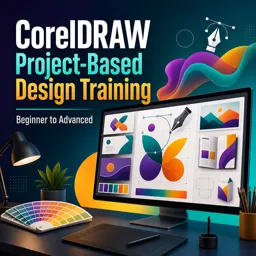
Project-based training teaches CorelDRAW through practical designs, helping you apply tools and techniques from beginner projects to advanced workflows.

Complete any course and issue your certificate via the app — at no cost.

Download the app! to have access to more than 4,000 Online Courses + Certificate, all free!
Download the app! 100% free courses.


Carry knowledge in your pocket.
Download the Cursa app.
There are hundreds of free courses available, with a free certificate of completion that is saved in your mobile image gallery.
Download the app to access the Course Completion Certificate for Free.


+ 10 million
students

Free and Valid
Certificate

60 thousand free
exercises

4.8/5 rating in
app stores

Free courses in
video and ebooks





What are people saying about free online courses of CorelDRAW
Ibezim Chukwuma C.
I understood everything that was thought
CourseCorelDRAW Graphics Suite