Microsoft Access is used to create and manage relational databases, including tables, queries, forms, and reports.

5


Free CourseMicrosoft Access
4.5


(6)

1h25m

23 exercises
Free CourseMicrosoft Access for beginners
4.5
(2)
1h20m
6 exercises
Free CourseMicrosoft Access and VBA Programming: Database Design, Forms, Reports, and SQL
New
17h37m
39 exercises
Free CourseMS Access Training: Databases, Queries, Forms and Reports
4
(1)
5h22m
49 exercises
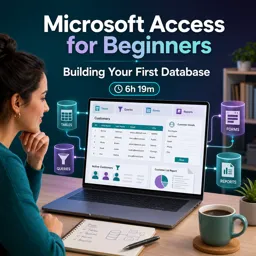
Free CourseMicrosoft Access for Beginners: Building Your First Database
4.5
(2)
6h19m
20 exercises

Automating Reports in Microsoft Access: Streamlining Business Operations
Automate reports in Microsoft Access with macros, VBA, and scheduling to save time, reduce errors, and streamline business operations.

Building Custom Forms in Microsoft Access: Enhancing Data Entry Efficiency
Learn how to build custom forms in Microsoft Access to simplify data entry, improve accuracy, and enhance database efficiency with step-by-step guidance.

Introduction to Microsoft Access: Unleashing the Power of Database Management
Discover Microsoft Access, a powerful database tool for managing, analyzing, and automating data with ease. Learn its features, benefits, and common uses.

Relational Database Design Best Practices in Microsoft Access
Learn the best practices for relational database design in Microsoft Access to build scalable, reliable, and user-friendly systems.
Learn how to organize, manage, and analyze information with our selection of free online Access courses. These educational courses are ideal for beginners, students, office professionals, administrators, and anyone who wants to develop practical Microsoft Access database skills. Study online at your own pace, complete exercises, and earn free certification to demonstrate your learning achievements.
Access is a valuable database management tool used to store records, create relationships, build queries, design forms, and generate reports. Through structured lessons and practical educational content, you can learn essential concepts without paying tuition. The courses cover introductory and intermediate topics, helping learners understand how relational databases support business, academic, and administrative activities.
All courses in this Access learning collection are free and include exercises that allow you to apply database concepts in realistic situations. Exercises support active learning, improve retention, and help you gain confidence when creating databases and working with information. After completing an eligible course, you can also receive free certification. This educational certificate can complement your résumé, professional profile, or academic portfolio.
These free Access courses are suitable for learners starting database education, employees seeking stronger office software skills, entrepreneurs managing business records, and professionals preparing for new responsibilities. No advanced technical background is required for introductory lessons, and the flexible online format makes it easier to study around work or school commitments.
To access the free courses, lessons, exercises, and free certification, you must install the Cursa application. Android learners can use Google Play by selecting Download for Android. Apple users can install the application from the App Store by selecting Download for iOS / iPhone.
Choose a free online Access course, follow the educational lessons, complete the included exercises, and strengthen your database management abilities. Install the Cursa application to begin learning and work toward your free certificate today.
What is Microsoft Access used for?
Microsoft Access is used to create and manage relational databases, including tables, queries, forms, and reports.
Is Microsoft Access suitable for beginners?
Yes. Beginner courses teach how to build tables, define relationships, enter data, and create simple forms and reports.
Can I learn database design with Microsoft Access?
Yes. Access courses cover database planning, table structure, primary keys, relationships, and normalization basics.
What are queries in Microsoft Access?
Queries retrieve, filter, calculate, update, or organize data stored in Access tables.
How do forms work in Microsoft Access?
Forms provide a user-friendly interface for entering, viewing, and editing database records.
Can Microsoft Access create reports?
Yes. Access can generate formatted reports for printing, sharing, and summarizing database information.
Do I need VBA to use Microsoft Access?
No. You can build many databases without VBA, but VBA helps automate tasks and create more advanced functionality.

Complete any course and issue your certificate via the app — at no cost.

Download the app! to have access to more than 4,000 Online Courses + Certificate, all free!
Download the app! 100% free courses.


Carry knowledge in your pocket.
Download the Cursa app.
There are hundreds of free courses available, with a free certificate of completion that is saved in your mobile image gallery.
Download the app to access the Course Completion Certificate for Free.


+ 10 million
students

Free and Valid
Certificate

60 thousand free
exercises

4.8/5 rating in
app stores

Free courses in
video and ebooks







What are people saying about free online courses of Access
Sachin Katariya
Good. Much more to explore.
CourseMicrosoft Access for beginners
Cristian Jones B. Cabil
It is very interisting
CourseMicrosoft Access
Lizette O Chavez
This course is a very great course for anyone looking to either refresh or learn more on data. I really recommmend taking a peak at it.
CourseMicrosoft Access