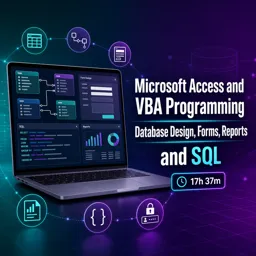
Free Course Image Microsoft Access and VBA Programming: Database Design, Forms, Reports, and SQL

Free online courseMicrosoft Access and VBA Programming: Database Design, Forms, Reports, and SQL

Duration of the online course: 17 hours and 37 minutes

New

Free course on Microsoft Access and VBA: design databases, build forms and reports, master queries and SQL, and automate workflows with VBA.

In this free course, learn about

  • Getting Started with Access and Core Database Concepts
  • Table Design and Data Fundamentals
  • Relational Design and Relationships
  • Queries and Query Design in Access
  • Building Forms for Data Entry and Navigation
  • Reporting and Output with Access Reports
  • VBA Fundamentals for Access Developers
  • VBA Object Model and Advanced Programming Techniques
  • Security, Deployment, and Database Maintenance
  • SQL in Access: Querying and Data Manipulation
  • Course Wrap-Up

Course Description

Learn how to build practical Microsoft Access database solutions from the ground up, combining solid database design with automation using VBA. This free online course guides you through creating tables and choosing the right data types, entering and organizing records, and structuring databases with relationships, including many-to-many scenarios, so your data stays consistent and scalable.

Move from structure to insight by working with queries and SQL to retrieve, filter, summarize, and transform data. You will explore essential techniques such as selecting fields, applying criteria, using totals, building subqueries, and running action queries to create tables, insert new rows, update records, and delete data safely. Along the way, you will gain the confidence to turn raw data into meaningful outputs that support real workflows.

Bring your database to life with user-friendly forms and polished reports. You will learn how to create and refine forms, apply filtering, and design reports with headers, footers, grouping, and calculations to present information clearly and professionally.

Strengthen your development skills with a deep dive into Access VBA, including variables and data types, conditional logic, looping, arrays, procedures, debugging, and error handling. You will also work with advanced topics such as classes, properties, methods, custom events, and recordsets for programmatic control of data. Security-focused lessons cover login concepts, splitting a database, encryption, securing the front end, and password hashing approaches, helping you design solutions with better protection in mind.

Course content

  • Video class: 1. Introduction (Programming in Microsoft Access 2013) ???? 13m
  • Exercise: Which set of components best matches the three basic sections of working with Microsoft Access described here?
  • Video class: 2. Building Our First Table (Programming In Microsoft Access 2013) ???? 09m
  • Video class: 3. Options For Our Data (Programming In Microsoft Access 2013) ???? 07m
  • Exercise: Why is it better to store an employee’s Date of Birth instead of Age in an Access table?
  • Video class: 4. Entering Data In Our Table (Programming In Microsoft Access 2013) ???? 09m
  • Video class: 5. Organizing Our Data (Programming In Microsoft Access 2013) ???? 10m
  • Exercise: In a relational Access database, what is the purpose of storing CustomerID in the Addresses table?
  • Video class: 6. Relationship Mapping (Programming In Microsoft Access 2013) ???? 10m
  • Video class: 7. Many To Many Relationships (Programming in Microsoft Access 2013) ???? 12m
  • Exercise: How do you model a many-to-many relationship between Contacts and Phone Numbers in Microsoft Access?
  • Video class: 8. Combining What We Know (Programming In Microsoft Access 2013) ???? 09m
  • Video class: 9. Finishing Up Our Relationships (Programming in Microsoft Access 2013) ???? 04m
  • Exercise: Why was it safe to rename the field EmployeeType to EmployeeType_ID without causing an error?
  • Video class: 10. Queries (Programming in Microsoft Access 2013) ???? 05m
  • Video class: 11. First SELECT Query (Programming in Microsoft Access 2013) ???? 07m
  • Exercise: In a SELECT query joining Customers and Addresses, which join setting will exclude customers who have no address records (so blanks don’t appear)?
  • Video class: 12. Filtering Our Data (Programming In Microsoft Access 2013) ???? 10m
  • Video class: 13. Concatenation and Totals (Programming In Microsoft Access 2013) ???? 09m
  • Exercise: In an Access select query, which operator is used to concatenate fields (e.g., City & ", " & State & " " & Zip)?
  • Video class: 14. Subqueries (Programming In Microsoft Access 2013) ???? 12m
  • Video class: 15. Make Table and Insert Queries (Programming In Microsoft Access 2013) ???? 11m
  • Exercise: In Microsoft Access, what is the key difference between clicking the View button and clicking the Run button in a query?
  • Video class: 16. Update Queries (Programming In Microsoft Access 2013) ???? 07m
  • Video class: 17. Delete Query (Programming In Microsoft Access 2013) ???? 10m
  • Exercise: In a multi-table DELETE query, what must you add first to specify which table records will be deleted from?
  • Video class: 18. Introduction To Forms (Programming In Microsoft Access 2013) ???? 08m
  • Video class: 19. Building Our First Form (Programming In Microsoft Access 2013) ???? 14m
  • Exercise: When designing a form to display data row-by-row for each record, which form view should be selected?
  • Video class: 20. Modifying Our Form - Part 1 (Programming In Microsoft Access 2013) ???? 11m
  • Video class: 21. Modifying Our Form - Part 2 (Programming In Microsoft Access 2013) ???? 07m
  • Exercise: Which form property change prevents users from editing the Customer Name text box while still allowing them to highlight and copy the text?
  • Video class: 22. Filtering Our Form (Programming In Microsoft Access 2013) 09m
  • Video class: 23. Reports (Programming In Microsoft Access 2013) ???? 08m
  • Exercise: When designing an Access report, what is the purpose of the Page Header and Page Footer sections?
  • Video class: 24. Report Header and Footer (Programming In Microsoft Access 2013) ???? 07m
  • Video class: 25. Report Grouping and Calculations (Programming In Microsoft Access 2013) ???? 11m
  • Exercise: In Microsoft Access report Design View, which feature lets you group records by a field (like Customer Name) and add a group header/footer for totals?
  • Video class: 26. VBA - Grouping Our Code (Programming In Microsoft Access 2013) ???? 09m
  • Video class: 27. VBA - Variables And Data Types (Programming In Microsoft Access 2013) ???? 13m
  • Exercise: In VBA for Microsoft Access, which statement correctly declares an Integer variable named intAge and assigns it the value 35?
  • Video class: 28. VBA - Writing Our First Code (Programming In Microsoft Access 2013) ???? 10m
  • Video class: 29. VBA - If Statement (Programming In Microsoft Access 2013) ???? 13m
  • Exercise: In VBA, what is the purpose of an If...Then statement when evaluating an expression?
  • Video class: 30. VBA - If Statement Part 2 (Programming In Microsoft Access 2013) ???? 11m
  • Video class: 31. VBA - Nested If's and Select Case (Programming In Microsoft Access 2013) ???? 15m
  • Exercise: In VBA, what is a key advantage of using a Select Case statement instead of deeply nested If...Then...Else statements?
  • Video class: 32. VBA - Looping Statements (Programming In Microsoft Access 2013) ???? 22m
  • Video class: 33. VBA - Frames and Arithmetic (Programming In Microsoft Access 2013) ???? 10m
  • Exercise: In VBA, what is the key difference between using \ and / for division?
  • Video class: 34. VBA - Arrays (Programming In Microsoft Access 2013) ???? 20m
  • Video class: 35. VBA - Creating A Login Screen (Programming In Microsoft Access 2013) ???? 16m
  • Exercise: In a login form, how can you store a password in a combo box without displaying it to the user?
  • Video class: 36. VBA - Debugging and Error Handling (Programming in Microsoft Access 2013) ???? 18m
  • Video class: 37. VBA - Functions and Subroutines (Programming In Microsoft Access 2013) ???? 18m
  • Exercise: In Microsoft Access VBA, what is the primary difference between a Function and a Sub routine?
  • Video class: 38. VBA - Passing Arguments to Parameters (Programming In Microsoft Access 2013) ???? 15m
  • Video class: 39. VBA - Access Modifiers (Programming In Microsoft Access 2013) ???? 20m
  • Exercise: Which access modifier allows a function to be called from anywhere in the same project and also from other projects that reference it?
  • Video class: 40. VBA - DoCmd (Programming In Microsoft Access 2013) ???? 37m
  • Video class: 41. VBA - CurrentProject (Programming In Access 2013) 21m
  • Exercise: Which CurrentProject property returns the folder location of the open database (but does not include the trailing backslash)?
  • Video class: 42. VBA - CurrentDB (Programming In Access 2013) 24m
  • Video class: 43. VBA - SysCmd (Programming In Access 2013) 08m
  • Exercise: In Microsoft Access VBA, what is the purpose of using SysCmd with the acSysCmdInitMeter and acSysCmdUpdateMeter options?
  • Video class: 44. VBA - Environ (Programming In Access 2013) 09m
  • Video class: 45. VBA - Application Part 1 (Programming In Access 2013) 23m
  • Exercise: What does the Application object's BrokenReference property indicate?
  • Video class: 46. VBA - Application Part 2 Programming In Access 2013 (fixed audio) 23m
  • Video class: 47. VBA - Classes (Programming In Access 2013) 12m
  • Exercise: In VBA, after declaring an object variable like Dim customer As CLSCustomer, what must you do to create (instantiate) the actual object in memory?
  • Video class: 48. VBA - Class Properties (Programming In Access 2013) 15m
  • Video class: 49. VBA - Class Constructors And Destructors (Programming In Access 2013) 16m
  • Exercise: In VBA class modules, which event procedure is automatically called when an object is instantiated (for example, when using the New keyword)?
  • Video class: 50. VBA - Class Methods 19m
  • Video class: 51. VBA - Custom Events (Programming In Access 2013) 27m
  • Exercise: In VBA event handling, what is the correct way to declare and instantiate an object that will listen for events from a class?
  • Video class: 52. VBA - Custom Events Example (Programming In Access 2013) 15m
  • Video class: 53. VBA - Recordsets Part 1 (Programming In Microsoft Access 2013) ???? 20m
  • Exercise: When filling an unbound list box using VBA, which loop condition is used to stop iterating through a Recordset?
  • Video class: 54. VBA - Recordsets Part 2 (Programming In Access 2013) 21m
  • Video class: 55. VBA - Recordsets Part 3 (Programming In Access 2013) 15m
  • Exercise: When programming a Save button with a DAO/ADO recordset, what condition can be used to decide whether to call RS.AddNew or RS.Edit?
  • Video class: 56. Creating A Classic Login Form (Programming In Microsoft Access 2013) ???? 28m
  • Video class: 57. Splitting Our Database (Programming In Microsoft Access 2013) ???? 18m
  • Exercise: In a split Microsoft Access database, what belongs in the back-end file?
  • Video class: 58. Encrypting Your Data File (Programming In Access 2013) 09m
  • Video class: 59. Securing Your Front End (Programming In Microsoft Access 2013) ???? 16m
  • Exercise: Which Microsoft Access setting disables the right-click context menu for users in a locked-down front-end?
  • Video class: 60. Hashing Passwords (Programming In Access 2013) 10m
  • Video class: 61. SQL SELECT Statement (Programming In Access 2013) 14m
  • Exercise: In an Access SELECT query that pulls fields from more than one table, what is the best way to prevent confusion over which table a field comes from?
  • Video class: 62. SQL JOIN Statement (Programming In Access 2013) 15m
  • Video class: 63. SQL WHERE Statement (Programming In Access 2013) 06m
  • Exercise: In Microsoft Access SQL, what is the main purpose of the WHERE clause?
  • Video class: 64. SQL WHERE Simple Operators (Programming In Access 2013) 10m
  • Video class: 65. SQL WHERE Complex Operators (Programming In Access 2013) 13m
  • Exercise: In Microsoft Access SQL, which WHERE clause is the simplest way to return records where EmployeeTypeID is 1, 2, or 3 (including both endpoints)?
  • Video class: 66. SQL - The IN Operator (Programming In Access 2013) 07m
  • Video class: 67. SQL - The EXISTS Operator (Programming In Access 2013) 09m
  • Exercise: In Access SQL, what does using NOT EXISTS in a WHERE clause primarily help you return?
  • Video class: 68. SQL Access Subqueries (Programming In Access 2013) 12m
  • Video class: 69. SQL Using Subqueries to Improve Performance (Programming In Access 2013) 10m
  • Exercise: What change can improve performance in an Access query that uses multiple subqueries when the dataset grows very large?
  • Video class: 70. SQL Using Aggregate Functions (Programming In Access 2013) 15m
  • Video class: 71. SQL Using Aggregates and Subqueries Together (Programming In Access 2013) 17m
  • Exercise: When you want to show every customer (including those with no orders) along with their total sales, which join should you use between Customers and the totals subquery?
  • Video class: 72. SQL Make A New Table From A SELECT Query (Programming In Access 2013) 08m
  • Video class: 73. SQL Appending Rows Using INSERT INTO (Programming In Access 2013) 10m
  • Exercise: In Microsoft Access SQL, which statement is used to add (append) rows from a SELECT query into an existing table?
  • Video class: 74. SQL Adding Only New Rows With INSERT INTO (Programming In Access 2013) 11m
  • Video class: 75. SQL UPDATE Query (Programming In Access 2013) 09m
  • Exercise: In an Access SQL UPDATE query, which clause is used to limit the rows that get updated (so you don’t change every record in the table)?
  • Video class: 76. SQL DELETE Query (Programming In Access 2013) 15m
  • Video class: 77. DLookup And Domain Aggregates (Programming In Access 2013) 14m
  • Exercise: What is a key drawback of using many DLookup (domain aggregate) functions as Control Sources on a form?
  • Video class: 78. Conclusion 03m

This free course includes:

17 hours and 37 minutes of online video course

Digital certificate of course completion (Free)

Exercises to train your knowledge

100% free, from content to certificate

Ready to get started?Download the app and get started today.

Install the app now

to access the course
Icon representing technology and business courses

Over 5,000 free courses

Programming, English, Digital Marketing and much more! Learn whatever you want, for free.

Calendar icon with target representing study planning

Study plan with AI

Our app's Artificial Intelligence can create a study schedule for the course you choose.

Professional icon representing career and business

From zero to professional success

Improve your resume with our free Certificate and then use our Artificial Intelligence to find your dream job.

You can also use the QR Code or the links below.

QR Code - Download Cursa - Online Courses

More free courses at Office Productivity (Excel, Word and More)

Free Ebook + Audiobooks! Learn by listening or reading!

Download the App now to have access to + 5000 free courses, exercises, certificates and lots of content without paying anything!

  • 100% free online courses from start to finish

    Thousands of online courses in video, ebooks and audiobooks.

  • More than 60 thousand free exercises

    To test your knowledge during online courses

  • Valid free Digital Certificate with QR Code

    Generated directly from your cell phone's photo gallery and sent to your email

Cursa app on the ebook screen, the video course screen and the course exercises screen, plus the course completion certificate