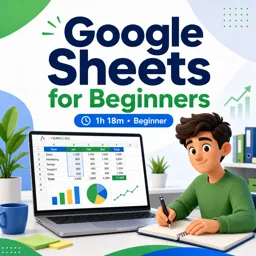



You will learn to create spreadsheets, enter data, format cells, use basic formulas, and share files.

2

1



Mastering Data Validation in Google Sheets: Ensuring Clean and Reliable Spreadsheets
Learn how to use data validation in Google Sheets to maintain clean, accurate, and reliable spreadsheets for faster analysis and error-free data.

Unlocking the Power of Pivot Tables in Google Sheets
Learn how to use pivot tables in Google Sheets to summarize data, spot trends, and gain insights effortlessly with practical tips.

Automating Office Reports: Integrating Data Studio with Spreadsheets and Docs
Integrate Data Studio with office tools to automate reporting, ensure accuracy, and promote real-time collaboration across teams.

Collaborating in Real-Time with Google Sheets: Tips for Remote Teams
Collaborate in real-time using Google Sheets for remote teams. Use shared access, comments, conditional formatting, and integrate with Google Meet for efficient teamwork.

How to Automate Tasks in Google Sheets Using Google Apps Script
Automate tasks in Google Sheets using Google Apps Script to enhance workflow. From data entry to email reports, create custom functions and set triggers for efficiency.
Develop practical spreadsheet skills with our selection of free online Google Sheets courses. These educational courses are designed for students, professionals, entrepreneurs, teachers, and anyone who wants to learn how to organize information, analyze data, and collaborate efficiently. Study at your own pace, complete interactive learning activities, and strengthen your knowledge through exercises based on common academic and workplace tasks.
Whether you are opening a spreadsheet for the first time or improving existing abilities, these free courses offer useful lessons for different learning levels. Explore spreadsheet navigation, cell formatting, data entry, sorting, filtering, formulas, functions, charts, tables, and collaborative tools. More advanced educational content may introduce conditional formatting, data validation, pivot tables, lookup functions, automation concepts, and techniques for producing clear reports.
Each course supports independent online learning through structured modules and practical examples. The included exercises help you apply formulas, manage datasets, solve spreadsheet problems, and evaluate your progress. By practicing regularly, you can build the confidence required to use Google Sheets for school assignments, financial planning, project management, inventory control, research, and business analysis.
All Google Sheets courses listed on this page are free. They also include free certification, allowing learners to document their educational development after completing the required course activities. A certificate can complement a resume, professional profile, academic portfolio, or personal learning record.
To access these free online courses, complete the exercises, and obtain free certification, it is necessary to install the Cursa application. Android users can install it through Google Play: Download for Android. iPhone users can install it through the App Store: Download for iOS / iPhone.
Start learning today and turn Google Sheets into a valuable tool for education, productivity, data analysis, and professional development. Choose a free course, follow the lessons, complete the exercises, and earn your free certificate directly through the Cursa application.
What will I learn in a Google Sheets for beginners course?
You will learn to create spreadsheets, enter data, format cells, use basic formulas, and share files.
Do I need prior experience to learn Google Sheets?
No. Beginner courses start with the interface, data entry, formatting, and simple calculations.
What are the most useful Google Sheets formulas to learn?
Common formulas include SUM, AVERAGE, IF, COUNT, VLOOKUP, and FILTER.
Can I use Google Sheets for free?
Yes. Google Sheets is available free with a Google account, while some Workspace features may require a plan.
What is covered in a Google Workspace Basics course?
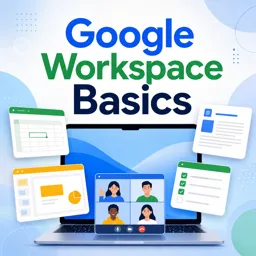
It introduces core Workspace tools, including Google Drive, Docs, Sheets, sharing settings, and collaboration features.
Can multiple people edit a Google Sheet at the same time?
Yes. Google Sheets supports real-time collaboration, comments, suggestions, and permission controls.
What will I learn in a complete Google Sheets spreadsheet creation course?
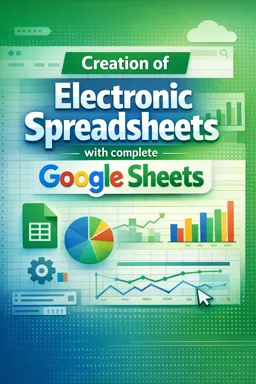
You will learn to build organized spreadsheets using formulas, functions, charts, data validation, and automation basics.

Complete any course and issue your certificate via the app — at no cost.

Download the app! to have access to more than 4,000 Online Courses + Certificate, all free!
Download the app! 100% free courses.


Carry knowledge in your pocket.
Download the Cursa app.
There are hundreds of free courses available, with a free certificate of completion that is saved in your mobile image gallery.
Download the app to access the Course Completion Certificate for Free.


+ 10 million
students

Free and Valid
Certificate

60 thousand free
exercises

4.8/5 rating in
app stores

Free courses in
video and ebooks