At minimum, a theme needs style.css with a valid theme header and an index.php file in its own theme folder.

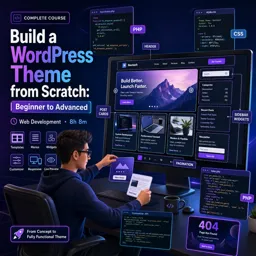
Duration of the online course: 8 hours and 8 minutes
New
Create your own WordPress theme from scratch with this free web development course—master templates, menus, widgets, and the Customizer to launch faster.
Turn WordPress from a black box into a skill you can actually use. This free online course guides you step by step through building a complete WordPress theme from scratch, starting with the essentials and moving confidently into advanced, real-world features. By the end, you will understand how themes work under the hood and how to shape the front end of a WordPress site with clean structure, reusable layouts, and maintainable code.
You will learn to create the required theme files, connect templates properly, and display posts the WordPress way using the Loop so your pages remain dynamic and scalable. From there, you will level up your workflow by adding styling and assets correctly, organizing your theme for growth, and making decisions that keep performance and compatibility in mind. Along the way, you will see how common site components are built in production themes, so you can apply the same patterns to client projects or your own portfolio.
The course goes beyond basic templates by showing you how to handle important site experiences such as single post pages, pagination, and custom 404 behavior. You will also build flexible navigation with dropdown support, learn why menu registration matters, and adapt markup to match modern frameworks through a custom nav walker approach. This is where theme development starts to feel professional: not just making it work, but making it configurable, reusable, and consistent.
To help you create sites that are easy to manage, you will implement widget areas and create custom widgets, learning how to keep your codebase organized as features grow. You will also work with post meta data patterns such as tracking post views via custom fields, and discover how custom queries can power popular content sections without hacking core files. Finally, you will unlock the WordPress Customizer to give users control over logos, images, slider settings, and text—turning your theme into a polished product people can tailor without touching code.
Whether you are a beginner aiming for your first WordPress development project or a front-end developer wanting to ship themes with confidence, this course helps you build practical skills you can immediately reuse in real sites, freelance work, and web development roles.

Explore free online WordPress courses designed to help beginners, bloggers, developers, and business owners build professional websites. Learn WordPress setup, themes, plugins, SEO, security, and e-commerce at your own pace. Enroll today, gain practical skills, and earn a certificate with every free course you complete.

Explore free online PHP courses with certificates and learn to build dynamic, database-driven websites from scratch. Master PHP fundamentals, syntax, forms, sessions, MySQL integration, object-oriented programming, and web development best practices through flexible, self-paced lessons designed for beginners and aspiring developers.

8 hours and 8 minutes of online video course

Digital certificate of course completion (Free)

Exercises to train your knowledge

100% free, from content to certificate
What files are required for a WordPress theme to appear in the dashboard?
At minimum, a theme needs style.css with a valid theme header and an index.php file in its own theme folder.
How do I add Featured Image support to a custom WordPress theme?
Add add_theme_support('post-thumbnails') to a function hooked to after_setup_theme.
How can I create a custom 404 page in a WordPress theme?
Create a 404.php file in the theme folder and add the layout and message you want visitors to see.
Ready to get started?Download the app and get started today.
Install the app now
to access the course
Over 5,000 free courses
Programming, English, Digital Marketing and much more! Learn whatever you want, for free.

Study plan with AI
Our app's Artificial Intelligence can create a study schedule for the course you choose.

From zero to professional success
Improve your resume with our free Certificate and then use our Artificial Intelligence to find your dream job.
You can also use the QR Code or the links below.




Free CourseLaravel
5

(2)

4h04m

20 exercises

Free CourseProgressive Web Application PWA for Beginners
5
(5)
3h24m
15 exercises

Free CourseLearn Laravel in 30 Days: Beginner to Pro
5
(1)
17h00m
30 exercises

Free CoursePHP for Beginners: Learn PHP, MySQL, MVC, Routing, Authentication and Testing
5
(1)
10h45m
49 exercises

Free CourseLaravel Full Course: Build, CRUD, Auth, Email and Deploy to Live Server
5
(1)
3h52m
15 exercises

Free CourseWeb Development Foundations: HTML, CSS, Git and Command Line
5
(3)
14h11m
37 exercises

Free CourseCSS Complete Tutorial
5
(1)
8h30m
49 exercises

Free CoursePHP for Beginners: Learn PHP, MySQL and Login Systems
5
(3)
10h49m
29 exercises

Free CourseJavaScript for beginners
4.9
(27)
1h40m
2 exercises

Free CourseUmbraco CMS
4.9
(22)
6h21m
19 exercises
Carry knowledge in your pocket.
Download the Cursa app.
There are hundreds of free courses available, with a free certificate of completion that is saved in your mobile image gallery.
Download the app to access the Course Completion Certificate for Free.


+ 10 million
students

Free and Valid
Certificate

60 thousand free
exercises

4.8/5 rating in
app stores

Free courses in
video and ebooks





