
Full Site Editing uses the Site Editor, block themes, templates, template parts, and Global Styles to control the entire site, rather than relying on the Customizer.

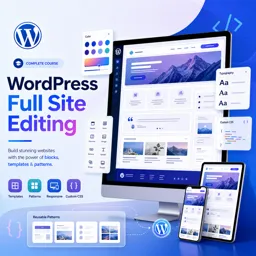
Duration of the online course: 3 hours and 57 minutes
New
Build modern WordPress sites faster with Full Site Editing. Learn Gutenberg templates, global styles, headers/footers and patterns in this free course.
Upgrade the way you build WordPress websites by learning Full Site Editing with Gutenberg, the modern approach to designing an entire site directly inside WordPress. Instead of relying on the old Customizer workflow, you will work with the Site Editor to shape your global design system, create templates, and manage reusable parts like headers and footers. This course is ideal if you want more control over layout and styling without jumping between multiple tools, and if you want a clearer, more scalable way to maintain consistent branding across pages.
Through a practical, real project, you will set up essential pages and configuration, then move into the core of FSE: global typography, color palettes, and block styling that can be applied across the whole site. You will learn how to build a professional header and footer using Template Parts, and how to make them responsive so your navigation, icons, and call-to-action elements stay clean on mobile and tablet. The focus is not just on placing blocks, but on understanding which editor areas control site-wide structure versus page-specific content, so you can make changes confidently without breaking other layouts.
As you progress, you will design key sections commonly found on modern homepages, such as hero areas, featured media, service grids, testimonials, and call-to-action blocks, using smart patterns and reusable structures that speed up production. You will also see how to handle practical styling needs with custom classes and targeted CSS, including form button styling to match the site design. By the end, you will be comfortable building and customizing templates for dynamic content like blog archives, single posts, search results, and category pages, including layouts with sidebars. You will walk away able to create a cohesive WordPress theme experience using Gutenberg FSE, making your workflow faster, your sites easier to maintain, and your designs more consistent across every page.

3 hours and 57 minutes of online video course

Digital certificate of course completion (Free)

Exercises to train your knowledge

100% free, from content to certificate
What is the difference between WordPress Full Site Editing and the old Customizer?
Full Site Editing uses the Site Editor, block themes, templates, template parts, and Global Styles to control the entire site, rather than relying on the Customizer.
How do I edit the header and footer in a WordPress Full Site Editing theme?
Open Appearance > Editor, then edit the Header or Footer template part. Changes are reusable anywhere that template part appears.
Which WordPress block creates a dynamic blog archive in Full Site Editing?
Use the Query Loop block to display dynamic post lists, then customize its post template, pagination, and layout blocks.
Ready to get started?Download the app and get started today.
Install the app now
to access the course
Over 5,000 free courses
Programming, English, Digital Marketing and much more! Learn whatever you want, for free.

Study plan with AI
Our app's Artificial Intelligence can create a study schedule for the course you choose.

From zero to professional success
Improve your resume with our free Certificate and then use our Artificial Intelligence to find your dream job.
You can also use the QR Code or the links below.




Free CourseLaravel
5

(2)

4h04m

20 exercises

Free CourseProgressive Web Application PWA for Beginners
5
(5)
3h24m
15 exercises

Free CourseLearn Laravel in 30 Days: Beginner to Pro
5
(1)
17h00m
30 exercises

Free CoursePHP for Beginners: Learn PHP, MySQL, MVC, Routing, Authentication and Testing
5
(1)
10h45m
49 exercises

Free CourseLaravel Full Course: Build, CRUD, Auth, Email and Deploy to Live Server
5
(1)
3h52m
15 exercises

Free CourseWeb Development Foundations: HTML, CSS, Git and Command Line
5
(3)
14h11m
37 exercises

Free CourseCSS Complete Tutorial
5
(1)
8h30m
49 exercises

Free CoursePHP for Beginners: Learn PHP, MySQL and Login Systems
5
(3)
10h49m
29 exercises

Free CourseJavaScript for beginners
4.9
(27)
1h40m
2 exercises

Free CourseUmbraco CMS
4.9
(22)
6h21m
19 exercises
Carry knowledge in your pocket.
Download the Cursa app.
There are hundreds of free courses available, with a free certificate of completion that is saved in your mobile image gallery.
Download the app to access the Course Completion Certificate for Free.


+ 10 million
students

Free and Valid
Certificate

60 thousand free
exercises

4.8/5 rating in
app stores

Free courses in
video and ebooks





