

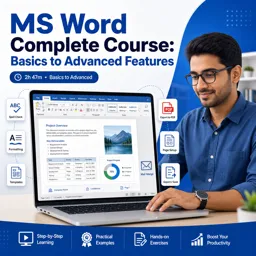
Microsoft Word is used to create, edit, format, and share documents such as letters, reports, resumes, and flyers.

5

1


Visualizing Your Business Data: Creating Dynamic Dashboards with Data Studio
Create dynamic dashboards with Data Studio by connecting real-time data and enhancing collaboration with your office tools.

Getting Started with Google Data Studio: A Guide for Office Users
A practical guide for office users to use Google Data Studio for dynamic reports, real-time data, and improved team collaboration.

Collaborative Reporting: Leveraging Data Studio Across Your Office Suite
Leverage Data Studio with tools like Excel and Word to automate reports, improve collaboration, and enable informed, data-driven business decisions.

Automating Office Reports: Integrating Data Studio with Spreadsheets and Docs
Integrate Data Studio with office tools to automate reporting, ensure accuracy, and promote real-time collaboration across teams.

Enhancing Productivity with Microsoft Word: Advanced Formatting and Layout Techniques
Master Word’s advanced layout, styles, themes, and visuals to create professional, polished, and high-impact documents with ease.

Getting Started with Microsoft Word: Essential Features Every Beginner Should Know
Discover Word’s key tools: formatting, templates, navigation, saving, and printing. Perfect guide for beginners getting started.

Using Microsoft Word for Project Management: Templates and Collaboration Tips
Use Microsoft Word for project management with custom templates, collaboration tools like Track Changes and Co-Authoring, SmartArt timelines, macros, and Office integration.

Mastering Microsoft Word for Document Automation: Tips for Streamlining Workflows
Automate Microsoft Word with Quick Parts, Styles, Macros, and Mail Merge for efficiency. Save time on repetitive tasks and maintain consistency in documents.
Develop essential digital skills with our selection of free online Word courses. These educational courses are designed for learners who want to understand Microsoft Word, improve document creation abilities, and gain practical word-processing knowledge. Whether you are a beginner, student, job seeker, teacher, or professional, you can study useful Word techniques at your own pace and without tuition fees.
The course collection covers fundamental and advanced Word topics through accessible online lessons. Beginners can learn how to create, open, save, edit, and print documents. Additional lessons may explore text formatting, paragraph alignment, page layouts, margins, headers, footers, tables, images, lists, templates, styles, and document organization. More experienced learners can study references, mail merge, automatic tables of contents, reviewing tools, collaborative editing, and productivity features.
Each learning path includes exercises that help reinforce the educational content and encourage practical application. By completing the activities, learners can practice creating professional reports, academic assignments, business letters, resumes, forms, and other structured documents.
All courses listed on this page are free, making online Word education available to anyone interested in improving computer literacy. The courses also provide free certification, allowing successful learners to document their studies and add a relevant educational credential to a resume, professional profile, or academic portfolio.
To access and study these free online Word courses, it is necessary to install the Cursa application. Android users can install it from Google Play by selecting Download for Android. iPhone users can obtain it from the App Store by selecting Download for iOS / iPhone.
Install the application, choose a Word course, and begin a structured learning experience with instructional content, practical exercises, and free certification. Start studying today to strengthen your document-editing proficiency and develop valuable digital skills for academic, personal, and professional use.
What is Microsoft Word used for?
Microsoft Word is used to create, edit, format, and share documents such as letters, reports, resumes, and flyers.
Is Microsoft Word easy for beginners to learn?
Yes. Beginners can quickly learn typing, saving files, basic formatting, and page layout with a structured course.
What will I learn in a Microsoft Word beginners course?
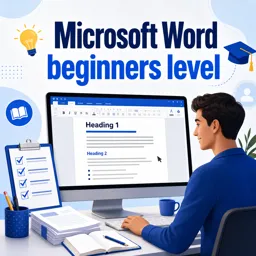
You will learn document creation, text formatting, fonts, paragraphs, lists, tables, images, and printing.
Does a Word course cover advanced features?
Many complete Word courses also cover styles, templates, mail merge, headers, footers, references, track changes, and collaboration.
Can I learn Word 2010 online?
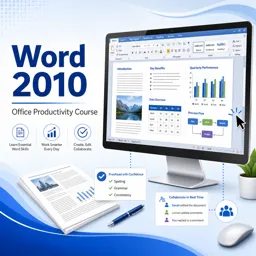
Yes. Word 2010 courses can teach the ribbon interface, document formatting, file management, and key productivity tools.
What is mail merge in Microsoft Word?
Mail merge lets you create personalized letters, labels, envelopes, or emails by combining a document with a data list.
How long does it take to learn Microsoft Word?
Basic Word skills can be learned in a few hours, while advanced features may take several days of practice.

Complete any course and issue your certificate via the app — at no cost.

Download the app! to have access to more than 4,000 Online Courses + Certificate, all free!
Download the app! 100% free courses.


Carry knowledge in your pocket.
Download the Cursa app.
There are hundreds of free courses available, with a free certificate of completion that is saved in your mobile image gallery.
Download the app to access the Course Completion Certificate for Free.


+ 10 million
students

Free and Valid
Certificate

60 thousand free
exercises

4.8/5 rating in
app stores

Free courses in
video and ebooks





What are people saying about free online courses of Word
Andrea Cornejo Lopez
Gained valuable information on Word.
CourseWord
Apostle Emmanuel Ezra
very educative and simple to learn. I am learning a lot honestly
CourseWord
Moussa Bamba
It's very wonderful
CourseWord for beginners
Abdulbasid Abdullahi sheikh
This course helped me and I appreciate for the GCF
CourseWord
Abdirahman Ahmed osman
am very happy because am started the day is Microsoft word that many years searching to need
CourseWord
Ghulam Hussain
I appreciate this course for helping us. Very interesting course for begginer to start their freelancer journey.
CourseWord
Abdul Fatawu Ayiman
Very exciting and easy way to learn word
CourseWord
KUSHAL GUPTA
Very detailed and intricate course. Highly recommended to get a jumpstart in Office 2016
CourseWord
Ishtiaq Azher
Very informative Course about MS Word.
CourseWord
Filza Fatima
it's easy for anyone to understand I find it so useful and easy yet it covers only basics not much details
CourseWord for beginners