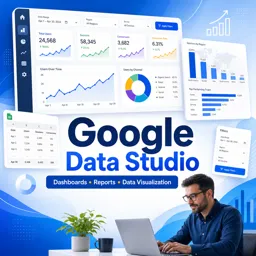


Google Data Studio, now called Looker Studio, is a free tool for creating interactive dashboards and reports from data sources.

1



Visualizing Your Business Data: Creating Dynamic Dashboards with Data Studio
Create dynamic dashboards with Data Studio by connecting real-time data and enhancing collaboration with your office tools.

Getting Started with Google Data Studio: A Guide for Office Users
A practical guide for office users to use Google Data Studio for dynamic reports, real-time data, and improved team collaboration.

Collaborative Reporting: Leveraging Data Studio Across Your Office Suite
Leverage Data Studio with tools like Excel and Word to automate reports, improve collaboration, and enable informed, data-driven business decisions.

Automating Office Reports: Integrating Data Studio with Spreadsheets and Docs
Integrate Data Studio with office tools to automate reporting, ensure accuracy, and promote real-time collaboration across teams.
Develop practical data visualization and reporting skills with our free online Data Studio courses. These educational courses help beginners, students, analysts, marketers, entrepreneurs, and professionals learn how to transform raw information into clear, interactive dashboards. Study essential concepts related to Google Data Studio, now known as Looker Studio, through accessible lessons designed to support professional development and independent learning.
Explore the complete reporting process, from connecting data sources to designing informative charts and sharing professional reports. The courses are free, include exercises that reinforce each topic, and provide free certification after successful completion. This educational certificate can complement your resume and demonstrate your commitment to improving data analysis, business intelligence, and dashboard creation skills.
These free Data Studio classes combine theoretical instruction with practical exercises, allowing learners to apply reporting techniques while progressing through the content. By practicing data connections, visualizations, calculations, filters, and dashboard design, you can build useful knowledge for academic projects, digital marketing, sales analysis, performance monitoring, and management reporting.
The learning materials are suitable for beginners who want an introduction to Data Studio as well as professionals seeking to strengthen their analytical education. No advanced technical background is required. You can study online at your own pace, review lessons whenever necessary, complete the included exercises, and earn free certification without paying course fees.
To access the courses, lessons, exercises, and free certification, it is necessary to install the Cursa application. Android users can install it through Google Play using Download for Android. iPhone users can install it through the App Store using Download for iOS / iPhone.
Choose a free online Data Studio course, follow the educational lessons, complete the practical exercises, and improve your ability to create compelling reports. Begin learning today and gain valuable dashboard, visualization, and business intelligence skills with free certification.
What is Google Data Studio?
Google Data Studio, now called Looker Studio, is a free tool for creating interactive dashboards and reports from data sources.
Is Google Data Studio free to use?
Yes. Google Data Studio/Looker Studio is free for creating and sharing reports, although some third-party data connectors may charge fees.
What can I learn in a Google Data Studio course?
You can learn to connect data, build charts, create calculated fields, design dashboards, and share reports with others.
Which data sources work with Google Data Studio?
It connects to sources such as Google Sheets, Google Analytics, Google Ads, BigQuery, CSV files, and partner connectors.
Do I need coding skills to use Google Data Studio?
No. Basic dashboards can be built without coding, though SQL can be useful when working with BigQuery or advanced data preparation.
What is the difference between Data Studio and Looker Studio?
Looker Studio is the new name for Google Data Studio. The core dashboarding and reporting functionality remains available under the new brand.
Can Google Data Studio reports be shared with a team?
Yes. Reports can be shared through links or email permissions, allowing viewers or editors to collaborate in real time.

Complete any course and issue your certificate via the app — at no cost.

Download the app! to have access to more than 4,000 Online Courses + Certificate, all free!
Download the app! 100% free courses.


Carry knowledge in your pocket.
Download the Cursa app.
There are hundreds of free courses available, with a free certificate of completion that is saved in your mobile image gallery.
Download the app to access the Course Completion Certificate for Free.


+ 10 million
students

Free and Valid
Certificate

60 thousand free
exercises

4.8/5 rating in
app stores

Free courses in
video and ebooks