
Enable the Modeling Tools Editor Mode plugin in Edit > Plugins, then restart Unreal Engine if prompted.

Duration of the online course: 8 hours and 6 minutes
New
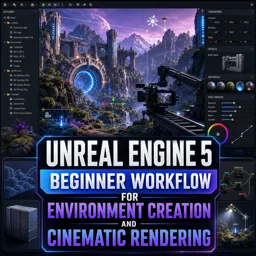
Create cinematic game environments faster with a free Unreal Engine 5 course—learn workflow, lighting, materials, cameras, and high-quality rendering with practice.
If you want to build game-ready environments and render cinematic shots without getting lost in complicated theory, this beginner-friendly Unreal Engine 5 workflow is designed to take you from a blank project to polished scenes that look impressive on screen. You will learn how to set up Unreal Engine correctly, choose the right templates, and move through the interface with confidence so your time goes into creating instead of searching for menus.
The course guides you through practical environment creation, using built-in modeling tools to block out and refine shapes directly inside the engine. As you develop your scene, you will understand how to control the viewport efficiently, iterate faster, and make cleaner geometry decisions that support lighting and composition. Along the way you will start thinking like an environment artist, balancing detail, scale, and readability so your scene feels intentional rather than random.
Lighting and materials are treated as core skills, not afterthoughts. You will learn how to establish a solid default lighting foundation, then shape mood and realism with material workflows that stay flexible during iteration. Instead of duplicating and tweaking endlessly, you will explore a smarter approach to variation, reducing repetition across large surfaces and blending maps correctly for believable results. These are the kinds of details that quickly separate a flat scene from a cinematic one.
You will also work with common production tasks: decorating scenes efficiently, importing external assets in a way that keeps projects manageable, and handling character animation workflows without unnecessary duplication. Techniques for creating large-scale patterns, adding surface storytelling with decals, and keeping material organization intact will help you build scenes that remain editable as they grow.
To bring everything together, the course moves into cinematic tools: cameras, rig rail and crane movement, and Sequencer-based animation. You will learn a practical approach to planning shots so you do not waste hours detailing areas that never appear on camera. Finally, you will render with settings aimed at high-quality output using Movie Render Queue, preparing your work for editing and presentation with professional control over image quality.

8 hours and 6 minutes of online video course

Digital certificate of course completion (Free)

Exercises to train your knowledge

100% free, from content to certificate
How do I enable Unreal Engine 5 Modeling Tools when they are missing from the Modes menu?
Enable the Modeling Tools Editor Mode plugin in Edit > Plugins, then restart Unreal Engine if prompted.
Which Unreal Engine 5 feature enables fast real-time cinematic rendering?
Lumen provides real-time global illumination and reflections for fast cinematic-quality rendering.
What is the best Movie Render Queue export format for high-quality Unreal Engine cinematics?
EXR image sequences are recommended because they preserve high dynamic range and offer the most flexibility in post-production.
Ready to get started?Download the app and get started today.
Install the app now
to access the course
Over 5,000 free courses
Programming, English, Digital Marketing and much more! Learn whatever you want, for free.

Study plan with AI
Our app's Artificial Intelligence can create a study schedule for the course you choose.

From zero to professional success
Improve your resume with our free Certificate and then use our Artificial Intelligence to find your dream job.
You can also use the QR Code or the links below.




Free CourseUnreal Engine 5 Complete Tutorials
5

(1)

105h07m

53 exercises

Free CourseUnity - survival game
5
(13)
11h23m
38 exercises

Free CourseGame Environment Art
5
(3)
2h37m
7 exercises

Free CourseGame Design course
5
(1)
10h16m
38 exercises

Free CourseAndroid - LibGDX - Super Mario Bros
4.8
(18)
5h08m
22 exercises

Free CourseUnity game development for beginners
4.8

(4)
7h24m

Free CourseUnity 3D Game Development Course
4.8
(4)
11h44m
45 exercises

Free CourseRPG in Unity
4.7
(10)
2h27m
11 exercises

Free CourseBasic game in Unity
4.7
(53)
1h39m
11 exercises

Free CourseMultiplayer FPS in Unity
4.7
(15)
14h06m
24 exercises
Carry knowledge in your pocket.
Download the Cursa app.
There are hundreds of free courses available, with a free certificate of completion that is saved in your mobile image gallery.
Download the app to access the Course Completion Certificate for Free.


+ 10 million
students

Free and Valid
Certificate

60 thousand free
exercises

4.8/5 rating in
app stores

Free courses in
video and ebooks




