Enemy AI patterns: patrol between points, charging detection, flying enemy with 2D NavMeshAgent setup
Shooting system basics: projectile firing with cooldown to prevent firing every frame
Camera control: Cinemachine follow, multi-target framing for co-op camera
Menus & scenes: win screen via pause/time scale, pause menu, main menu, level select, scene loading
Progress saving: unlock levels with persistent data (e.g., PlayerPrefs) across restarts
Checkpoint system: store respawn position in a public static Vector2 shared across scenes/objects
Co-op gameplay: shared health value and per-player input differences (e.g., crouch for P1 vs P2)
About the free online course
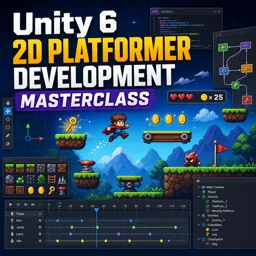
Turn your game idea into a playable 2D platformer built with Unity 6, from the first controller script to the kind of moment-to-moment feel that makes a character fun to move. This course guides you through creating a complete project step by step, helping you understand not only what to do, but why common platformer systems are designed the way they are. You will strengthen core Unity skills while building features you can reuse across future projects, jams, or a portfolio game.
Instead of stopping at basic movement, you will learn how to craft responsive jumping with techniques used in real productions, then layer on animation logic that communicates player state clearly. You will add systems that make your levels feel alive, including hazards and damage handling, moving and falling platforms, one-way platforms, slippery surfaces, conveyor belts, bounce pads, speed boosts, teleporters, checkpoints, and win conditions. Along the way, you will build enemies with different behaviors and learn how to keep gameplay readable through smart camera follow using Cinemachine.
You will also create the glue that makes a small game feel complete: menus, pause and resume, level flow, level select, UI updates, audio playback that can be triggered from multiple scripts, and a simple save approach that remembers progression between sessions. Beyond single-player basics, you will explore co-op concepts such as shared health and a camera that frames multiple players dynamically, giving you a practical taste of multiplayer-friendly architecture.
Each lesson is reinforced with quick knowledge checks so you actively practice key Unity and C# decisions, from physics components and collision detection to scene loading, timing, and state control. By the end, you will have a cohesive 2D platformer foundation and the confidence to customize it into your own style, expand it with new mechanics, and present it as evidence of real, hands-on game development ability.
Course content
Video class: Making a 2D Platformer In Unity 6 - Episode 1 (Full Course)07m
Exercise: Which Unity 2D physics component is added to the player so gravity affects it?
Video class: Making a 2D Platformer In Unity 6 - Episode 2 (Animations)05m
Exercise: In a 2D platformer character controller, what condition is used to choose between playing the jump animation and the fall animation?
Video class: Making a 2D Platformer In Unity 6 - Episode 3 (Double Jump)01m
Exercise: How is the remaining number of mid-air jumps tracked and reduced in the double jump setup?
Video class: Making a 2D Platformer In Unity 6 - Episode 4 (Taking Damage)04m
Exercise: How does the player script detect that a collision should cause damage?
Video class: Making a 2D Platformer In Unity 6 - Episode 5 (Moving Platforms)05m
Exercise: How can the player be made to move along with a moving platform in Unity 2D?
Video class: Making a 2D Platformer In Unity 6 - Episode 6 (Patrolling Enemy)03m
Exercise: Which setup allows a 2D enemy to patrol between two locations?
Video class: Making a 2D Platformer In Unity 6 - Episode 7 (Cinemachine03m
Exercise: Which setting on the Cinemachine camera makes it follow the player in a 2D platformer?
Video class: Making a 2D Platformer In Unity 6 - Episode 8 (Collectibles)02m
Exercise: What is the correct setup to make a coin collectible increase the player's coin count and then disappear?
Video class: Making a 2D Platformer In Unity 6 - Episode 9 (Win Screen)03m
Exercise: When the player touches the finish flag, what is done to pause the game and show the win screen?
Video class: Making a 2D Platformer In Unity 6 - Episode 10 (Adding Levels)03m
Exercise: What must be done so the Next Level button can successfully load another scene like Level Two?
Video class: Making a 2D Platformer In Unity 6 - Episode 11 (Adding Audio)05m
Exercise: How is the sound-effect helper method adjusted so other scripts (like the coin) can trigger player SFX?
Video class: Making a 2D Platformer In Unity 6 - Episode 12 (Pause Menu)04m
Exercise: How is the game paused and resumed in the Pause Menu script?
Video class: Making a 2D Platformer In Unity 6 - Episode 13 (Main Menu)05m
Exercise: Which Unity namespace is added to enable loading scenes from the main menu script?
Video class: Making a 2D Platformer In Unity 6 - Episode 14 (Coin UI, more coins)06m
Exercise: How is the coin amount UI text updated in the script?
Video class: Making a 2D Platformer In Unity 6 - Episode 15 (Bounce Pads, Bug fixes)04m
Exercise: How is the bounce pad effect applied to the player when they collide with it?
Video class: Making a 2D Platformer In Unity 6 - Episode 16 (Level Select)04m
Exercise: What is the main purpose of the "Go To Level Select" function in the main menu script?
Video class: Making a 2D Platformer In Unity 6 - Episode 17 (Save System)05m
Exercise: What is used to remember which level the player has reached so level buttons can be locked/unlocked on restart?
Video class: Making a 2D Platformer In Unity 6 - Episode 18 (Powerups)02m
Exercise: When the player collects the strawberry ability collectible, what change is applied to the player's jumping ability?
Video class: Making a 2D Platformer In Unity 6 - Episode 19 (Keys02m
Exercise: In a simple key-and-door setup, what should happen when the player touches the key trigger?
Video class: Making a 2D Platformer In Unity 6 - Episode 20 (Coyote Time)02m
Exercise: What does “coyote time” achieve in a 2D platformer jump system?
Video class: Making a 2D Platformer In Unity 6 - Episode 21 (Jump Buffer)02m
Exercise: What is the main purpose of implementing jump buffering in a 2D platformer?
Video class: Making a 2D Platformer In Unity 6 - Episode 22 (Variable Jump)02m
Exercise: How is a variable jump implemented so holding the jump key makes the player jump higher?
Video class: Making a 2D Platformer In Unity 6 - Episode 23 (Gravity Scaling)01m
Exercise: What is the purpose of changing gravity scale based on the player's vertical velocity in a 2D platformer?
Video class: Making a 2D Platformer In Unity 6 - Episode 24 (FlipX)01m
Exercise: How can you make a 2D player sprite face the correct direction while moving in Unity?
Video class: Making a 2D Platformer In Unity 6 - Episode 25 (Falling Off Edge)01m
Exercise: How is the player set to die when falling off the map?
Video class: Making a 2D Platformer In Unity 6 - Episode 26 (Icy/Slippery Surfaces)03m
Video class: Making a 2D Platformer In Unity 6 - Episode 27 (Bug Fixes)03m
Video class: Making a 2D Platformer In Unity 6 - Episode 28 (One-Way Platforms)02m
Exercise: Which setup makes a platform act as a one-way platform in Unity 2D?
Video class: Making a 2D Platformer In Unity 6 - Episode 29 (Falling Platforms)02m
Exercise: How is a falling platform made to start falling after the player lands on it?
Video class: Making a 2D Platformer In Unity 6 - Episode 30 (Conveyor belts)03m
Exercise: Which component is used to make a conveyor belt push the player in a 2D platformer?
Video class: Making a 2D Platformer In Unity 6 - Episode 31 (Checkpoints)02m
Exercise: In a simple checkpoint system, why is the checkpoint saved position stored as a public static Vector2?
Video class: Making a 2D Platformer In Unity 6 - Episode 32 (Flying AI Enemy)07m
Exercise: Which setup is required to make a NavMeshAgent work correctly for a 2D flying enemy?
Video class: Making a 2D Platformer In Unity 6 - Episode 33 (Speed Pads)05m
Exercise: Which ForceMode2D setting is used to make the speed pad boost happen instantly when the player collides with it?
Video class: Making a 2D Platformer In Unity 6 - Episode 34 (Time-Toggle Platforms)03m
Exercise: In a timed toggle platform, what should happen when the timer reaches 0?
Video class: Making a 2D Platformer In Unity 6 - Episode 35 (Float Up/Down Collectibles)02m
Exercise: In a Unity 2D platformer, which code approach makes a collectible float up and down smoothly over time?
Video class: Making a 2D Platformer In Unity 6 - Episode 36 (Simple Teleporter)02m
Exercise: Which setup is required to make a 2D teleporter work when the player touches it?
Video class: Making a 2D Platformer In Unity 6 - Episode 37 (Charging Enemy)06m
Exercise: What is the main purpose of the enemy's DetectPlayer() logic in a 2D platformer charging enemy?
Video class: Making a 2D Platformer In Unity 6 - Episode 38 (Player Shooting)05m
Exercise: How is continuous shooting limited so the player can’t fire every frame?
Video class: Making a 2D Platformer In Unity 6 - Episode 39 (Invincibility frames)04m
Exercise: What is the main purpose of adding invincibility (i-) frames to the player after taking damage?
Video class: Making a 2D Platformer In Unity 6 - Episode 40 (WallSliding)05m
Exercise: Which Unity 2D physics check is used to detect if the player is touching a wall for wall sliding?
Video class: Making a 2D Platformer In Unity 6 - Episode 41 (Walljumping)03m
Video class: Making a 2D Platformer In Unity 6 - Episode 42 (WallJump Smoke Effect)05m
Exercise: How do you stop the wall-slide fog particles from following the player while sliding?
Video class: Making a 2D Platformer In Unity 6 - Episode 43 (Health Re-gen collectible)02m
Exercise: When implementing a health-regenerating banana pickup, what logic prevents the player's health from exceeding the maximum?
Video class: Making a 2D Platformer In Unity 6 - Episode 44 (Collectible Respawn)03m
Exercise: How are collectibles made to respawn instead of being permanently removed?
Video class: Making a 2D Platformer In Unity 6 - Episode 45 (Co-Op Multiplayer)05m
Exercise: How can two player objects share the same health value in a co-op setup?
Video class: Making a 2D Platformer In Unity 6 - Episode 46 (Co-Op Camera)02m
Exercise: How do you create a dynamic camera that frames multiple players using Cinemachine?
Video class: Making a 2D Platformer In Unity 6 - Episode 47 (Crouching)05m
Exercise: How is crouch input handled differently for Player 1 vs Player 2 in the controller logic?