Generate candidate grid positions and check them against the snake body segments before placing the food.

Duration of the online course: 2 hours and 0 minutes
New
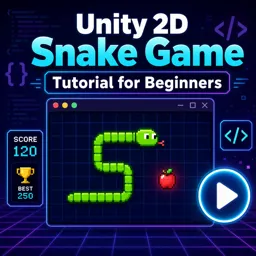
Build your first Unity 2D game from scratch—master movement, UI, scoring, and game over logic in a free course with beginner-friendly guidance.
Take your first confident steps into game development by building a classic Snake game in Unity 2D. This free beginner course guides you through the full process of turning a simple idea into a playable project, helping you understand not only what to do, but why common Unity setups and decisions matter. You will work in a clean 2D environment, learn how the camera and scene settings influence gameplay feel, and get comfortable with the core workflow of creating, running, and iterating on a game.
You will implement grid-based movement, handle player input responsibly, and keep the gameplay consistent and readable as the snake grows. Along the way, you will practice fundamental programming patterns used in many games: tracking positions, updating game state step by step, and preventing problems like objects spawning in the wrong place. You will also refine visuals by controlling how body segments appear and rotate as they follow the snake’s path, improving clarity and polish without overcomplicating the code.
To make the project feel complete, you will add game rules and feedback: detecting collisions to trigger game over, supporting wrap-around movement if desired, and building UI that displays through the correct camera. You will also learn how to reload scenes properly and avoid persistent data issues that can cause values like score to carry over unexpectedly. Finally, you will tie everything together with a main menu, pause and resume behavior, basic sound, and a persistent high score so progress survives between sessions.
By the end, you will have a finished Unity 2D Snake game and a practical foundation you can reuse for future arcade prototypes. You will understand the logic behind movement, growth, spawning, UI, scene management, and simple persistence—skills that translate directly to larger projects and help you progress from tutorials to building your own game ideas.

Explore free online Unity courses designed to help you master game development, C# scripting, 2D and 3D design, animation, physics, and interactive experiences. Learn at your own pace with beginner-friendly lessons and practical projects, build job-ready skills, and earn a certificate to showcase your Unity expertise.

Explore free online 2D game development courses with certificates and learn to create engaging games from scratch. Build practical skills in game design, programming, animation, sprites, physics, level creation, and popular engines. Study at your own pace, strengthen your portfolio, and start your journey toward a career in 2D game development.

2 hours and 0 minutes of online video course

Digital certificate of course completion (Free)

Exercises to train your knowledge

100% free, from content to certificate
How do you prevent food from spawning on the snake in a Unity 2D Snake game?
Generate candidate grid positions and check them against the snake body segments before placing the food.
How is game over detected in Unity Snake movement logic?
Game over is triggered when the snake head collides with its own body; boundary collisions can either end the game or wrap the snake to the opposite side.
How can a Unity Snake game save a high score between sessions?
Use Unity PlayerPrefs to save the high score and retrieve it when the game starts.
Ready to get started?Download the app and get started today.
Install the app now
to access the course
Over 5,000 free courses
Programming, English, Digital Marketing and much more! Learn whatever you want, for free.

Study plan with AI
Our app's Artificial Intelligence can create a study schedule for the course you choose.

From zero to professional success
Improve your resume with our free Certificate and then use our Artificial Intelligence to find your dream job.
You can also use the QR Code or the links below.




Free CourseUnreal Engine 5 Complete Tutorials
5

(1)

105h07m

53 exercises

Free CourseUnity - survival game
5
(13)
11h23m
38 exercises

Free CourseGame Environment Art
5
(3)
2h37m
7 exercises

Free CourseGame Design course
5
(1)
10h16m
38 exercises

Free CourseAndroid - LibGDX - Super Mario Bros
4.8
(18)
5h08m
22 exercises

Free CourseUnity game development for beginners
4.8

(4)
7h24m

Free CourseUnity 3D Game Development Course
4.8
(4)
11h44m
45 exercises

Free CourseRPG in Unity
4.7
(10)
2h27m
11 exercises

Free CourseBasic game in Unity
4.7
(53)
1h39m
11 exercises

Free CourseMultiplayer FPS in Unity
4.7
(15)
14h06m
24 exercises
Carry knowledge in your pocket.
Download the Cursa app.
There are hundreds of free courses available, with a free certificate of completion that is saved in your mobile image gallery.
Download the app to access the Course Completion Certificate for Free.


+ 10 million
students

Free and Valid
Certificate

60 thousand free
exercises

4.8/5 rating in
app stores

Free courses in
video and ebooks




