Add a Rigidbody2D and Collider2D to the player, then use a C# movement script and Physics2D.OverlapCircle at the character’s feet to check whether it is grounded before jumping.

Duration of the online course: 5 hours and 1 minutes
New
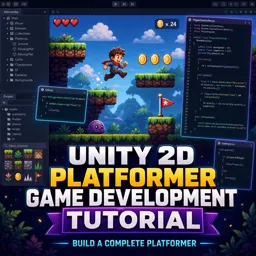
Build a complete 2D platformer in Unity with this free course—learn movement, jumping, animation, UI, checkpoints, and scene flow. Certificate-ready skills.
Turn your game idea into a playable 2D platformer by learning how to build the core systems that make the genre feel responsive and fun. In this free Unity course, you will go from getting comfortable in the editor to assembling a complete project with a character that moves, jumps, animates, and interacts with a level built for platforming. Along the way, you will develop practical workflow habits that help you organize assets, iterate quickly, and avoid common setup mistakes that slow beginners down.
You will start by creating scenes and importing art the right way, then bring your world to life with Unity’s 2D physics. You will see how Rigidbody2D and colliders work together, how friction and bounciness affect movement through Physics Materials, and how to create reusable building blocks with prefabs. From there, you will build environments efficiently using Tilemaps and colliders so your levels feel solid and consistent while staying easy to edit as your game grows.
Once the foundations are in place, the course shifts into scripting essential gameplay behavior in C#. You will implement smooth player movement, reliable jumping, and ground checks so the controls feel predictable. You will also tackle a common platformer pain point—characters catching on ledges—and apply an effective solution so motion stays clean and enjoyable.
To give your character personality, you will create sprite-based animations, set up an Animator Controller, and drive transitions in code. You will also make the character face the direction of travel and implement a camera follow system with adjustable offsets for better readability while playing. As your project becomes more game-like, you will add respawning and checkpoints, manage level transitions between scenes, and build a scoring system that persists correctly across levels.
Finally, you will add player feedback with UI elements such as score display and a health bar that updates smoothly as health changes, including handling damage over time when the player stays in contact with hazards. By the end, you will have a complete small platformer framework you can extend into your own levels, enemies, collectibles, and mechanics—plus portfolio-ready Unity skills that translate directly to future game development projects.

Explore free online Unity courses designed to help you master game development, C# scripting, 2D and 3D design, animation, physics, and interactive experiences. Learn at your own pace with beginner-friendly lessons and practical projects, build job-ready skills, and earn a certificate to showcase your Unity expertise.

Explore free online 2D game development courses with certificates and learn to create engaging games from scratch. Build practical skills in game design, programming, animation, sprites, physics, level creation, and popular engines. Study at your own pace, strengthen your portfolio, and start your journey toward a career in 2D game development.

5 hours and 1 minutes of online video course

Digital certificate of course completion (Free)

Exercises to train your knowledge

100% free, from content to certificate
How do you create a 2D platformer character that moves, jumps, and detects the ground in Unity?
Add a Rigidbody2D and Collider2D to the player, then use a C# movement script and Physics2D.OverlapCircle at the character’s feet to check whether it is grounded before jumping.
How can a Unity 2D platformer save score and reuse score UI between scenes?
Store the score in a persistent manager object using DontDestroyOnLoad, and keep a reusable UI canvas or score manager that updates after each scene loads.
What is the best way to prevent a Unity 2D player from sticking to platform edges?
Apply a Physics Material 2D with low or zero friction to the player collider, helping the character slide cleanly along platform edges.
Ready to get started?Download the app and get started today.
Install the app now
to access the course
Over 5,000 free courses
Programming, English, Digital Marketing and much more! Learn whatever you want, for free.

Study plan with AI
Our app's Artificial Intelligence can create a study schedule for the course you choose.

From zero to professional success
Improve your resume with our free Certificate and then use our Artificial Intelligence to find your dream job.
You can also use the QR Code or the links below.




Free CourseUnreal Engine 5 Complete Tutorials
5

(1)

105h07m

53 exercises

Free CourseUnity - survival game
5
(13)
11h23m
38 exercises

Free CourseGame Environment Art
5
(3)
2h37m
7 exercises

Free CourseGame Design course
5
(1)
10h16m
38 exercises

Free CourseAndroid - LibGDX - Super Mario Bros
4.8
(18)
5h08m
22 exercises

Free CourseUnity game development for beginners
4.8

(4)
7h24m

Free CourseUnity 3D Game Development Course
4.8
(4)
11h44m
45 exercises

Free CourseRPG in Unity
4.7
(10)
2h27m
11 exercises

Free CourseBasic game in Unity
4.7
(53)
1h39m
11 exercises

Free CourseMultiplayer FPS in Unity
4.7
(15)
14h06m
24 exercises
Carry knowledge in your pocket.
Download the Cursa app.
There are hundreds of free courses available, with a free certificate of completion that is saved in your mobile image gallery.
Download the app to access the Course Completion Certificate for Free.


+ 10 million
students

Free and Valid
Certificate

60 thousand free
exercises

4.8/5 rating in
app stores

Free courses in
video and ebooks




