Adjust the project texture filtering settings to use nearest-neighbor filtering, then configure integer scaling to prevent blurred or uneven pixels.

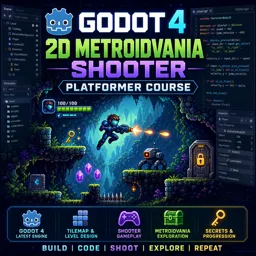
Duration of the online course: 7 hours and 18 minutes
New
Build a polished 2D shooter platformer in Godot 4.2—learn movement, state machines, UI, VFX, and level flow in a free course with practice.
Create a fast, responsive 2D metroidvania-style shooter platformer while learning modern Godot 4.2 workflows from the ground up. This free online course is designed for learners who want more than isolated snippets: you will shape a complete playable project and understand why each system works, so you can confidently reuse the same patterns in your own games.
Starting with a clean project setup, you will develop a player character with crisp pixel-art presentation, smooth animations, and reliable input handling. You will connect movement to frame-rate independent logic, troubleshoot scripts with practical debugging techniques, and tune gameplay quickly by exposing variables that make iteration painless. As the project grows, you will design levels with tilemaps, layer depth for stronger atmosphere, and camera limits that keep exploration readable without breaking the feel of momentum.
Combat and feedback are central: you will implement shooting, manage bullet lifetime, and build damage interactions using clear collision logic. On the enemy side, you will move beyond simple behaviors and adopt a state-driven approach that scales, letting you add patrols, attacks, and transitions without turning code into a single fragile script. You will also create satisfying player feedback with hit-flash shader effects, particles on death, and health pickups that restore resources in a clean, reusable way.
To make the game feel complete, you will craft UI elements such as health bars and counters, add a main menu, pause and resume correctly, and store settings so changes persist. You will handle scene transitions using doors, keys, and visual loading effects, plus apply camera smoothing and integer scaling techniques that keep pixel games sharp and stable. By the end, you will have a cohesive foundation for your own Godot projects and a portfolio-ready prototype that demonstrates real game development skills.

Explore free online Godot 4 courses designed to help beginners and aspiring game developers master 2D and 3D game creation. Learn GDScript, scenes, nodes, physics, animation, UI, and game publishing through flexible lessons. Enroll today, build practical projects, and earn a certificate with every free Godot 4 course you complete.

Explore free online 2D game development courses with certificates and learn to create engaging games from scratch. Build practical skills in game design, programming, animation, sprites, physics, level creation, and popular engines. Study at your own pace, strengthen your portfolio, and start your journey toward a career in 2D game development.

7 hours and 18 minutes of online video course

Digital certificate of course completion (Free)

Exercises to train your knowledge

100% free, from content to certificate
How do you make pixel art look crisp in a Godot 4 2D platformer?
Adjust the project texture filtering settings to use nearest-neighbor filtering, then configure integer scaling to prevent blurred or uneven pixels.
How do you create an enemy patrol system between two points in Godot 4?
Use two patrol-point markers and switch the enemy's movement direction when it reaches the current target point, updating its animation or sprite flip as needed.
How can a Godot 4 pause menu still receive button clicks while the game is paused?
Set the pause menu UI node's process mode to run when paused, so its buttons continue processing input while the game tree is paused.
Ready to get started?Download the app and get started today.
Install the app now
to access the course
Over 5,000 free courses
Programming, English, Digital Marketing and much more! Learn whatever you want, for free.

Study plan with AI
Our app's Artificial Intelligence can create a study schedule for the course you choose.

From zero to professional success
Improve your resume with our free Certificate and then use our Artificial Intelligence to find your dream job.
You can also use the QR Code or the links below.




Free CourseUnreal Engine 5 Complete Tutorials
5

(1)

105h07m

53 exercises

Free CourseUnity - survival game
5
(13)
11h23m
38 exercises

Free CourseGame Environment Art
5
(3)
2h37m
7 exercises

Free CourseGame Design course
5
(1)
10h16m
38 exercises

Free CourseAndroid - LibGDX - Super Mario Bros
4.8
(18)
5h08m
22 exercises

Free CourseUnity game development for beginners
4.8

(4)
7h24m

Free CourseUnity 3D Game Development Course
4.8
(4)
11h44m
45 exercises

Free CourseRPG in Unity
4.7
(10)
2h27m
11 exercises

Free CourseBasic game in Unity
4.7
(53)
1h39m
11 exercises

Free CourseMultiplayer FPS in Unity
4.7
(15)
14h06m
24 exercises
Carry knowledge in your pocket.
Download the Cursa app.
There are hundreds of free courses available, with a free certificate of completion that is saved in your mobile image gallery.
Download the app to access the Course Completion Certificate for Free.


+ 10 million
students

Free and Valid
Certificate

60 thousand free
exercises

4.8/5 rating in
app stores

Free courses in
video and ebooks




