Save it as an Excel Macro-Enabled Workbook (*.xlsm).

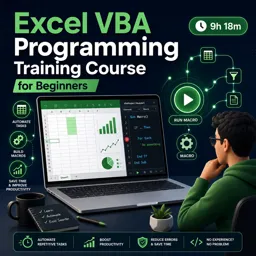
Duration of the online course: 9 hours and 18 minutes
New
Automate Excel tasks with a free VBA course—write macros, debug confidently, and boost productivity with practical projects and exercises.
Stop repeating the same Excel work day after day. With VBA, you can turn clicks, copy-pastes, and manual checks into fast, reliable macros that run in seconds. This free online course is designed for beginners who want to learn how to automate spreadsheets in a structured, practical way, even if you have never written code before.
You will start by setting up the right environment to write code in Excel, then build simple procedures that you can save and run whenever you need them. From there, you will develop the habits that make VBA feel approachable: stepping through code line by line, using breakpoints, and understanding what different errors mean so you can fix problems calmly instead of guessing. As you practice, you will see how small improvements in readability and structure quickly lead to macros that are easier to maintain and share.
Throughout the training, the focus stays on the actions Excel users care about most: selecting and manipulating ranges, moving across worksheets and workbooks, building dynamic lists, and using properties like End and Offset to work with data that changes every day. You will also learn how to trigger your automations smoothly with buttons, shapes, and keyboard shortcuts so your tools feel like part of the workbook instead of hidden code.
As your confidence grows, you will add real logic to your macros using conditional statements and looping patterns that help you validate inputs, avoid blank records, and process data consistently. You will learn to work with variables, choose the right data types, and control scope so your code stays predictable. You will also create reusable procedures with parameters, and write functions when you need results returned to your worksheet or your program flow.
Finally, you will make your automations more user-friendly with message boxes and input boxes, including safer ways to capture numbers, dates, and ranges without frustrating runtime errors. You will also practice working with Excel objects and collections, looping through worksheets or charts efficiently, and handling errors in a professional way so your macros fail gracefully. By the end, you will be able to build practical Excel VBA solutions that save time, reduce mistakes, and make your spreadsheets far more powerful.
Explore free online Excel courses designed to help you master spreadsheets, formulas, functions, data analysis, charts, PivotTables, and more. Learn at your own pace with beginner to advanced lessons, build practical Microsoft Excel skills for work or study, and earn a certificate upon completion—all at no cost. Start learning today.

Explore free online VBA courses and learn to automate Excel tasks, write efficient macros, manage data, and build powerful spreadsheet solutions. These beginner-friendly and advanced VBA classes are free, flexible, and include a certificate to showcase your skills. Start learning Visual Basic for Applications online today and boost your career.

9 hours and 18 minutes of online video course

Digital certificate of course completion (Free)

Exercises to train your knowledge

100% free, from content to certificate
How do I save an Excel workbook with VBA macros so the code is not removed?
Save it as an Excel Macro-Enabled Workbook (*.xlsm).
What is the difference between VBA InputBox and Application.InputBox in Excel?
VBA InputBox returns text, while Application.InputBox can enforce input types such as numbers, dates, or cell ranges.
How do I debug a runtime error in Excel VBA?
Click Debug when the error appears to highlight the failing line, then use breakpoints and step-through execution to inspect the code.
Ready to get started?Download the app and get started today.
Install the app now
to access the course
Over 5,000 free courses
Programming, English, Digital Marketing and much more! Learn whatever you want, for free.

Study plan with AI
Our app's Artificial Intelligence can create a study schedule for the course you choose.

From zero to professional success
Improve your resume with our free Certificate and then use our Artificial Intelligence to find your dream job.
You can also use the QR Code or the links below.




Free CourseExcel for Beginners: 2-Hour Crash Course in Formulas, Charts and Pivot Tables
5

(11)

2h09m

30 exercises

Free CourseExcel Intermediate to Advanced: Formulas, PivotTables, Power Query, Dashboards and VBA
5
(4)
18h53m
28 exercises

Free CourseMS Excel Beginner to Advanced: Formulas, Charts, Pivot Tables and Shortcuts
5
(4)
10h08m
26 exercises

Free CourseMicrosoft 365 Fundamentals MS-900 Certification Prep Course
5
(3)
3h16m
14 exercises

Free CourseGoogle data studio
5
(1)
3h42m
11 exercises

Free CourseMS Word Complete Course: Basics to Advanced Features
5
(1)
2h47m
20 exercises

Free CourseExcel Basics: Formulas, Functions, PivotTables and Power Query for Work
5
(3)
12h14m
22 exercises

Free CourseBusiness Applications in Microsoft Excel
5
(1)
46m
7 exercises

Free CourseWord for beginners
4.9
(11)
43m
8 exercises

Free CourseWord
4.9
(102)
1h46m
25 exercises
Carry knowledge in your pocket.
Download the Cursa app.
There are hundreds of free courses available, with a free certificate of completion that is saved in your mobile image gallery.
Download the app to access the Course Completion Certificate for Free.


+ 10 million
students

Free and Valid
Certificate

60 thousand free
exercises

4.8/5 rating in
app stores

Free courses in
video and ebooks