Excel Tables provide structured columns, expand automatically with new rows, and create more reliable refreshable queries and data models.

Duration of the online course: 5 hours and 32 minutes
New
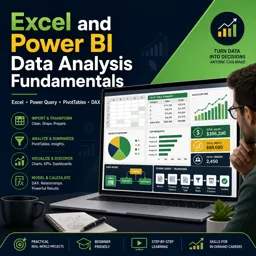
Turn messy spreadsheets into clear dashboards with this free data analysis course using Excel, Power Query, PivotTables, DAX, and Power BI skills.
Stop guessing with spreadsheets and start making confident, data-driven decisions. This free online course builds a practical foundation in data analysis using the tools employers expect: Excel, Power Query, PivotTables, Power Pivot, DAX, and Power BI Desktop. You will learn how to move from raw files to reliable insights by treating your data as something that can be refreshed, updated, and reused, rather than manually rebuilt each time numbers change.
In Excel, you will strengthen core analysis habits that make every workbook easier to maintain: organizing information as proper data sets, converting ranges into Excel Tables for cleaner references, and applying logical tests to validate and enrich your data. From there, you will see when classic formulas shine and when modern dynamic arrays can speed up analysis and reduce repetitive work. You will also develop intuition about choosing the right approach for a given question, whether that means a formula-driven report that stays fully customizable or a PivotTable that summarizes large data quickly.
As the course progresses, you will shift into transformation and modeling, which is where analytics becomes scalable. Power Query helps you import, clean, and shape data consistently so you can refresh the same steps whenever new files arrive. You will learn how to decide between lookup-based methods and true data modeling techniques, especially when you are combining multiple tables or working with large datasets. That modeling mindset prepares you for Power Pivot and DAX, where measures make analysis more powerful, reusable, and accurate across different views and filters.
Finally, you will connect these skills to Power BI Desktop, focusing on how to structure models that stay dependable as your data grows. By the end, you will be able to build a refresh-friendly workflow from Excel sources, create meaningful summaries, and communicate results through clear tables, charts, and formatting that highlight trends and patterns. If you want a solid entry point into business intelligence and office productivity with real-world tools, this course provides a focused path from fundamentals to job-ready analysis habits.
Explore free online Excel courses designed to help you master spreadsheets, formulas, functions, data analysis, charts, PivotTables, and more. Learn at your own pace with beginner to advanced lessons, build practical Microsoft Excel skills for work or study, and earn a certificate upon completion—all at no cost. Start learning today.

Explore free online Power BI courses designed to help you master data visualization, business intelligence, dashboards, reports, DAX, and data analysis. Learn at your own pace with beginner-friendly and advanced training, build practical Microsoft Power BI skills, and earn a certificate to showcase your expertise and boost your career.

5 hours and 32 minutes of online video course

Digital certificate of course completion (Free)

Exercises to train your knowledge

100% free, from content to certificate
Why convert an Excel data range to an official Table before using Power Query or Power Pivot?
Excel Tables provide structured columns, expand automatically with new rows, and create more reliable refreshable queries and data models.
How do I show each item as a percentage of the total in an Excel PivotTable?
Open Value Field Settings, choose Show Values As, and select % of Grand Total.
What is required for DAX year-to-date and other time-intelligence calculations in Power Pivot?
A proper continuous date table is required, with unique dates and marked as the model's date table.
Ready to get started?Download the app and get started today.
Install the app now
to access the course
Over 5,000 free courses
Programming, English, Digital Marketing and much more! Learn whatever you want, for free.

Study plan with AI
Our app's Artificial Intelligence can create a study schedule for the course you choose.

From zero to professional success
Improve your resume with our free Certificate and then use our Artificial Intelligence to find your dream job.
You can also use the QR Code or the links below.




Free CourseExcel for Beginners: 2-Hour Crash Course in Formulas, Charts and Pivot Tables
5

(11)

2h09m

30 exercises

Free CourseExcel Intermediate to Advanced: Formulas, PivotTables, Power Query, Dashboards and VBA
5
(4)
18h53m
28 exercises

Free CourseMS Excel Beginner to Advanced: Formulas, Charts, Pivot Tables and Shortcuts
5
(4)
10h08m
26 exercises

Free CourseMicrosoft 365 Fundamentals MS-900 Certification Prep Course
5
(3)
3h16m
14 exercises

Free CourseGoogle data studio
5
(1)
3h42m
11 exercises

Free CourseMS Word Complete Course: Basics to Advanced Features
5
(1)
2h47m
20 exercises

Free CourseExcel Basics: Formulas, Functions, PivotTables and Power Query for Work
5
(3)
12h14m
22 exercises

Free CourseBusiness Applications in Microsoft Excel
5
(1)
46m
7 exercises

Free CourseWord for beginners
4.9
(11)
43m
8 exercises

Free CourseWord
4.9
(102)
1h46m
25 exercises
Carry knowledge in your pocket.
Download the Cursa app.
There are hundreds of free courses available, with a free certificate of completion that is saved in your mobile image gallery.
Download the app to access the Course Completion Certificate for Free.


+ 10 million
students

Free and Valid
Certificate

60 thousand free
exercises

4.8/5 rating in
app stores

Free courses in
video and ebooks