Connect both 3D elements to a Merge 3D node, then render the scene with a Renderer 3D node.

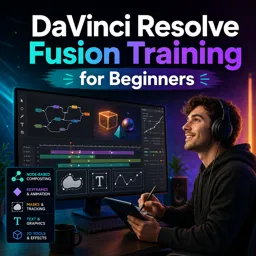
Duration of the online course: 2 hours and 49 minutes
New
Edit faster with Fusion in DaVinci Resolve: build effects with nodes, animate keyframes, masks, titles and 3D. Join this free course and level up your videos.
Want to add professional motion graphics and visual effects to your edits without leaving DaVinci Resolve? This beginner-friendly Fusion training helps you move beyond simple cuts and transitions and start designing layered effects with confidence. You will learn how Fusion’s node-based workflow works, why it is so powerful for building flexible comps, and how to stay organized as your projects grow.
Starting from the fundamentals, you will get comfortable navigating the Fusion page, connecting tools, and understanding how media flows through a composition. You will practice working with clips from the Media Pool, combining elements cleanly, and making smarter choices that keep your timeline manageable while still giving you control inside Fusion.
Animation becomes approachable as you learn keyframing techniques that let you create movement, reveals, and timing-based effects that feel polished. You will also build a solid foundation in compositing with Merge, understanding how layers interact and how to integrate graphics over footage with predictable results.
Masking is a core skill for everything from simple cutouts to stylized overlays. You will learn how to isolate areas, create transparency, and refine results so your effects sit naturally in the shot. Then you will expand into text tools and Fusion titles, enabling you to craft custom lower thirds and animated typography that match your brand or project style.
To help you work faster, the course shows how to create reusable presets and macros so your favorite looks and motion elements are always one click away. Finally, you will get introduced to 3D workflows in Fusion, combining multiple 3D elements into a unified scene and bringing everything together in a practical end-to-end build. By the end, you will have the confidence to create clean, reusable effects and elevate any video project with Fusion.

2 hours and 49 minutes of online video course

Digital certificate of course completion (Free)

Exercises to train your knowledge

100% free, from content to certificate
How do you combine Text 3D and an Image Plane in DaVinci Resolve Fusion?
Connect both 3D elements to a Merge 3D node, then render the scene with a Renderer 3D node.
What does the green input on a Fusion Merge node do?
The green input is the Foreground input, used for the image or element placed over the background.
How can you reuse a customized Fusion Title in the same DaVinci Resolve project?
Save the customized title as a Fusion composition in the Media Pool, then drag it into the timeline when needed.
Ready to get started?Download the app and get started today.
Install the app now
to access the course
Over 5,000 free courses
Programming, English, Digital Marketing and much more! Learn whatever you want, for free.

Study plan with AI
Our app's Artificial Intelligence can create a study schedule for the course you choose.

From zero to professional success
Improve your resume with our free Certificate and then use our Artificial Intelligence to find your dream job.
You can also use the QR Code or the links below.



Free CourseAfter Effects
5

(2)

22h49m

30 exercises
Free CourseAdobe Express in video edition
5
(1)
25m
6 exercises
Free CourseAdobe After Effects
5
(1)
2h18m
17 exercises
Free CourseAdobe Premiere Pro crash course
5
(2)
1h58m
6 exercises
Free CourseLearn Adobe Premiere Pro from Start to Finish
5
(3)
2h26m
6 exercises

Free CourseFilmora Master Class Filmora Wondershare
5
(1)
1h52m
8 exercises
Free CourseCapCut Video Editing for YouTube: Beginner to Pro
4.9
(8)
4h24m
31 exercises
Free CourseAdobe After effects
4.8

(16)
15h13m
31 exercises
Free CourseShortcut for video editing
4.8
(4)
1h34m
16 exercises
Free CourseDaVince Resolve 18 tutorial for beginners
4.5
(2)
37m
6 exercises
Carry knowledge in your pocket.
Download the Cursa app.
There are hundreds of free courses available, with a free certificate of completion that is saved in your mobile image gallery.
Download the app to access the Course Completion Certificate for Free.


+ 10 million
students

Free and Valid
Certificate

60 thousand free
exercises

4.8/5 rating in
app stores

Free courses in
video and ebooks