Place IoT devices on a separate VLAN or guest network, while allowing only the required firewall access to Home Assistant.

Duration of the online course: 33 minutes
New
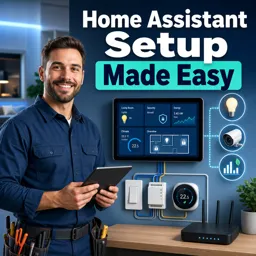
Automate your home with confidence. Take this free online course to set up Home Assistant, secure IoT devices, and build reliable sunset lighting automations.
Modern electrical work increasingly blends wiring, networking, and smart control. This free online course helps you set up Home Assistant in a practical, low-friction way so you can deliver smarter, safer automations at home or as a value-added skill on the job. You will learn how to move from a fresh install to a usable dashboard quickly, while understanding the core decisions that keep systems stable over time.
A key focus is reliability: smart features should not become support headaches. You will get clear guidance on separating IoT devices from your main network to reduce risk and limit disruptions, a critical habit when you are deploying smart switches, sensors, and hubs. The course also covers how to run Home Assistant with Docker while keeping configuration data persistent, so updates or container restarts do not wipe the setup you have built.
You will also understand the default, simplest way to access the interface after the system boots, making initial commissioning and troubleshooting faster. From there, you will work with real automation logic by choosing the right trigger for outdoor lighting at sunset year-round, an everyday scenario where correctness matters as seasons change. By the end, you will feel confident setting up a clean Home Assistant environment, keeping it organized and secure, and creating automations that behave predictably without constant tweaking.

33 minutes of online video course

Digital certificate of course completion (Free)

Exercises to train your knowledge

100% free, from content to certificate
How should IoT devices be segmented when setting up Home Assistant?
Place IoT devices on a separate VLAN or guest network, while allowing only the required firewall access to Home Assistant.
How do I persist Home Assistant configuration in a Docker installation?
Mount a host directory or Docker volume to the container's /config path so settings and automations survive container updates.
What automation trigger should turn outside lights on at sunset throughout the year?
Use the built-in sun trigger with the event set to sunset; it automatically adjusts to changing seasonal sunset times.
Ready to get started?Download the app and get started today.
Install the app now
to access the course
Over 5,000 free courses
Programming, English, Digital Marketing and much more! Learn whatever you want, for free.

Study plan with AI
Our app's Artificial Intelligence can create a study schedule for the course you choose.

From zero to professional success
Improve your resume with our free Certificate and then use our Artificial Intelligence to find your dream job.
You can also use the QR Code or the links below.



Free CourseInstall Your Own Solar Power System
5

(2)

59m

6 exercises
Free CourseElectronic Circuits Course
5
(7)
43h25m
49 exercises

Free CourseWind Turbines
5
(4)
3h49m
19 exercises

Free CourseEngineering Circuits Analysis
5
(6)
3h11m
20 exercises

Free CourseElectronics - Nanoelectronics: Devices and Materials
4.8
(44)
40h15m
31 exercises
Free CourseBasic electronics
4.8
(23)
6h04m
30 exercises

Free CourseElectrical engineering
4.8
(27)
11h53m
20 exercises

Free CourseElectrical - Fabrication of Silicon
4.8
(26)
35h10m
28 exercises
Free CourseBeginner Electronics
4.8
(85)
5h27m
24 exercises
Free CourseElectricity course
4.8
(58)
31h41m
6 exercises
Carry knowledge in your pocket.
Download the Cursa app.
There are hundreds of free courses available, with a free certificate of completion that is saved in your mobile image gallery.
Download the app to access the Course Completion Certificate for Free.


+ 10 million
students

Free and Valid
Certificate

60 thousand free
exercises

4.8/5 rating in
app stores

Free courses in
video and ebooks