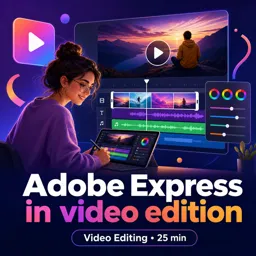


Adobe Express est un outil de création en ligne d'Adobe pour concevoir rapidement des visuels, vidéos, documents et contenus pour les réseaux sociaux.

1


Unlocking the Power of Adobe Express: Advanced Video Editing Features for Designers and Artists
Discover advanced features in Adobe Express and elevate your video content as a designer or artist with professional, branded results.

Getting Started with Adobe Express: Enhance Your Video Editing Creativity
Create stunning videos with Adobe Express using intuitive tools, templates, and effects—perfect for beginners and professionals alike.

Creative Storytelling with Adobe Express: Craft Engaging Video Content Easily
Create captivating video stories with Adobe Express using templates, effects, and intuitive tools designed for designers and artists.

Boost Your Creative Workflow: How Adobe Express Transforms Video Editing in Design Projects
Discover how Adobe Express helps designers easily create dynamic videos with templates, animations, and seamless collaboration tools.
Develop practical digital design skills with our selection of free Adobe Express online courses. These educational courses help beginners, students, teachers, entrepreneurs, content creators, and marketing professionals learn how to produce attractive visual materials efficiently. Study online at your own pace, complete exercises, and receive free certification after finishing eligible course content.
Adobe Express is a versatile design platform for creating social media posts, presentations, posters, flyers, invitations, videos, logos, and other digital content. Through structured lessons and practical activities, these free courses introduce essential tools and demonstrate how to turn ideas into professional-looking projects. No previous graphic design experience is required, making this course collection suitable for anyone interested in creative education.
Learning design becomes more effective through practice. For this reason, the courses include exercises that reinforce important Adobe Express techniques and encourage you to apply each concept. You can experiment with templates, typography, composition, branding, image editing, and multimedia resources while building useful creative skills for academic, personal, or professional projects.
All courses listed on this page are free, allowing you to expand your knowledge without paying tuition fees. They also provide free certification, which can support your résumé, professional profile, academic portfolio, or continuing education record. A certificate is a valuable way to demonstrate your commitment to learning Adobe Express and improving your digital communication abilities.
These online courses are useful for learners who want accessible training in visual communication. They are especially relevant for students, educators, small business owners, freelancers, social media managers, and professionals who need to create polished content quickly. The flexible online format lets you study whenever it is convenient and review lessons as needed.
To access the free Adobe Express courses, exercises, and free certification, you must install the Cursa application. Android users can install it through Google Play at Download for Android. iPhone users can install it through the App Store at Download for iOS / iPhone.
Choose a free online course, follow the educational lessons, complete the exercises, and strengthen your design portfolio. Begin learning Adobe Express today and earn your free certificate while developing creative skills that can be applied to school, work, business, and digital media projects.
Qu'est-ce qu'Adobe Express ?
Adobe Express est un outil de création en ligne d'Adobe pour concevoir rapidement des visuels, vidéos, documents et contenus pour les réseaux sociaux.
Que vais-je apprendre dans un cours Adobe Express de montage vidéo ?
Vous apprendrez à importer des médias, couper des clips, ajouter du texte, de la musique, des transitions et exporter une vidéo.
Adobe Express est-il adapté aux débutants en vidéo ?
Oui. Son interface simplifiée et ses modèles prêts à l'emploi permettent de créer des vidéos sans expérience avancée en montage.
Peut-on créer des vidéos pour les réseaux sociaux avec Adobe Express ?
Oui. Adobe Express propose des formats et modèles adaptés à Instagram, TikTok, YouTube, Facebook et autres plateformes.
Comment ajouter du texte et des sous-titres dans Adobe Express ?
Vous pouvez insérer des zones de texte, choisir des polices, appliquer des animations et générer ou modifier des sous-titres selon les fonctionnalités disponibles.
Quels types de fichiers vidéo peut-on exporter depuis Adobe Express ?
Adobe Express permet généralement d'exporter les créations vidéo dans des formats compatibles avec le partage en ligne, notamment MP4.
Faut-il installer un logiciel pour utiliser Adobe Express ?
Non. Adobe Express s'utilise principalement depuis un navigateur web, avec également des applications mobiles disponibles.

Complete any course and issue your certificate via the app — at no cost.

Download the app! to have access to more than 4,000 Online Courses + Certificate, all free!
Download the app! 100% free courses.


Carry knowledge in your pocket.
Download the Cursa app.
There are hundreds of free courses available, with a free certificate of completion that is saved in your mobile image gallery.
Download the app to access the Course Completion Certificate for Free.


+ 10 million
students

Free and Valid
Certificate

60 thousand free
exercises

4.8/5 rating in
app stores

Free courses in
video and ebooks