Figma is used to design user interfaces, create wireframes, build prototypes, and collaborate on digital product designs.

10

1


Free CourseWeb and Desktop app UI design in Figma
4.9

(8)

1h16m
Free CourseFigma UX UI Design
4.5

(2)
2h57m

6 exercises
Free CourseUI Design for beginners
5
(1)
1h20m
5 exercises

Free CourseFigma Masterclass for Beginners
New
3h55m
6 exercises
Free CourseHow to use Figma UI Design
New
47m
6 exercises
Free CourseDesign a Website
4
(2)
41m
6 exercises
Free CourseFigma UI Design in 24 Minutes
New
24m
3 exercises
Free CourseFigma Design System Series: Build a Complete Design System in Figma
New
2h56m
17 exercises

Free CourseDesign Systems for Beginners: Build, Document and Scale UI Libraries
New
1h42m
9 exercises
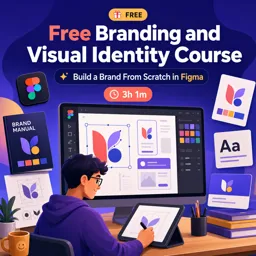
Free CourseFree Branding and Visual Identity Course: Build a Brand From Scratch in Figma
New
3h01m
9 exercises

Getting Started with Figma: A Beginner’s Guide to Collaborative UX Design
Learn Figma basics in this beginner’s guide to collaborative UX design—from setting up projects to building interactive prototypes with ease.

Figma Prototyping: Bringing Your UX Designs to Life with Interactive Flows
Figma’s prototyping tools turn static designs into interactive flows, enabling designers to test, share, and refine UX experiences with ease.

Designing Responsive Layouts in Figma: Best Practices and Techniques
Design responsive layouts in Figma with Auto Layout, Constraints, Grids, and Variants. Use breakpoints and test across devices to ensure flexible, user-friendly designs.

Mastering Figma Components: Creating Reusable Design Systems
Create reusable Figma components for scalable design systems. Use Variants, Auto Layout, and nesting for flexibility, and document components for team use and consistency.
Learn user interface design, user experience principles, and collaborative prototyping with our selection of free online Figma courses. These educational courses are suitable for beginners who want to understand the platform and for designers seeking to improve their digital design workflow. Study essential Figma tools, create responsive interfaces, organize design systems, and develop practical skills for academic, personal, or professional projects.
The available classes cover fundamental and advanced topics related to UI design and UX design. Educational content may include frames, layers, components, variants, typography, colors, grids, constraints, auto layout, interactive prototypes, and team collaboration. You can also learn how to build wireframes, mobile application screens, website layouts, reusable libraries, and presentation-ready design projects.
Each learning path includes exercises that help you review concepts and apply your knowledge. Practical activities make it easier to understand visual hierarchy, accessibility, interface consistency, usability, and responsive behavior. By completing exercises and experimenting with real design tasks, students can strengthen their portfolio and gain confidence using Figma.
These courses are free and provide an accessible way to begin or continue your design education. Free certification can support your résumé, professional profile, academic record, or portfolio by documenting your learning. Course availability allows students, freelancers, developers, product professionals, and aspiring designers to study Figma concepts with flexibility.
This course collection is valuable for beginners, UI and UX design students, graphic designers, web designers, developers, entrepreneurs, and anyone interested in creating digital products. No matter your current experience, you can choose lessons aligned with your learning goals and progress from basic interface construction to more structured design systems and prototypes.
To access the courses, exercises, and free certification, you must install the Cursa application. Android users can install it through Google Play by selecting Download for Android. iPhone users can obtain the application from the App Store by selecting Download for iOS / iPhone.
Install the application, explore the free Figma courses, complete the educational lessons and exercises, and work toward your free certification. Start building practical design knowledge today and improve your ability to plan, prototype, test, and present modern digital interfaces.
What is Figma used for?
Figma is used to design user interfaces, create wireframes, build prototypes, and collaborate on digital product designs.
Is Figma good for beginners?
Yes. Figma is beginner-friendly and offers tools for UI design, website layouts, components, and interactive prototypes.
Can I learn UI design with Figma?
Yes. Figma is widely used to learn UI design principles, create app and web screens, and build reusable interface elements.
How do I create a prototype in Figma?
Connect frames in the Prototype tab, choose interactions such as clicks or hover states, and preview the flow in presentation mode.
What is a Figma design system?
A Figma design system is a reusable library of components, styles, variables, and guidelines that keeps designs consistent.
Can Figma be used for website design?
Yes. You can design responsive website layouts, create visual styles, organize components, and prototype page interactions in Figma.
Do I need to install Figma to use it?
No. Figma works in a web browser, though desktop apps are also available for Windows and macOS.

Complete any course and issue your certificate via the app — at no cost.

Download the app! to have access to more than 4,000 Online Courses + Certificate, all free!
Download the app! 100% free courses.


Carry knowledge in your pocket.
Download the Cursa app.
There are hundreds of free courses available, with a free certificate of completion that is saved in your mobile image gallery.
Download the app to access the Course Completion Certificate for Free.


+ 10 million
students

Free and Valid
Certificate

60 thousand free
exercises

4.8/5 rating in
app stores

Free courses in
video and ebooks





What are people saying about free online courses of Figma
GANESH BYLAKUPPE DEVEPPA
The way the instrutctor goes from zero to 100, so smooth explaination .. awesome tutorial.
CourseWeb and Desktop app UI design in Figma