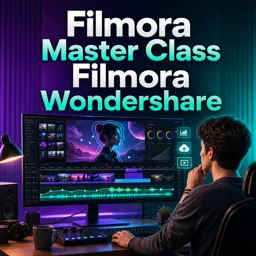


Wondershare Filmora is a video editing software designed for creating videos with effects, transitions, titles, audio, and more.

1


Exercises

Getting Started with Filmora Wondershare: A User-Friendly Video Editing Solution
Filmora Wondershare is an easy, powerful video editor ideal for creators. Start projects fast, edit with style, and bring your creative ideas to life.

Creative Storytelling Techniques Using Filmora Wondershare
Learn how to craft powerful video stories using Filmora Wondershare with tools like templates, audio, effects, and layered visuals to engage your audience.

Advanced Tips for Smooth Cuts and Transitions in Filmora
Enhance your Filmora edits with tips for smooth cuts and transitions. Use timing, keyframes, and sound for professional results, and try custom transitions!

Top Filmora Effects and Transitions to Enhance Your Videos
Elevate your videos in Filmora with split-screen, green screen, and dynamic transitions. Use slow motion and stylish effects for polished, engaging content!
Discover free online Wondershare Filmora courses designed for learners who want to develop practical video editing skills. Whether you are a beginner, content creator, student, educator, or aspiring video editor, these educational courses can help you learn how to use Filmora tools, effects, transitions, titles, audio resources, and export settings. Every course is free, includes exercises for practice, and offers free certification after completion.
Wondershare Filmora is an accessible video editing program used to create videos for social media, educational projects, presentations, marketing campaigns, tutorials, and personal productions. Through structured video lessons, you can study essential editing concepts and understand how to organize media, work with the timeline, trim clips, combine scenes, correct colors, add music, record narration, insert text, and create engaging visual compositions.
The available educational content may cover topics for different knowledge levels. Course subjects and learning activities can include:
These free Filmora courses support independent learning and allow you to study according to your own schedule. The included exercises provide opportunities to review editing procedures and apply new knowledge to practical projects. After completing an eligible course, you can receive a free certificate that demonstrates your participation and continuing education. Certification can complement your resume, academic portfolio, or professional development record.
To access the free online courses, lessons, exercises, and free certification, you must install the Cursa application on your mobile device. Android users can install it through Google Play by selecting Download for Android. Apple users can install it through the App Store by selecting Download for iOS / iPhone.
Explore the course listing and begin building useful audiovisual production skills without paying tuition. With clear lessons, practical exercises, flexible online study, and free certification, these Wondershare Filmora courses offer an educational path for learning video editing and improving the quality of your creative projects.
What is Wondershare Filmora?
Wondershare Filmora is a video editing software designed for creating videos with effects, transitions, titles, audio, and more.
Is Wondershare Filmora suitable for beginners?
Yes. Filmora has an intuitive interface and beginner-friendly editing tools for learning video production.
What will I learn in a Filmora Master Class?
You can learn to import media, edit clips, add transitions, create titles, adjust audio, use effects, and export finished videos.
Can I create YouTube videos with Filmora?
Yes. Filmora includes tools for trimming, captions, music, effects, and exporting videos in formats suitable for YouTube.
Does Filmora support transitions and visual effects?
Yes. Wondershare Filmora provides a library of transitions, filters, overlays, motion elements, and visual effects.
Can I add text and subtitles in Wondershare Filmora?
Yes. You can add titles, lower thirds, animated text, subtitles, and captions to video projects.
What types of videos can I edit with Filmora?
Filmora can be used for social media clips, tutorials, vlogs, presentations, promotional videos, family videos, and YouTube content.

Complete any course and issue your certificate via the app — at no cost.

Download the app! to have access to more than 4,000 Online Courses + Certificate, all free!
Download the app! 100% free courses.


Carry knowledge in your pocket.
Download the Cursa app.
There are hundreds of free courses available, with a free certificate of completion that is saved in your mobile image gallery.
Download the app to access the Course Completion Certificate for Free.


+ 10 million
students

Free and Valid
Certificate

60 thousand free
exercises

4.8/5 rating in
app stores

Free courses in
video and ebooks