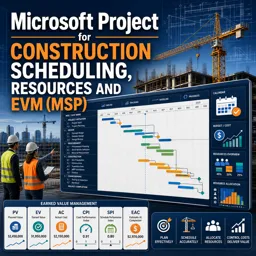


Microsoft Project is used to plan projects, create schedules, assign resources, track tasks, and monitor project progress.

1


Develop valuable project management skills with our selection of free online Microsoft Project courses. These educational courses help students, professionals, project coordinators, and managers learn how to plan, organize, monitor, and complete projects using Microsoft Project. Study essential software features through accessible lessons, practical examples, and exercises designed to reinforce each topic. All courses are free and include free certification after completion, allowing you to demonstrate your learning and strengthen your professional profile.
Microsoft Project is a widely used project planning tool for creating schedules, managing resources, defining tasks, tracking progress, and controlling costs. With these free courses, you can study from beginner concepts to more advanced project management techniques at your own pace. The educational content supports independent learning and helps you apply Microsoft Project functions to academic, business, construction, technology, and operational projects.
Each course provides a flexible educational experience that can be adapted to your routine. The included exercises encourage practical training, improve software familiarity, and help verify your understanding of scheduling and project control methods. After successfully completing a course, you can obtain a free certificate. This free certification can complement your resume, document your continuing education, and highlight your commitment to professional development.
To access and study these Microsoft Project courses, it is necessary to install the Cursa application. Android users can install it from Google Play at Download for Android. iPhone users can install it from the App Store at Download for iOS / iPhone.
Choose a free Microsoft Project course, complete the lessons and exercises, and build practical project planning skills without tuition fees. Install the application to begin your online education and earn free certification.
What is Microsoft Project used for?
Microsoft Project is used to plan projects, create schedules, assign resources, track tasks, and monitor project progress.
Can Microsoft Project be used for construction scheduling?
Yes. Microsoft Project can create construction schedules with task dependencies, milestones, critical paths, crews, and project deadlines.
What is the critical path in Microsoft Project?
The critical path is the sequence of tasks that directly determines the project finish date. Delays to critical tasks can delay the entire project.
How do I create a project schedule in Microsoft Project?
Enter tasks, estimate durations, link task dependencies, add milestones, assign resources, and set a project start or finish date.
What are resources in Microsoft Project?
Resources are the people, equipment, materials, and costs needed to complete project tasks. They can be assigned to activities and tracked over time.
What is Earned Value Management in Microsoft Project?
Earned Value Management, or EVM, compares planned work, completed work, and actual costs to measure project schedule and cost performance.
Can Microsoft Project track budget and schedule performance?
Yes. With resource costs and baselines configured, Microsoft Project can report planned costs, actual costs, earned value, and schedule variances.

Complete any course and issue your certificate via the app — at no cost.

Download the app! to have access to more than 4,000 Online Courses + Certificate, all free!
Download the app! 100% free courses.


Carry knowledge in your pocket.
Download the Cursa app.
There are hundreds of free courses available, with a free certificate of completion that is saved in your mobile image gallery.
Download the app to access the Course Completion Certificate for Free.


+ 10 million
students

Free and Valid
Certificate

60 thousand free
exercises

4.8/5 rating in
app stores

Free courses in
video and ebooks