The CDN build includes the full utility library and cannot be optimized for only the classes your site uses, resulting in unnecessarily large CSS files.

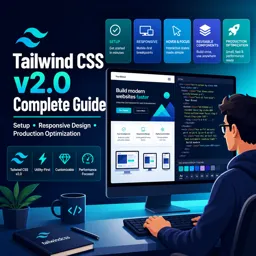
Duration of the online course: 1 hours and 35 minutes
New
Build modern, responsive UIs faster with a free Tailwind CSS course—setup, states, reusable components, and production optimization for lighter builds.
Want to ship polished web interfaces without wrestling with custom CSS files? This free online course helps you get comfortable with Tailwind CSS v2.0 and the utility-first workflow so you can build layouts quickly, keep styling consistent, and iterate with confidence. You will start by understanding what Tailwind is designed for and how to set it up properly, moving beyond quick demos into an approach that fits real projects.
As you progress, you will learn how utilities shape the way you think about styling: composing designs directly in your markup while staying systematic and maintainable. You will practice building responsive interfaces using Tailwind’s breakpoint variants, so the same components adapt cleanly from mobile to desktop. You will also work with interactive states such as hover and focus, and understand how to enable and control variants in a way that preserves defaults and avoids unexpected overrides.
The course also focuses on writing cleaner UI code as your project grows. You will see how to combine utilities with @apply to create reusable patterns, when it makes sense to extract components, and how to manage UI consistency by customizing your design system. This includes extending configuration thoughtfully, such as adding brand colors without losing Tailwind’s default palette, which helps teams keep a scalable, predictable visual language.
Finally, you will cover the steps that turn a Tailwind project into something production-ready. You will understand why relying on a CDN is not ideal for serious deployments and learn the rationale behind production optimization, including configuring purge to remove unused styles for smaller, faster-loading builds. By the end, you will be prepared to build responsive, component-driven interfaces and deliver optimized CSS that is ready for real users.
Explore free online CSS courses designed to help beginners and aspiring web developers master styling, layouts, responsive design, Flexbox, Grid, animations, and modern best practices. Learn at your own pace, build practical front-end skills, and earn a certificate with every course to showcase your CSS expertise.

Explore free online TailwindCSS courses designed to help you build modern, responsive websites faster. Learn utility-first CSS, layouts, components, customization, and best practices through flexible, self-paced lessons. Enroll today, sharpen your front-end development skills, and earn a certificate upon completion at no cost.

1 hours and 35 minutes of online video course

Digital certificate of course completion (Free)

Exercises to train your knowledge

100% free, from content to certificate
Why should Tailwind CSS v2 projects avoid using the CDN build in production?
The CDN build includes the full utility library and cannot be optimized for only the classes your site uses, resulting in unnecessarily large CSS files.
How do Tailwind CSS v2 responsive classes work by default?
They are mobile-first: an unprefixed utility applies at all sizes, while prefixes such as md: apply at that breakpoint and larger.
What does PurgeCSS do in a Tailwind CSS v2 production build?
It scans your templates for used class names and removes unused Tailwind utilities to dramatically reduce the final CSS size.
Ready to get started?Download the app and get started today.
Install the app now
to access the course
Over 5,000 free courses
Programming, English, Digital Marketing and much more! Learn whatever you want, for free.

Study plan with AI
Our app's Artificial Intelligence can create a study schedule for the course you choose.

From zero to professional success
Improve your resume with our free Certificate and then use our Artificial Intelligence to find your dream job.
You can also use the QR Code or the links below.




Free CourseLaravel
5

(2)

4h04m

20 exercises

Free CourseProgressive Web Application PWA for Beginners
5
(5)
3h24m
15 exercises

Free CourseLearn Laravel in 30 Days: Beginner to Pro
5
(1)
17h00m
30 exercises

Free CoursePHP for Beginners: Learn PHP, MySQL, MVC, Routing, Authentication and Testing
5
(1)
10h45m
49 exercises

Free CourseLaravel Full Course: Build, CRUD, Auth, Email and Deploy to Live Server
5
(1)
3h52m
15 exercises

Free CourseWeb Development Foundations: HTML, CSS, Git and Command Line
5
(3)
14h11m
37 exercises

Free CourseCSS Complete Tutorial
5
(1)
8h30m
49 exercises

Free CoursePHP for Beginners: Learn PHP, MySQL and Login Systems
5
(3)
10h49m
29 exercises

Free CourseJavaScript for beginners
4.9
(27)
1h40m
2 exercises

Free CourseUmbraco CMS
4.9
(22)
6h21m
19 exercises
Carry knowledge in your pocket.
Download the Cursa app.
There are hundreds of free courses available, with a free certificate of completion that is saved in your mobile image gallery.
Download the app to access the Course Completion Certificate for Free.


+ 10 million
students

Free and Valid
Certificate

60 thousand free
exercises

4.8/5 rating in
app stores

Free courses in
video and ebooks





