Create it with `python -m venv venv`, then activate it in Git Bash with `source venv/Scripts/activate`.

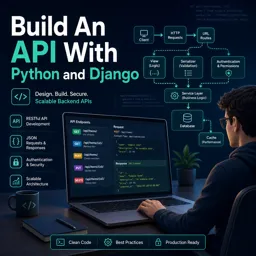
Duration of the online course: 1 hours and 33 minutes
New
Learn to build a Python & Django REST API from scratch—models, serializers, admin and routing. Free online course with hands-on practice to level up fast.
Turn your Python skills into a real backend project by building a REST API with Django and Django REST Framework. In this course, you will go from initial setup to a working API that can serve data to any client app, helping you understand how modern web services are designed and delivered. You will learn how an API typically responds in JSON, why that matters for web and mobile applications, and how to structure a project so it remains clean as it grows.
You will start by preparing your development environment the right way, including essential tooling and a workflow that works on Windows using Git Bash. You will also use virtual environments to isolate dependencies, avoid conflicts between projects, and keep your setup reproducible. From there, you will create a Django project and app, wire up URL routing, and get comfortable with running Django commands in the correct context so your project stays predictable.
Once the foundation is in place, you will step into the parts that make backend development practical: managing data and exposing it safely. You will create a model to represent courses, generate the database table using migrations, and use the Django admin area to view and manage records efficiently. You will also customize how items appear so administration is faster and more human-friendly.
To transform database objects into API responses, you will work with serializers in Django REST Framework, learning how to choose the right fields to expose and how model instances become JSON. Along the way, you will connect common HTTP methods to real API behavior, including which method is used to create new resources. By the end, you will have a clear understanding of the core building blocks behind a Django REST API and the confidence to start building your own backend endpoints for real projects.

Explore free online Python courses and build in-demand programming skills at your own pace. Learn Python basics, data analysis, automation, web development, and more through flexible beginner-friendly lessons. Enroll today, study from anywhere, and earn a free certificate to showcase your Python skills and boost your career.

Explore free online Django courses with certificates and learn to build secure, scalable web applications using Python. Master Django fundamentals, models, views, templates, databases, APIs, authentication, and deployment through flexible lessons designed for beginners and aspiring developers. Start learning Django online for free and earn a certificate.

1 hours and 33 minutes of online video course

Digital certificate of course completion (Free)

Exercises to train your knowledge

100% free, from content to certificate
How do I create and activate a Python virtual environment for a Django API on Windows?
Create it with `python -m venv venv`, then activate it in Git Bash with `source venv/Scripts/activate`.
What commands create database tables after adding a Django model?
Run `python manage.py makemigrations` and then `python manage.py migrate` from the folder containing `manage.py`.
How does Django REST Framework convert Django model data into JSON?
A serializer converts model instances and querysets into JSON-ready data for API responses.
Ready to get started?Download the app and get started today.
Install the app now
to access the course
Over 5,000 free courses
Programming, English, Digital Marketing and much more! Learn whatever you want, for free.

Study plan with AI
Our app's Artificial Intelligence can create a study schedule for the course you choose.

From zero to professional success
Improve your resume with our free Certificate and then use our Artificial Intelligence to find your dream job.
You can also use the QR Code or the links below.



Free CourseBackend REST API
5

(9)

5h24m

25 exercises
Free CourseNodeJS complete
5
(1)
1h30m
12 exercises
Free CourseAPIs
5
(5)
4h32m
20 exercises
Free CourseFlask
5
(1)
8h50m
14 exercises
Free CourseDjango for Everybody
5
(1)
18h32m
Free CoursePython Django Full Stack Developer
5
(2)
14h23m
27 exercises
Free CourseMaster Vue JS API
5
(-4)
6h14m
6 exercises
Free CoursePython Fast API
4.8
(5)
1h34m
14 exercises
Free CourseREST API
4.7

(6)
4h14m
10 exercises
Free CourseAPIs for beginners
4.5
(2)
3h07m
Carry knowledge in your pocket.
Download the Cursa app.
There are hundreds of free courses available, with a free certificate of completion that is saved in your mobile image gallery.
Download the app to access the Course Completion Certificate for Free.


+ 10 million
students

Free and Valid
Certificate

60 thousand free
exercises

4.8/5 rating in
app stores

Free courses in
video and ebooks