Enable only the required function for each UART, such as Serial RX, GPS, or VTX control, and avoid assigning conflicting features to the same port.

Duration of the online course: 7 hours and 24 minutes
New
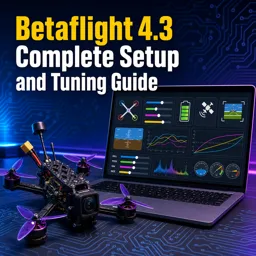
Get your quad flying smoother and safer with a free Betaflight setup & tuning course—firmware, ports, failsafe, OSD, filters and rates, plus certificate-ready skills.
Take control of your drone build by learning how to configure and tune Betaflight 4.3 with confidence, from a fresh flash to a flight-ready setup that feels locked-in and predictable. This free online course is designed for pilots and builders who want fewer headaches at the bench and better performance in the air, whether you are setting up your first quad or refining a proven freestyle or racing rig.
You will work through the key tabs in Betaflight with a practical, real-world mindset: making sure the flight controller is functional after firmware changes, mapping UARTs correctly so features do not conflict, and getting your receiver working the way modern serial protocols are intended to. You will also connect the dots between what you verify in the Receiver tab and what becomes possible in the Modes tab, so arming and AUX functions behave exactly as expected.
Safety and reliability are emphasized throughout. You will understand what Betaflight is actually changing when motor direction options are toggled, how to handle a rotated flight controller the right way without introducing confusing compensation issues, and how battery warnings help you avoid damaging LiPos or dropping voltage under load. The course also clarifies failsafe behavior so you know what the quad will do when control is lost, helping you make decisions that protect people, property, and your gear.
For FPV pilots, you will set up VTX control, optimize the OSD so the data you need is readable and accurate, and avoid common video-format pitfalls. Then you will move into the feel of the quad: understanding profiles, dialing rates for consistent stick response, and using filtering tools to balance noise reduction with responsiveness. By the end, you will be able to create a clean, repeatable setup process and make informed tuning changes instead of guessing. If you are building skills for a hobby, content creation, or technical work, this course gives you a solid Betaflight 4.3 workflow you can reuse on every build.

Explore free online FPV drone courses and learn first-person-view flying, drone setup, safety, maintenance, tuning, and aerial videography at your own pace. Build practical piloting skills with beginner-friendly lessons and advanced tips. Enroll today in free FPV drone training and earn a certificate to showcase your knowledge.

Explore free online Betaflight courses and learn to configure, tune, and optimize FPV drone flight controllers with step-by-step lessons. Build practical skills in setup, firmware, PID tuning, modes, filters, and troubleshooting. Enroll today, study at your own pace, and earn a certificate with every course.

7 hours and 24 minutes of online video course

Digital certificate of course completion (Free)

Exercises to train your knowledge

100% free, from content to certificate
How do I configure UART ports correctly in Betaflight 4.3?
Enable only the required function for each UART, such as Serial RX, GPS, or VTX control, and avoid assigning conflicting features to the same port.
What does Stage 2 failsafe do in Betaflight 4.3?
By default, Stage 2 failsafe disarms the quadcopter and stops the motors after the configured failsafe delay.
What does the Max Rate setting control in Betaflight 4.3 Actual Rates?
Max Rate sets the maximum rotational speed of the quadcopter in degrees per second when the stick is at full deflection.
Ready to get started?Download the app and get started today.
Install the app now
to access the course
Over 5,000 free courses
Programming, English, Digital Marketing and much more! Learn whatever you want, for free.

Study plan with AI
Our app's Artificial Intelligence can create a study schedule for the course you choose.

From zero to professional success
Improve your resume with our free Certificate and then use our Artificial Intelligence to find your dream job.
You can also use the QR Code or the links below.



Free CourseArduino tutorial for beginners
5

(2)

12h28m

24 exercises
Free CourseArduino Masterclass in 90 mins
5
(3)
1h25m
6 exercises
Free CourseAutonomous Drone Systems, Swarm Intelligence and Control Engineering
5
(1)
27h57m
49 exercises
Free CourseArduino Tutorial for Complete Beginners: Step-by-Step Projects and Circuits
5
(1)
2h11m
15 exercises
Free CourseArduino for beginners
4.8

(8)
4h04m
9 exercises
Free CourseArduino complete tutorials
3.9
(9)
32h21m
35 exercises
Free CourseAdvanced Arduino Programming
1
(1)
5h41m
36 exercises
Free CourseArduino for Beginners
New
9h53m
39 exercises
Free CourseFPV Drone Flying for Total Beginners: Racing and Freestyle Basics
New
4h04m
18 exercises
Carry knowledge in your pocket.
Download the Cursa app.
There are hundreds of free courses available, with a free certificate of completion that is saved in your mobile image gallery.
Download the app to access the Course Completion Certificate for Free.


+ 10 million
students

Free and Valid
Certificate

60 thousand free
exercises

4.8/5 rating in
app stores

Free courses in
video and ebooks